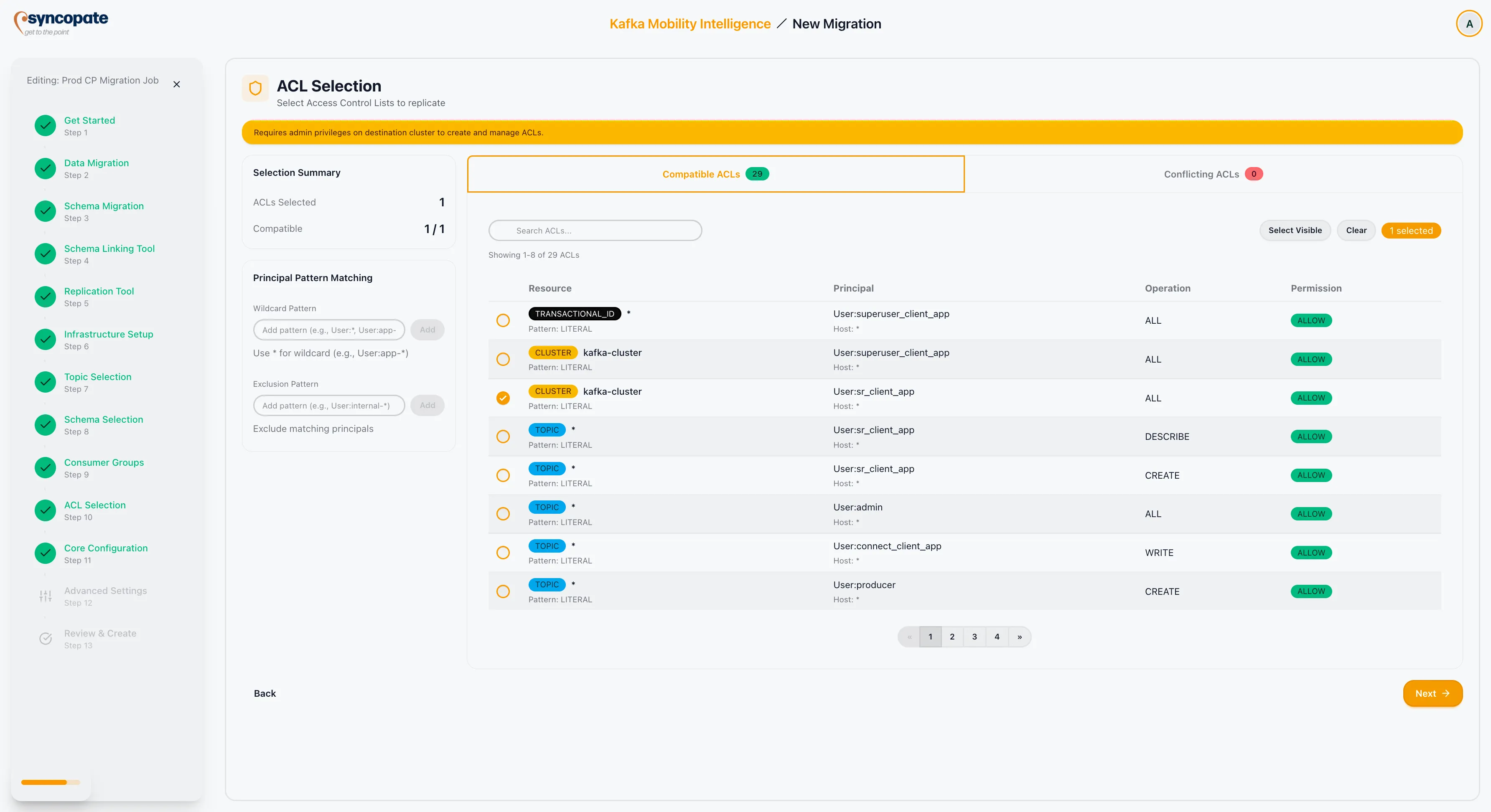
ACL Selection
The ACL Selection step is shown only when ACL migration is enabled and the selected replication tool is not Orbit or Replicator. It allows you to optionally copy access control lists from the source cluster to the destination. ACLs control access to topics, consumer groups, and other Kafka resources, ensuring that security policies are preserved after migration.
Decision Point
Section titled “Decision Point”You have two options at this step:
| Option | Description |
|---|---|
| Skip Security Copy | No ACLs are migrated. Security policies must be configured manually on the destination cluster after migration. |
| Set Up Security First | Review and select ACL rules from the source cluster for replication to the destination. |
Copying ACLs
Section titled “Copying ACLs”When you choose to set up security, the suite retrieves all ACL rules from the source cluster.
-
Review rules by user or application: ACLs are organized by principal (user or service account). Each entry shows the resource type, resource name, operation, and permission type (Allow or Deny).
-
Select permissions: Use checkboxes to choose which ACL rules to replicate. You can select all rules for a principal or pick individual entries.
-
Apply pattern matching: Use patterns to filter by principal name.
Pattern Matching Examples
Section titled “Pattern Matching Examples”| Pattern | Result |
|---|---|
User:* | Selects ACL rules for all users. |
User:test-* | Excludes rules for principals starting with “test-”. |
Review Summary
Section titled “Review Summary”After making your selections, the summary panel displays:
| Field | Description |
|---|---|
| ACLs Selected | The total count of ACL rules selected for migration. |
| Compatible | ACL rules that can be applied to the destination without modification. |
| Conflicting | ACL rules that conflict with existing destination configuration. |