Schema Selection
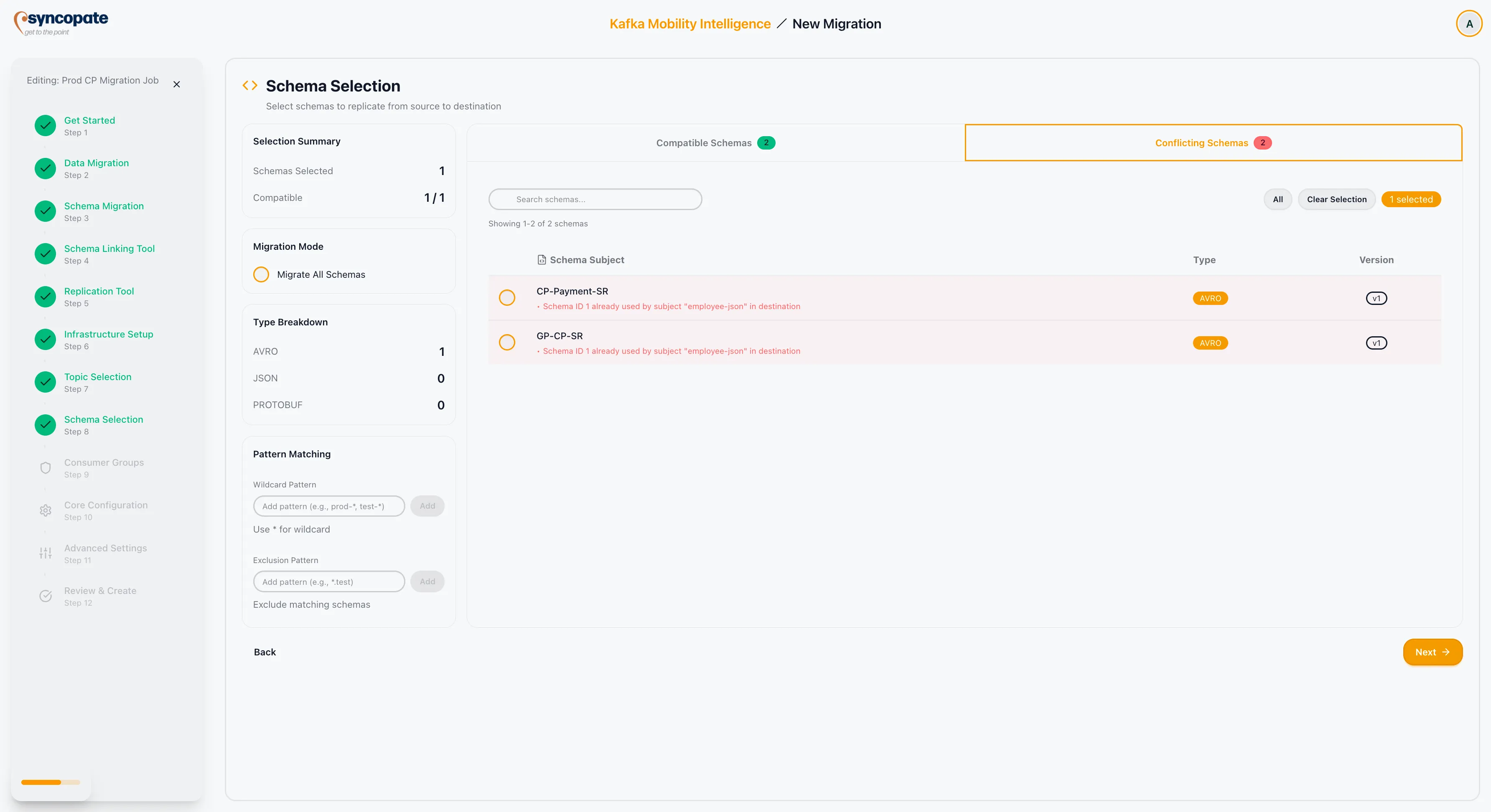
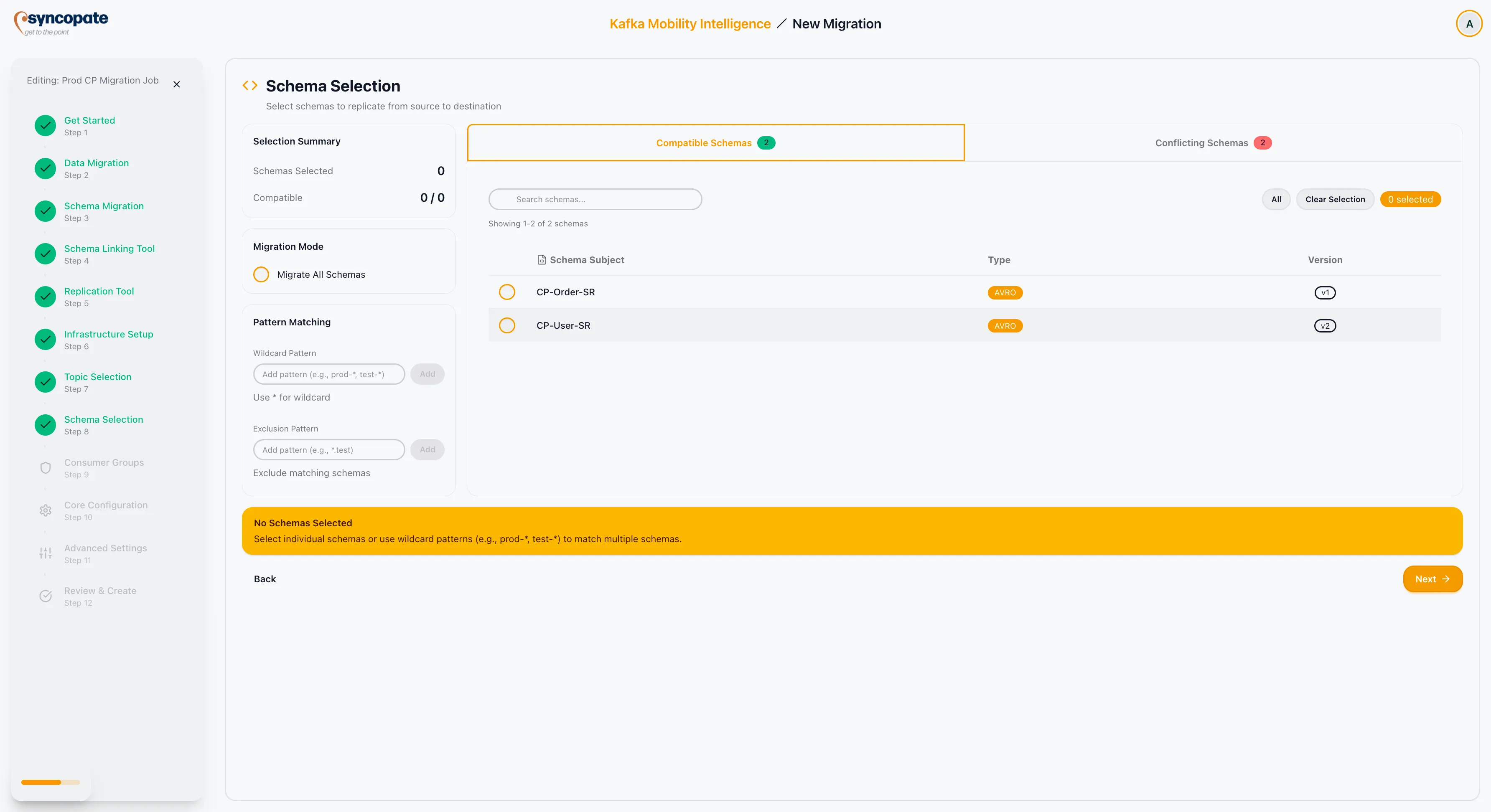
The Schema Selection step determines which schema subjects from the source registry will be migrated to the destination. This step appears only when schema migration is enabled.
Schema Overview
Section titled “Schema Overview”A top panel summarizes the schema landscape:
| Metric | Description |
|---|---|
| Compatible Schemas | Schemas that can be migrated without issues. |
| Conflicting Schemas | Schemas that have conflicts with the destination registry (for example, ID collisions or incompatible types). |
Migration Mode
Section titled “Migration Mode”Two modes are available:
| Mode | Description |
|---|---|
| Migrate All | Toggle this option to select every schema subject from the source registry. No manual selection is required. |
| Selective | When Migrate All is off, choose individual subjects or use patterns to build a targeted selection. |
Selection Methods
Section titled “Selection Methods”Manual Selection
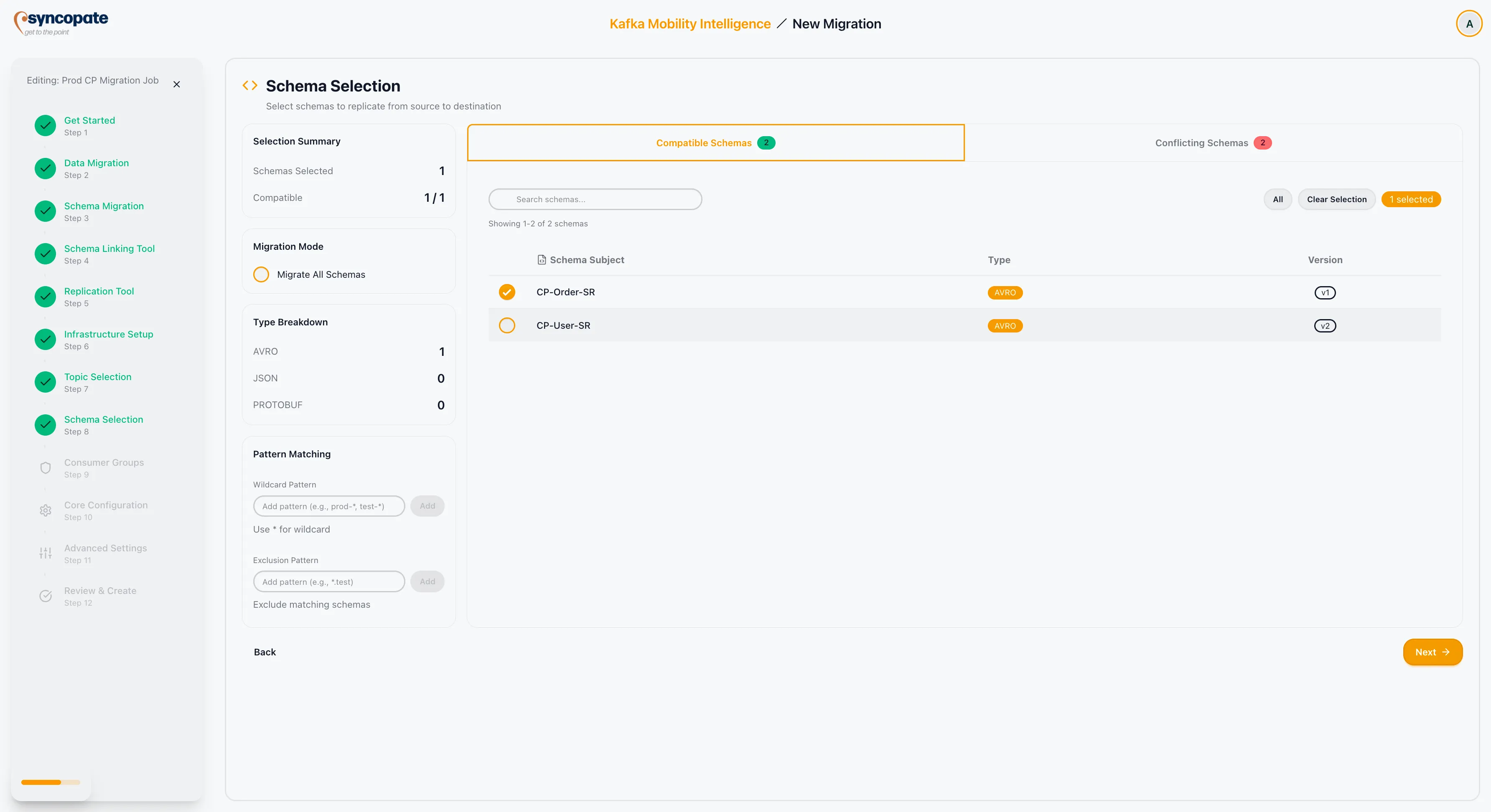
Section titled “Manual Selection”Use the checkboxes next to each schema subject to select individual schemas for migration.
Pattern Matching
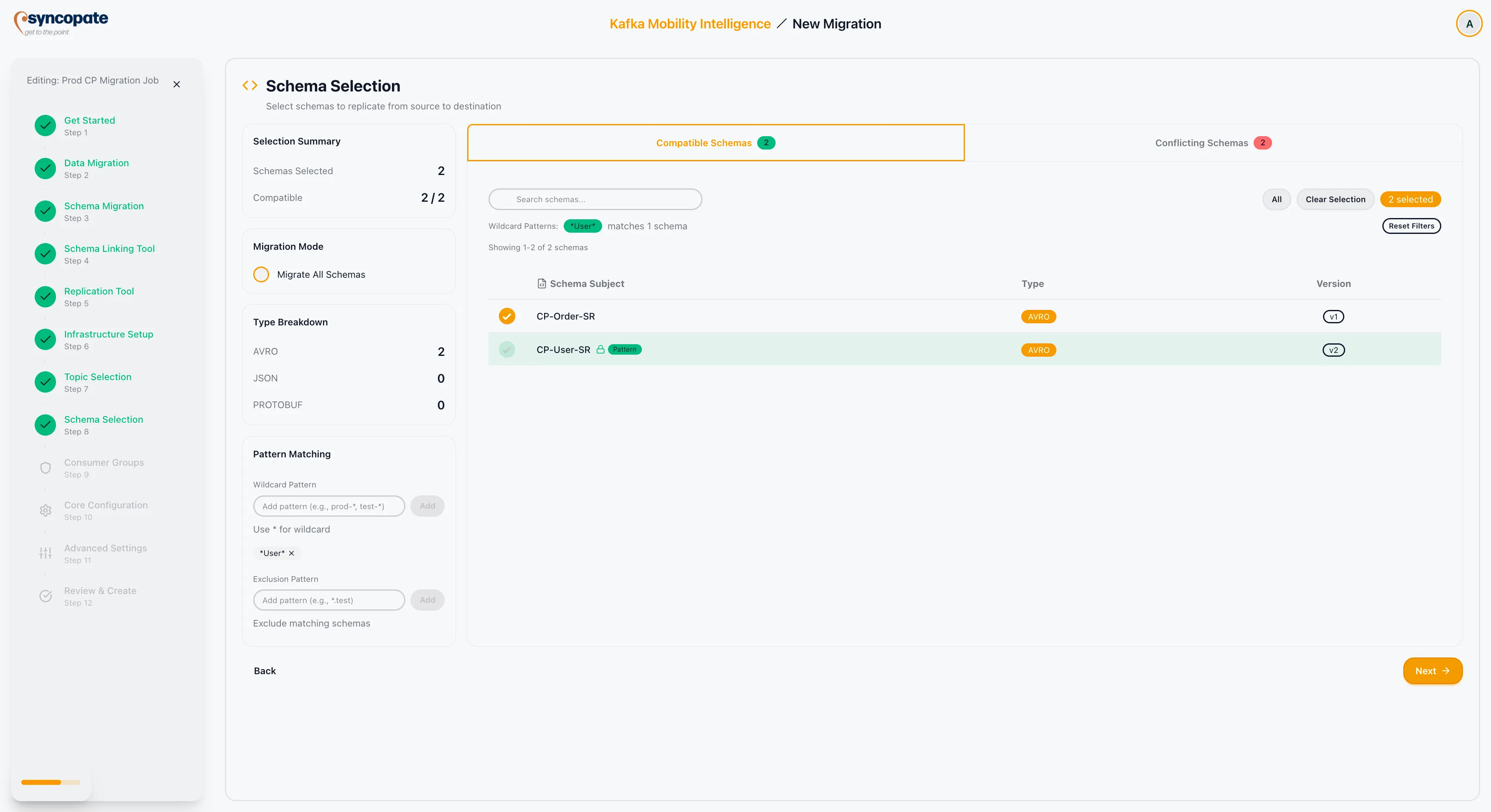
Section titled “Pattern Matching”Enter wildcard patterns to select schemas by subject name. For example:
| Pattern | Result |
|---|---|
order-* | Selects all subjects starting with “order-”. |
*-value | Selects all value schemas. |
Exclusion Patterns
Section titled “Exclusion Patterns”Define patterns to exclude specific subjects. For example:
| Pattern | Result |
|---|---|
*.test | Excludes subjects ending with “.test”. |
internal-* | Excludes subjects starting with “internal-”. |
Monitoring Your Selection
Section titled “Monitoring Your Selection”The Selection Summary panel updates in real time:
| Field | Description |
|---|---|
| Schemas Selected | The count of schema subjects currently selected. |
| Compatibility Status | An overall status indicating whether all selected schemas are compatible with the destination registry. |
Use the Search bar to filter subjects by name, and the Visible Filter to toggle between all schemas and selected schemas.