Topics Tab
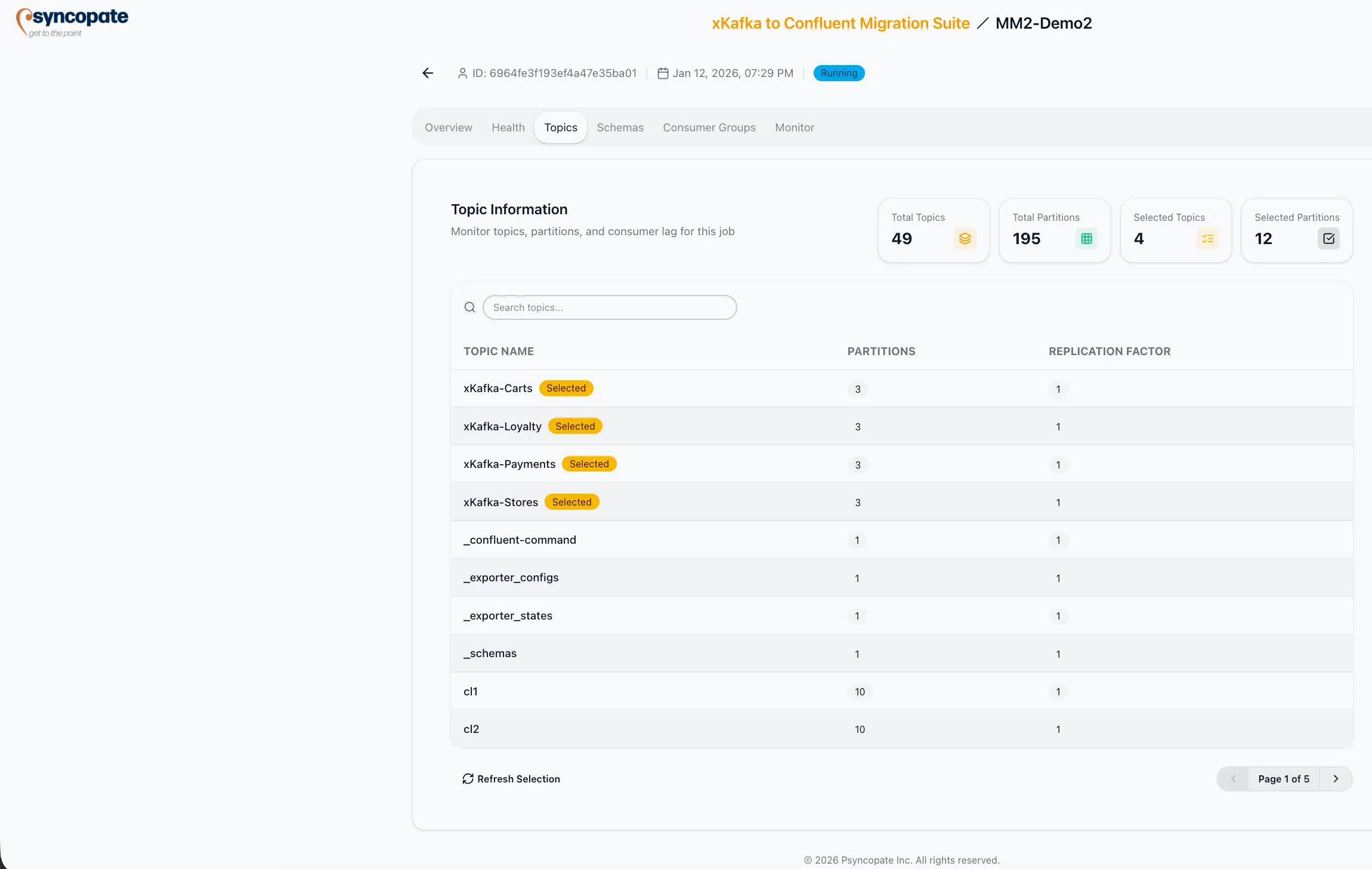
The Topics tab provides a comprehensive view of all topics in the migration scope, including partition details, replication factors, and selection status.
Topic Statistics
Section titled “Topic Statistics”The top section displays aggregate counters:
| Metric | Description |
|---|---|
| Total Topics | Number of topics discovered on the source cluster |
| Total Partitions | Sum of all partitions across discovered topics |
| Selected Topics | Number of topics included in the migration |
| Selected Partitions | Sum of partitions for selected topics |
Topic Table
Section titled “Topic Table”A searchable table lists every discovered topic with the following columns:
| Column | Description |
|---|---|
| Topic Name | Fully qualified topic name. Selected topics display a “Selected” badge next to the name. |
| Partition Count | Number of partitions for the topic |
| Replication Factor | Number of replicas configured on the source cluster |
Use the search bar to filter topics by name.
Phantom Lag
Section titled “Phantom Lag”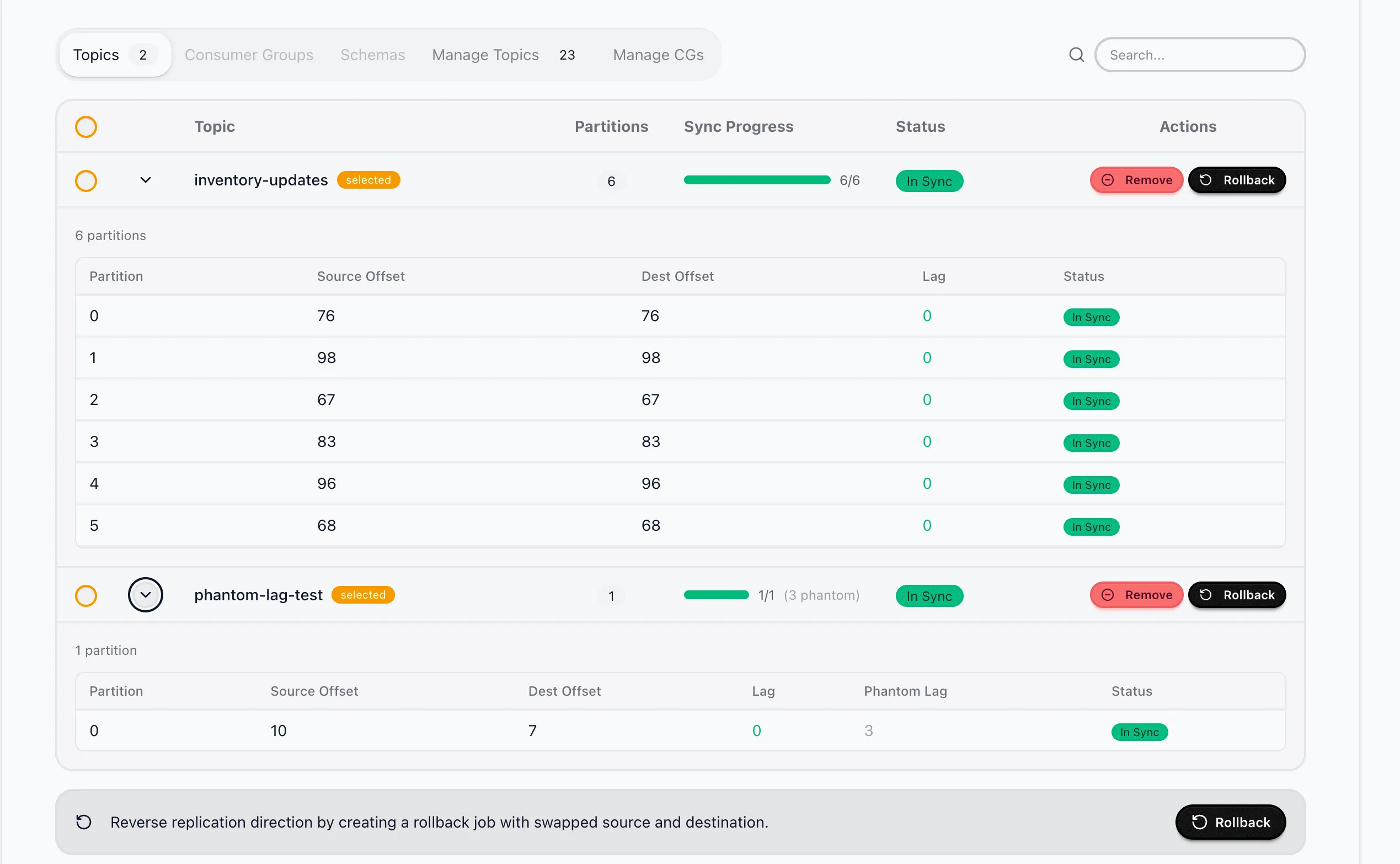
Phantom lag occurs when Kafka deletes older messages due to retention policies, creating offset gaps between the source and destination clusters. The suite distinguishes between two types of lag:
| Lag Type | Description |
|---|---|
| Real Lag | Messages that exist on the source and have not yet been replicated to the destination |
| Phantom Lag | Messages that no longer exist on the source due to retention policy deletion |
The system calculates the actual lag by excluding phantom lag from the total offset difference. This ensures that topics where all available messages have been replicated display an “In Sync” status, even if the raw offset numbers differ.