Overview Tab
The Overview tab provides a consolidated view of the migration job’s configuration and current state. It is the default landing page when you open a job from the Dashboard.
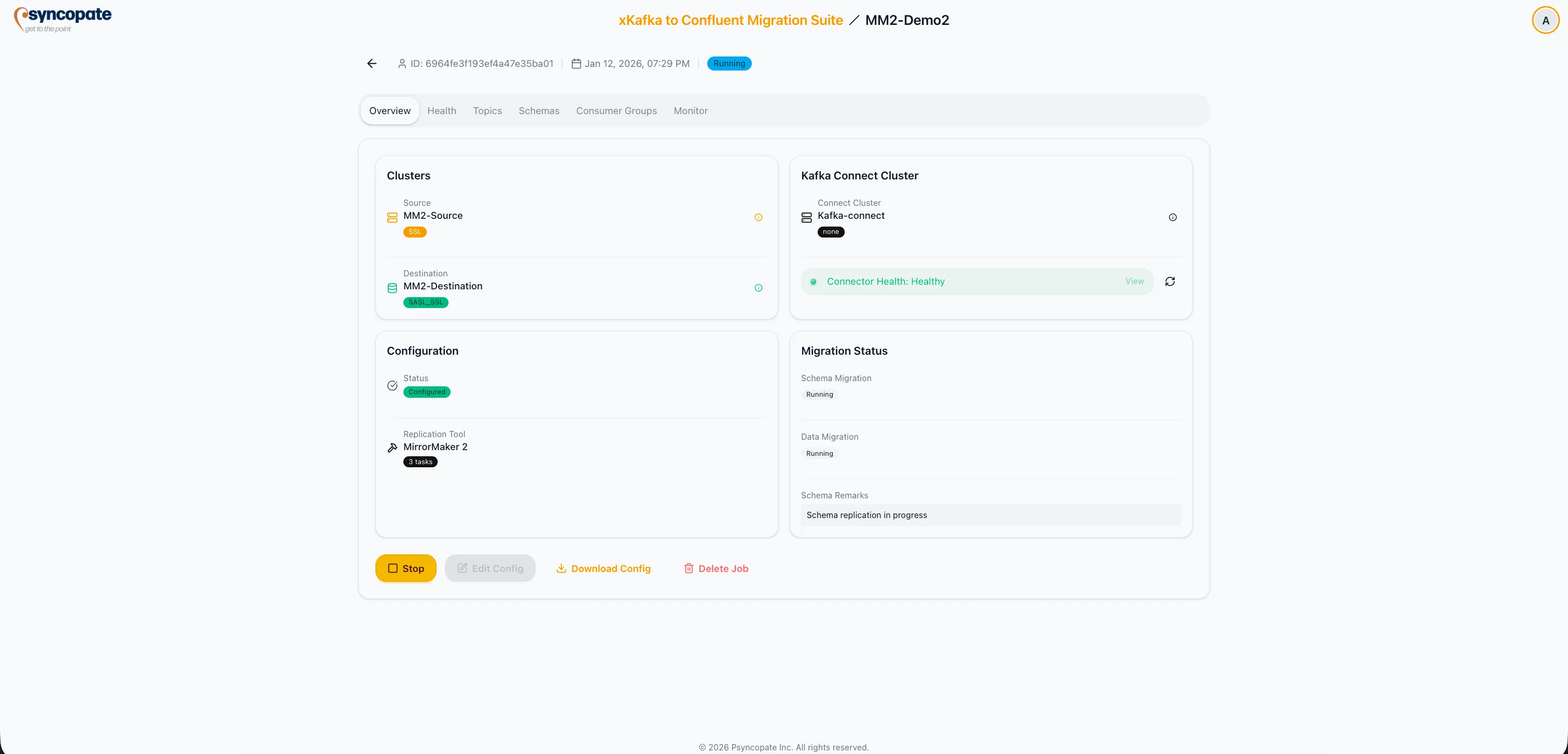
Cluster Details
Section titled “Cluster Details”The top section displays the source and destination cluster configurations, including:
- Cluster Name and connection endpoint
- Connection Status indicator (connected or unreachable)
- Kafka Connect Cluster assignment, applicable for MirrorMaker 2 and Replicator jobs
Configuration Status
Section titled “Configuration Status”A summary shows the completion status of each configuration step in the job setup:
| Component | Details |
|---|---|
| Source Cluster | Cluster name, bootstrap server, connection status |
| Destination Cluster | Cluster name, bootstrap server, connection status |
| Kafka Connect | Assigned Connect cluster (MM2/Replicator jobs only) |
| Schema Registry | Source and destination registry configuration status |
Migration Status
Section titled “Migration Status”The Overview tab displays the current migration status for each component:
- Schema Migration: Status of schema synchronization between source and destination registries
- Data Migration: Status of topic data replication, including overall progress
Action Buttons
Section titled “Action Buttons”The following actions are available from the Overview tab:
| Action | Description |
|---|---|
| Start Job | Launch the migration job (available when job is Configured) |
| Start Monitoring | Begin monitoring for an imported job |
| Stop | Halt a running migration job |
| Edit Config | Modify job configuration parameters (job must be stopped or configured) |
| Delete Job | Permanently remove the job from the suite |