Cluster Linking Monitoring
Cluster Link jobs provide dedicated management interfaces for mirror topics and consumer groups. Unlike connector-based jobs, Cluster Link allows dynamic addition, promotion, and failover of mirror topics without stopping the underlying link.
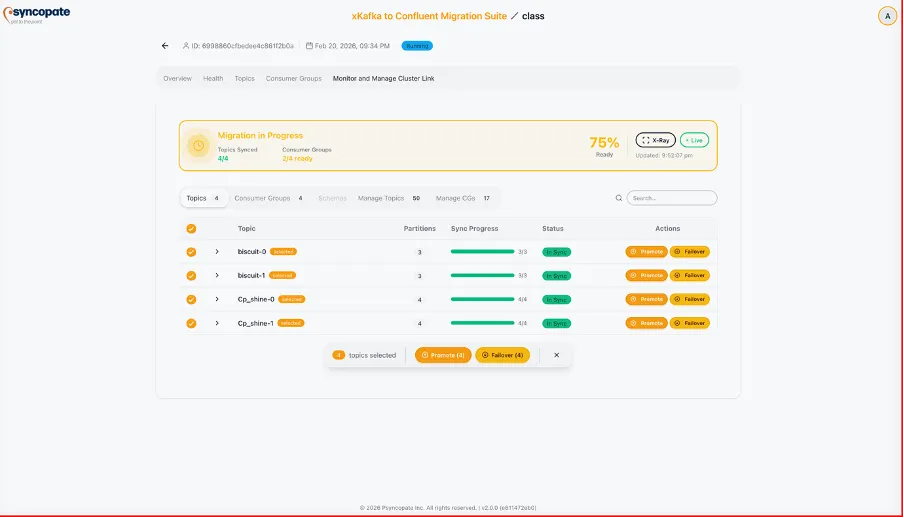
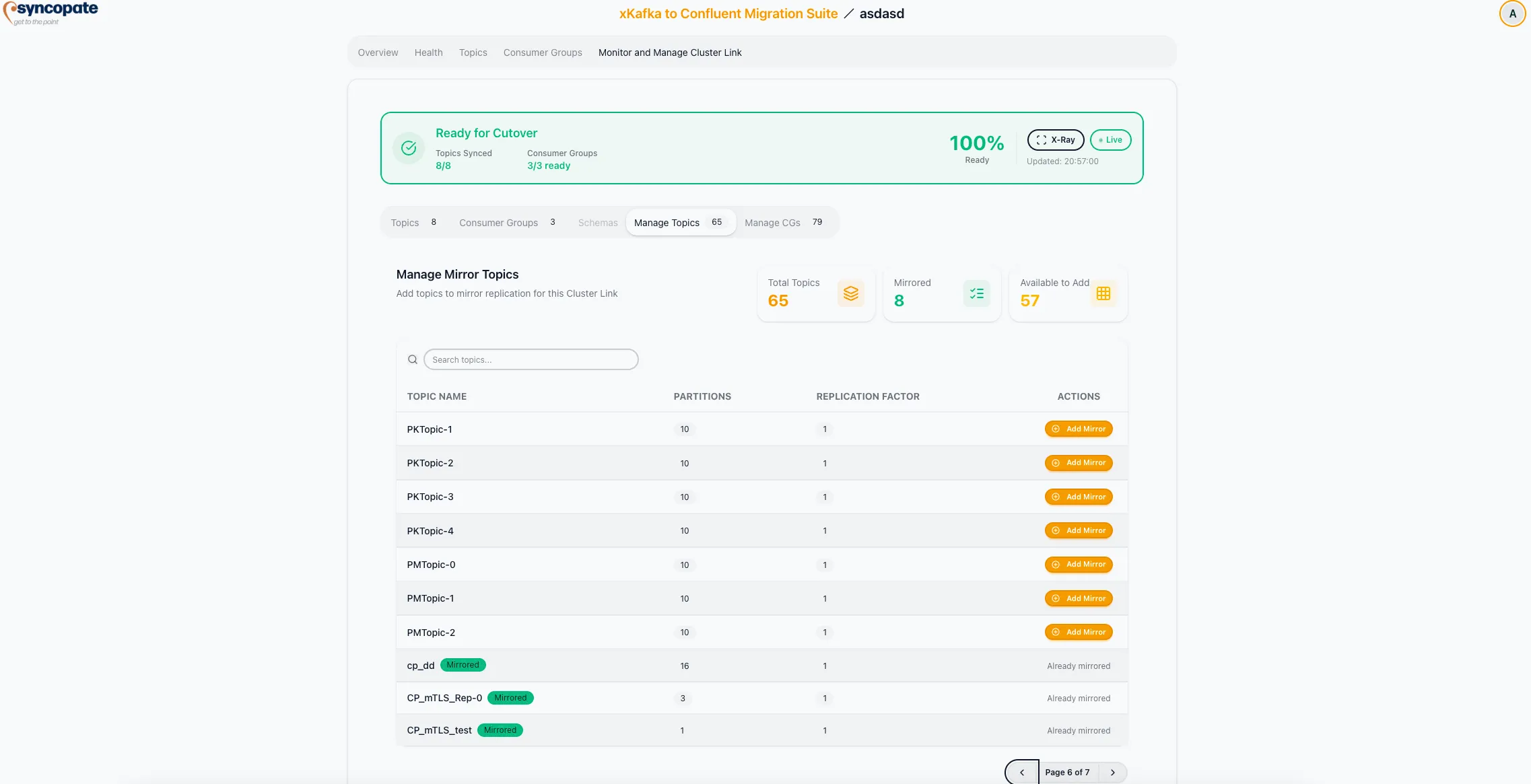
The Manage Mirror Topics section provides full control over which topics are mirrored through the cluster link.
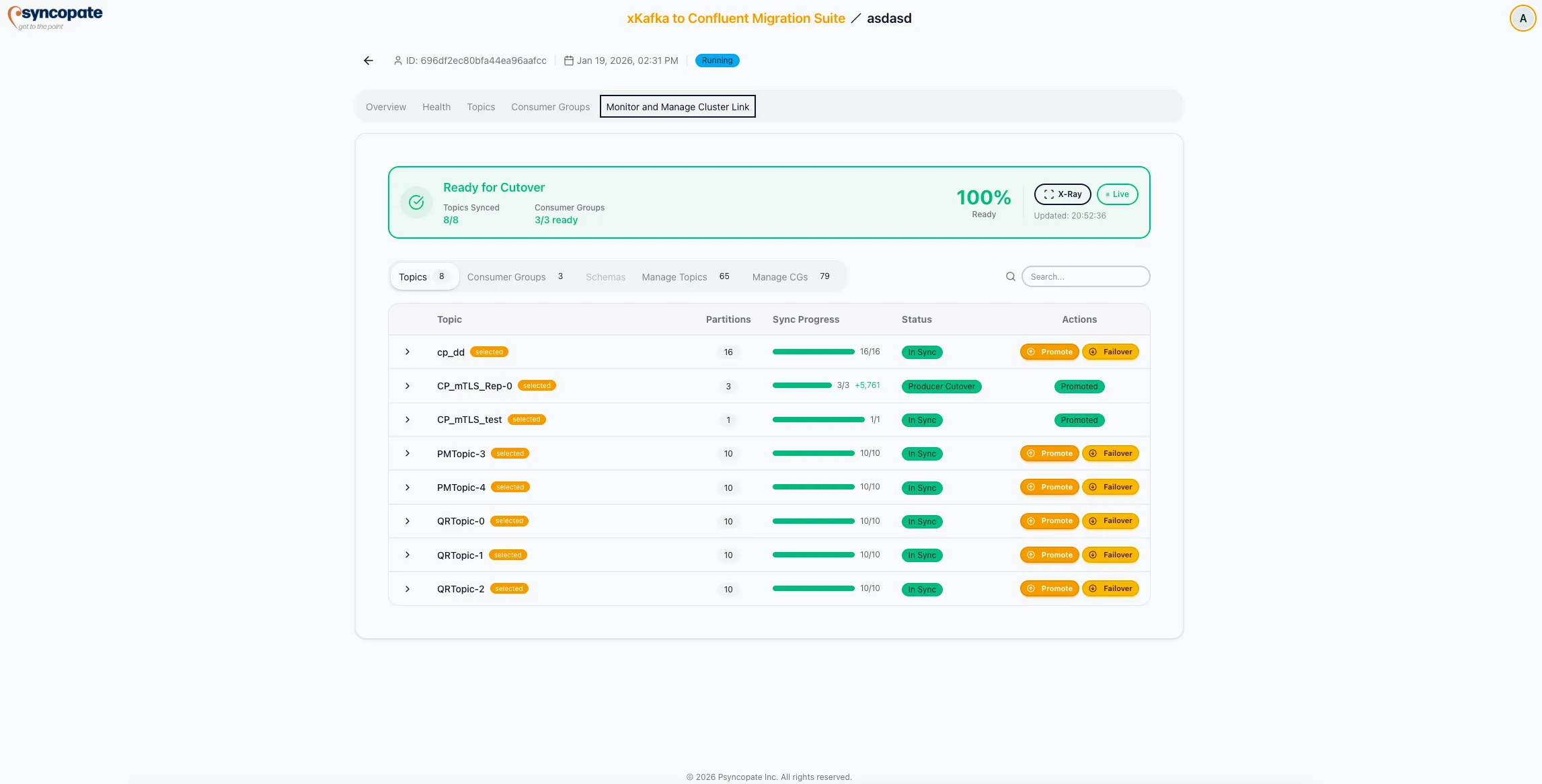
Summary Counters
Section titled “Summary Counters”| Metric | Description |
|---|---|
| Total Topics | All topics discovered on the source cluster |
| Mirrored | Topics currently being mirrored through the link |
| Available to Add | Topics eligible to be added as mirror topics |
Mirror Topic States
Section titled “Mirror Topic States”| State | Indicator | Available Actions |
|---|---|---|
| Mirrored | Green badge | Promote, Failover |
| Available | Default | Add Mirror |
| Conflicting | Warning badge | None (naming conflict on destination) |
Sync Progress
Section titled “Sync Progress”For each mirrored topic, the interface displays:
- Partition Count: Number of partitions in the topic
- Replication Factor: Replica configuration
- Progress Bar: Visual indicator of replication completeness
- Per-partition Lag: Offset difference between source and mirror for each partition
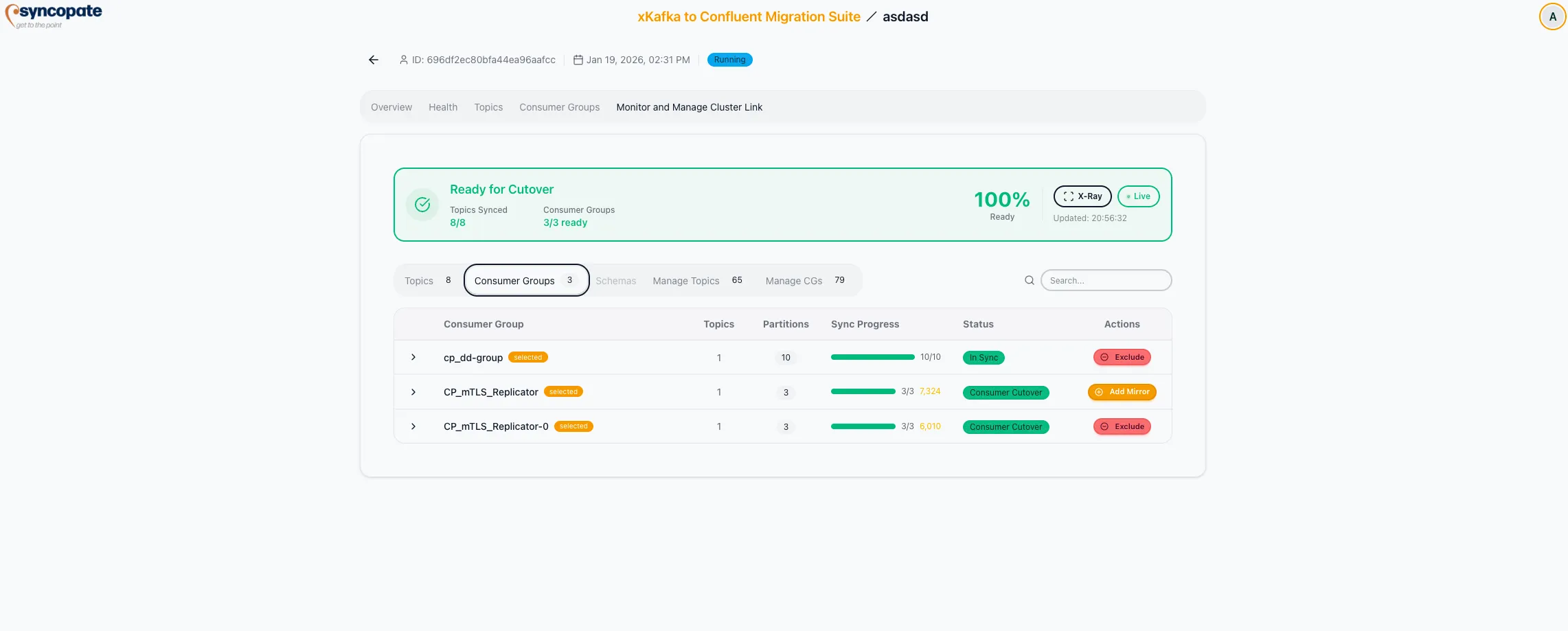
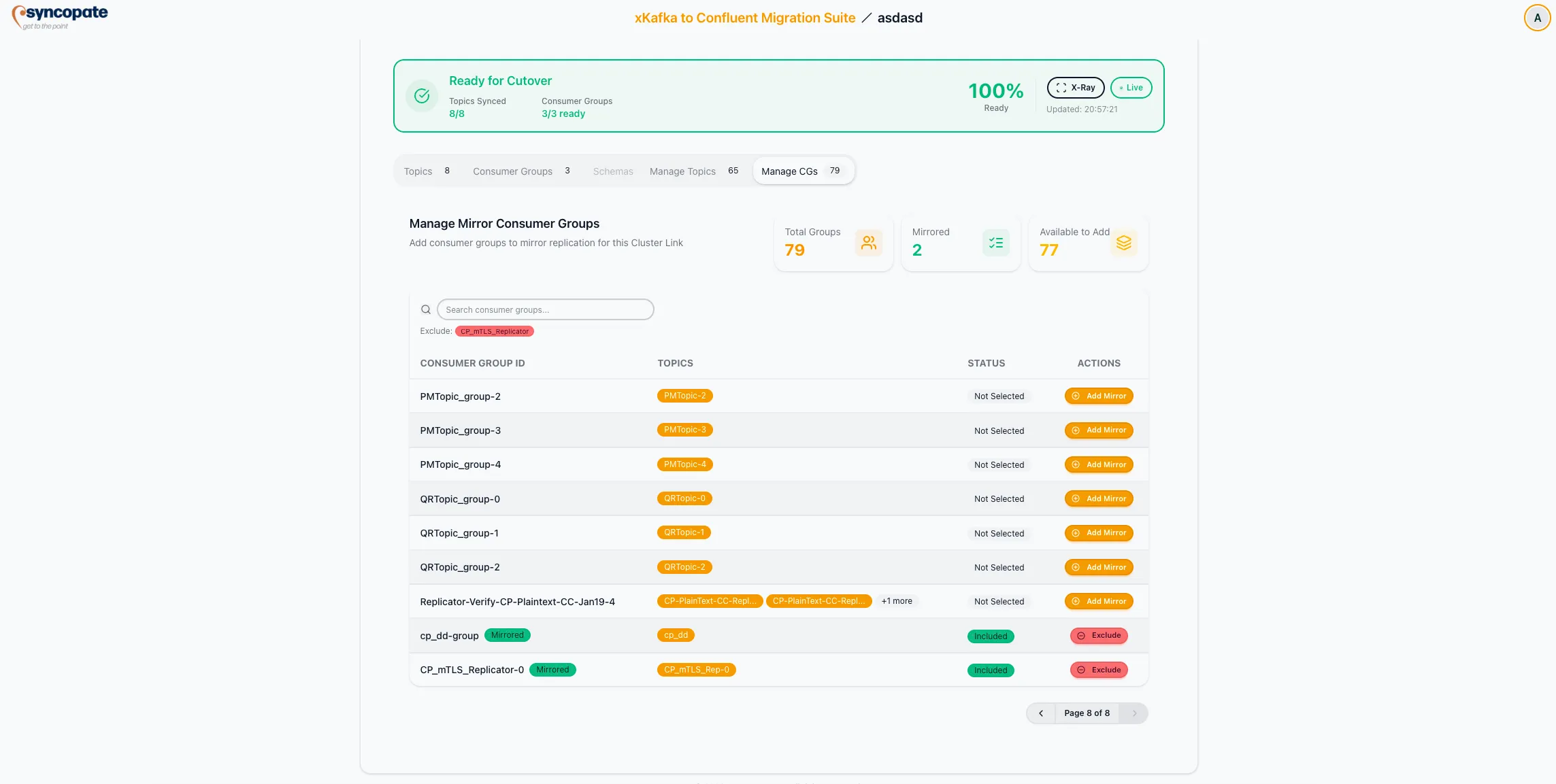
The Manage Mirror Consumer Groups section controls which consumer groups have their offsets synchronized through the cluster link.
Summary Counters
Section titled “Summary Counters”| Metric | Description |
|---|---|
| Total Groups | All consumer groups discovered on the source cluster |
| Mirrored | Groups currently being synchronized through the link |
| Available to Add | Groups eligible to be added for offset synchronization |
Mirror Consumer Group States
Section titled “Mirror Consumer Group States”| State | Indicator | Available Actions |
|---|---|---|
| Already Mirrored | Green badge | Exclude |
| Not Selected | Default | Add Mirror |
| Excluded | Red badge | Re-add available |
Per-Group Details
Section titled “Per-Group Details”For each mirrored consumer group, the interface displays:
- Subscribed Topics: Topics the group consumes
- Sync Progress: Visual indicator of offset synchronization
- Offset Lag: Difference between source and destination offsets per partition
The Manage Schemas section is available when schema management is enabled. It provides control over which schema subjects are synchronized as part of the Cluster Link migration.
Summary Counters
Section titled “Summary Counters”| Metric | Description |
|---|---|
| Total Schemas | All schema subjects discovered on the source registry |
| Mirrored | Subjects currently being synchronized |
| Available to Add | Subjects eligible to be added for synchronization |
Schema Subject States
Section titled “Schema Subject States”| State | Indicator | Available Actions |
|---|---|---|
| Mirrored | Green badge | Exclude |
| Available | Default | Add |
Per-Subject Details
Section titled “Per-Subject Details”For each mirrored schema subject, the interface displays:
- Type: Serialization format (JSON, AVRO, PROTOBUF)
- Source Version: Current version on the source registry
- Destination Version: Current version on the destination registry
- Status: Synchronization state (Synced, Syncing, Version Mismatch)