Review and Create
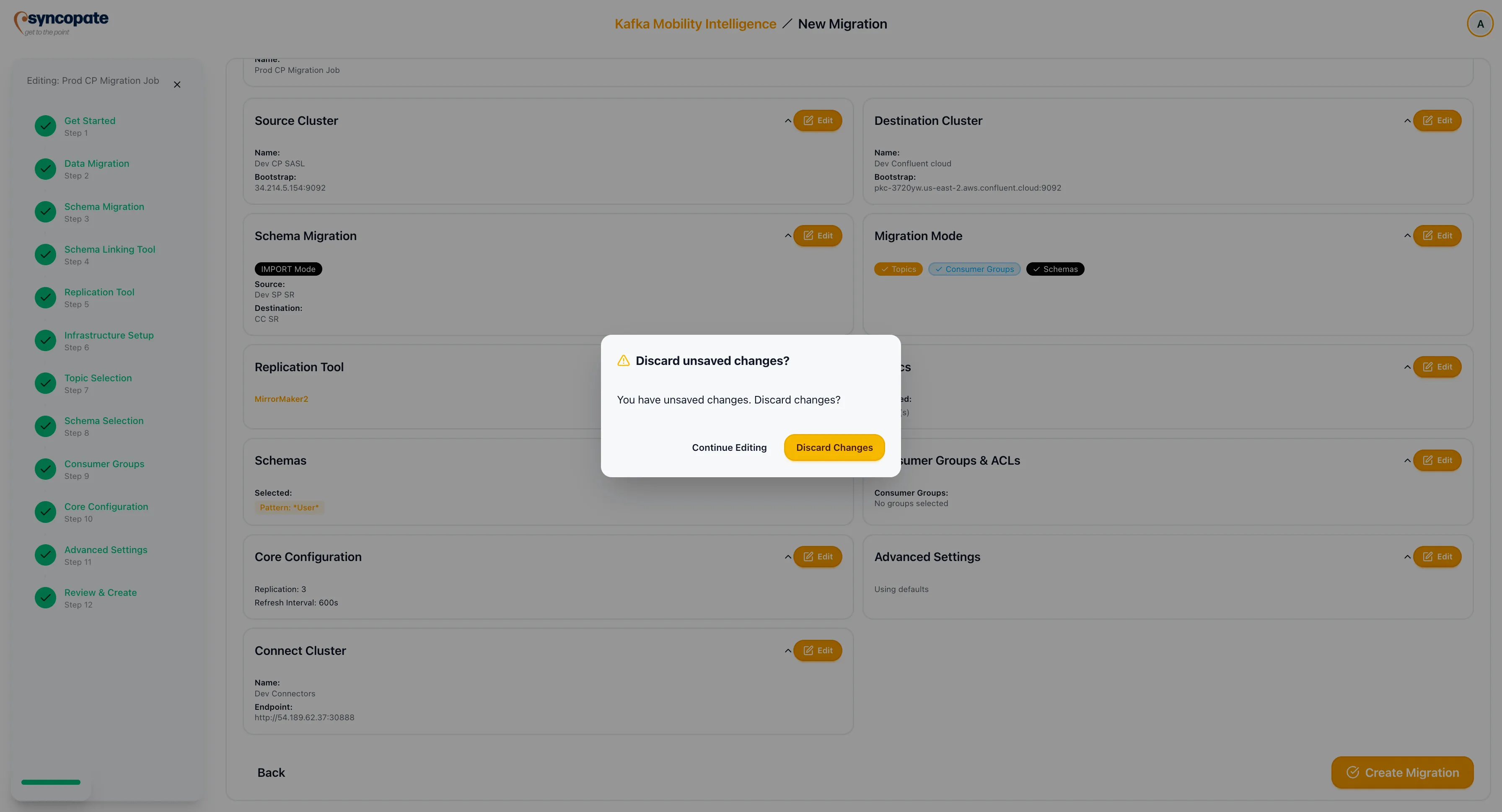
The Review and Create step presents a comprehensive summary of all settings configured throughout the wizard. This is the final checkpoint before the migration job is created.
Review Sections
Section titled “Review Sections”The review page is organized into collapsible sections, each corresponding to a step in the wizard:
| Section | Details Shown |
|---|---|
| Migration Identity | Job name and description. |
| Source and Destination Setup | Source and destination cluster names, bootstrap servers, and schema registry mode (if enabled). |
| Data Migration Scope | Selected topics, schemas, consumer groups, and the replication tool chosen. |
| Reliability Configuration | Replication factor, refresh intervals, and other core settings. |
| Infrastructure | Connect cluster (for MM2/Replicator) or REST endpoint (for Cluster Linking) or WarpStream API details. |
Each section includes an Edit button that returns you to the corresponding wizard step to make changes.
Creating the Job
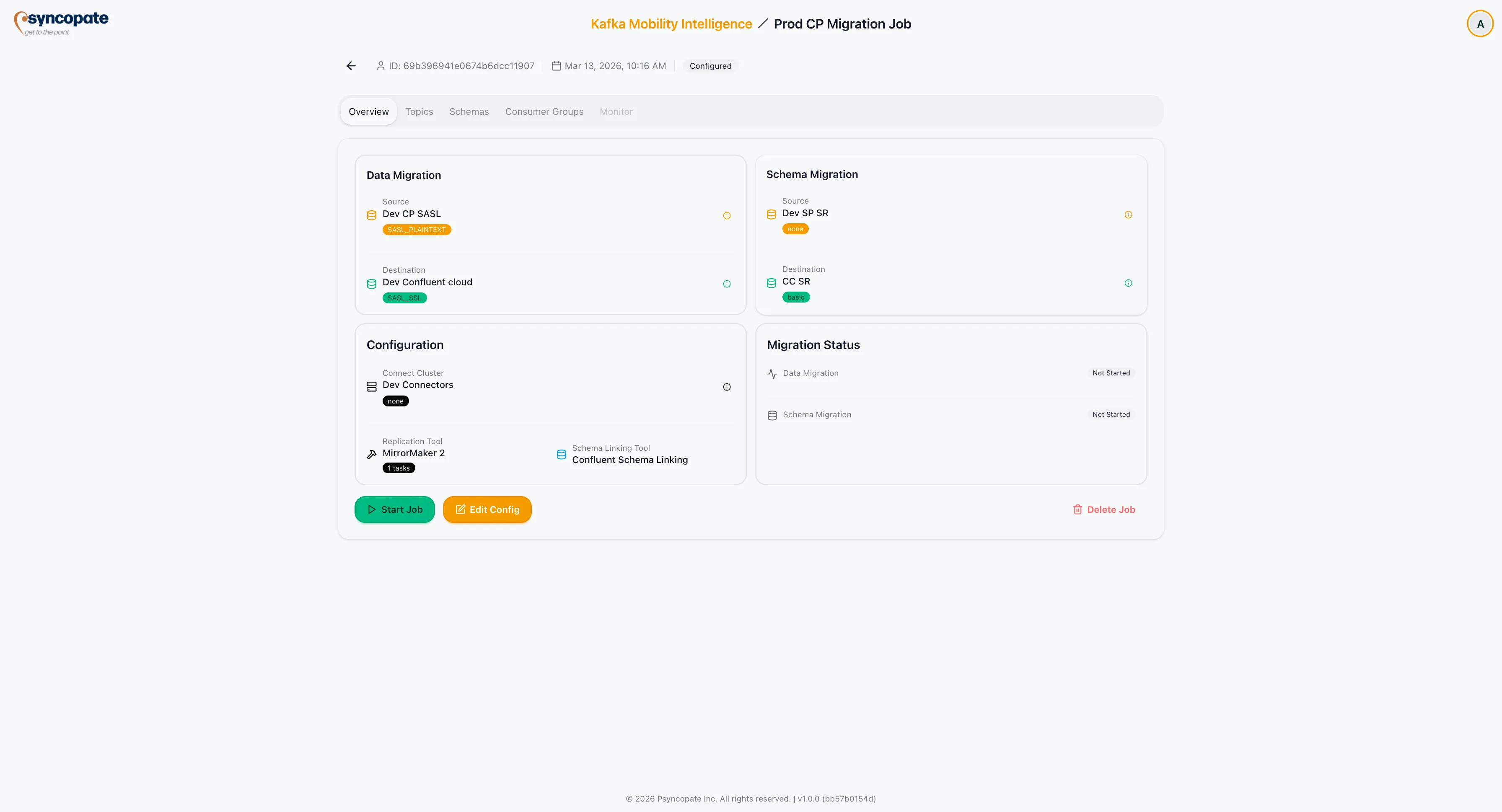
Section titled “Creating the Job”After reviewing all sections, click Create Migration to finalize the job. The suite validates the configuration, creates the job, and assigns it a Configured status on the Dashboard.
The job is now ready to be started from the Dashboard or the job detail view.
Unsaved Changes
Section titled “Unsaved Changes”If you close the edit window or navigate away without saving changes, the suite displays a confirmation popup asking whether to discard unsaved modifications or return to the form.