Dashboard
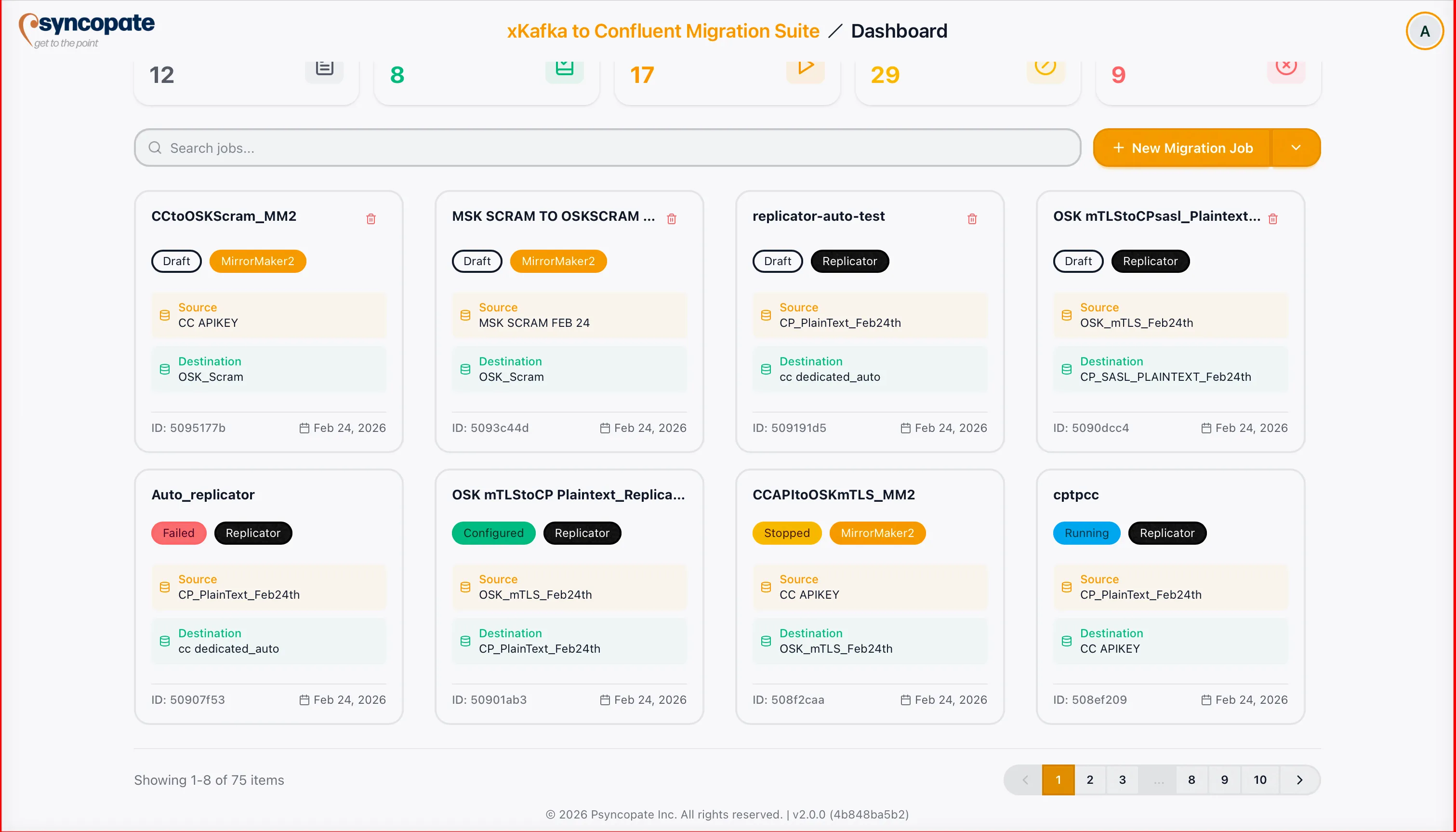
The Migration Dashboard is your central hub for managing all migration jobs. It displays every draft and created job in a single view, providing status indicators, search, filtering, and real-time progress monitoring.
Other Dashboard Tabs
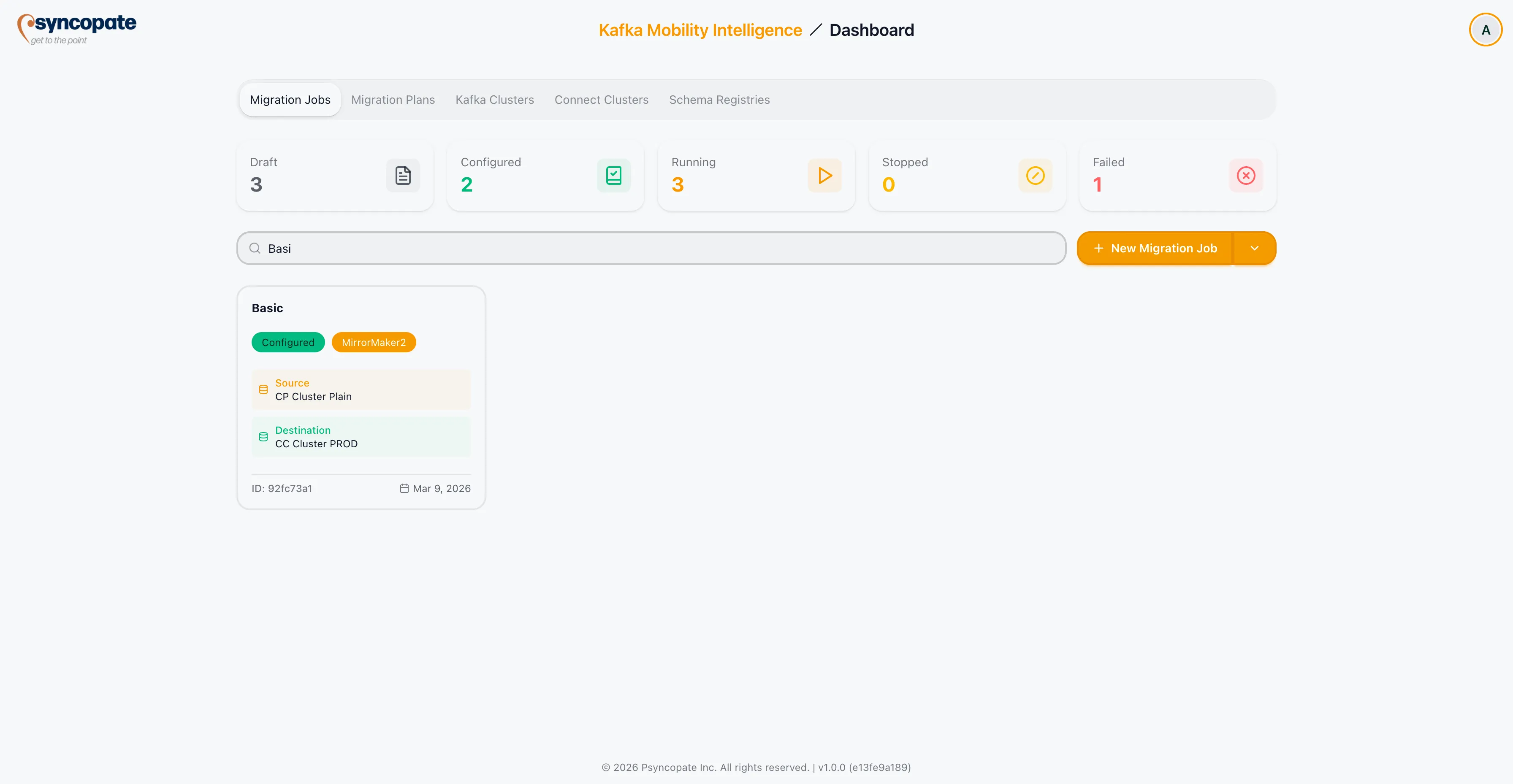
Section titled “Other Dashboard Tabs”Alongside Migration Jobs, the dashboard has tabs for the other resources you manage: Migration Plans, Kafka Clusters, Connect Clusters, Schema Registries, and Gateways. Each is documented in its own section: see Migration Planning, Kafka Clusters, Connect Clusters, Schema Registry, and Confluent Gateway. The rest of this page covers the Migration Jobs tab specifically.
Job Statuses
Section titled “Job Statuses”Each migration job is assigned one of the following statuses:
| Status | Description |
|---|---|
| Draft | The job is being prepared. Configuration is incomplete or has not been submitted. |
| Configured | The job configuration is complete and the job is ready to be launched. |
| Imported | The job was imported from an existing external migration and is ready for monitoring. |
| Running | The job is actively transferring data, schemas, or consumer group offsets. |
| Paused | The job has been temporarily paused and can be resumed. |
| Stopped | The job has been stopped or has completed its migration. |
| Failed | The job encountered errors that require attention before it can continue. |
Filter Cards
Section titled “Filter Cards”The dashboard displays five status filter cards that let you quickly narrow the job list:
| Filter Card | Description |
|---|---|
| Draft | Jobs still being prepared |
| Configured | Jobs ready to launch |
| Running | Jobs actively transferring data |
| Stopped | Jobs that have been stopped or completed |
| Failed | Jobs that encountered errors |
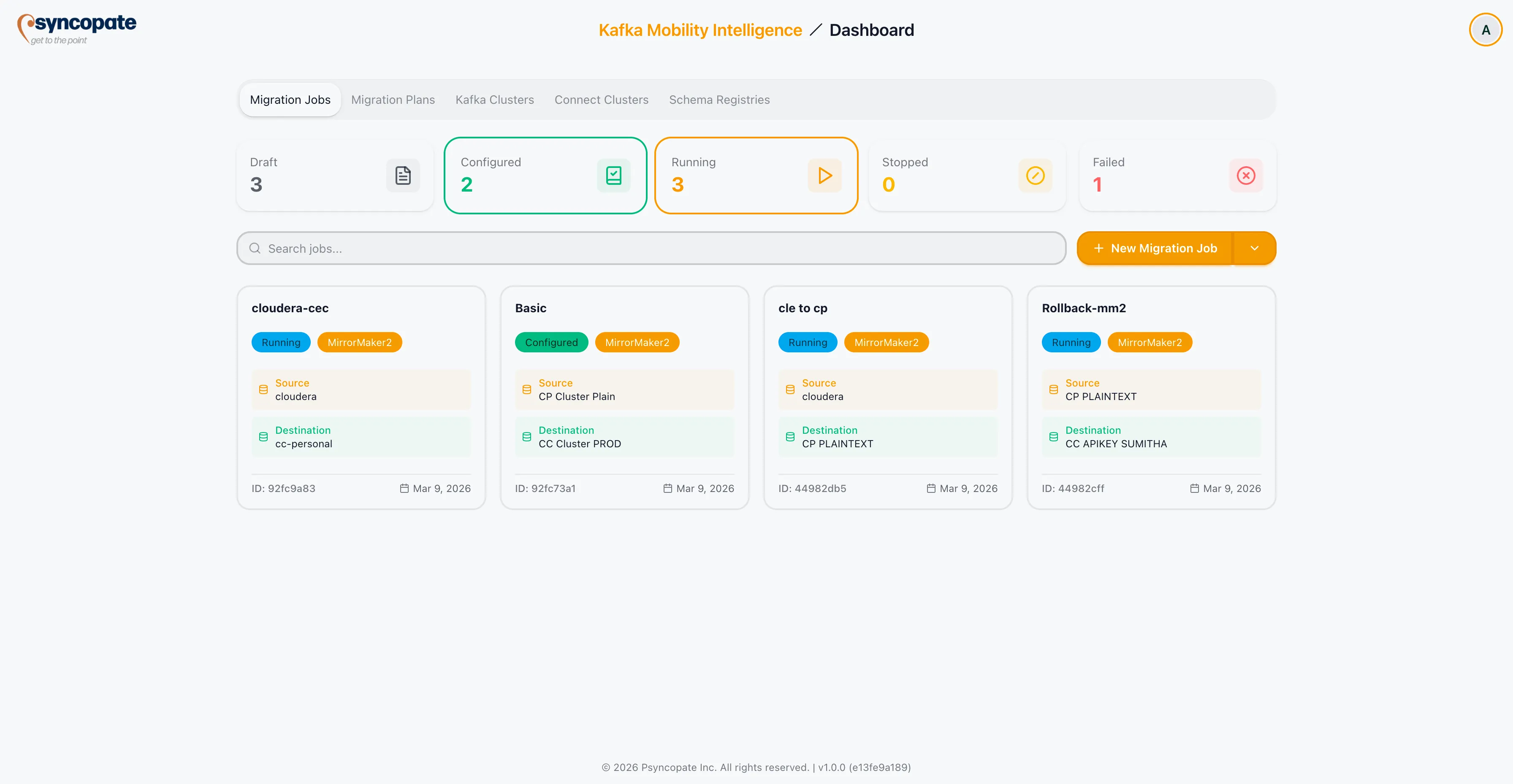
Click a filter card to show only jobs with that status. The remaining statuses (Imported and Paused) are valid job statuses but do not have dedicated filter cards on the dashboard. Use the search bar or the status filter dropdown to locate jobs in those statuses.
Searching and Filtering
Section titled “Searching and Filtering”Use the search bar at the top of the dashboard to find jobs by name or description.
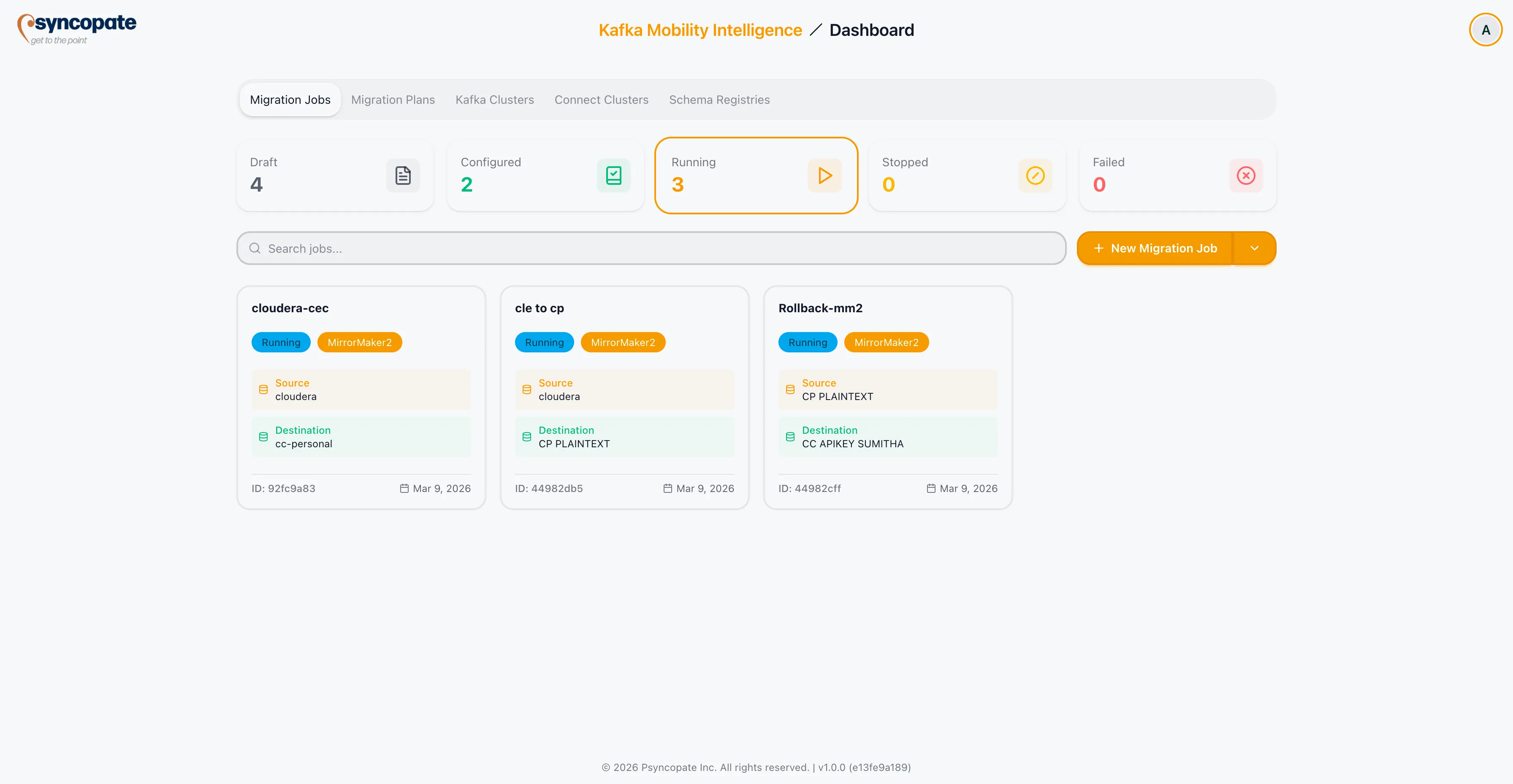
The status filter allows you to narrow the displayed jobs to one or more statuses. Select multiple statuses to create a combined view.
Real-Time Monitoring
Section titled “Real-Time Monitoring”For running jobs, the dashboard displays live progress indicators so you can monitor migration activity without navigating away from the main view.