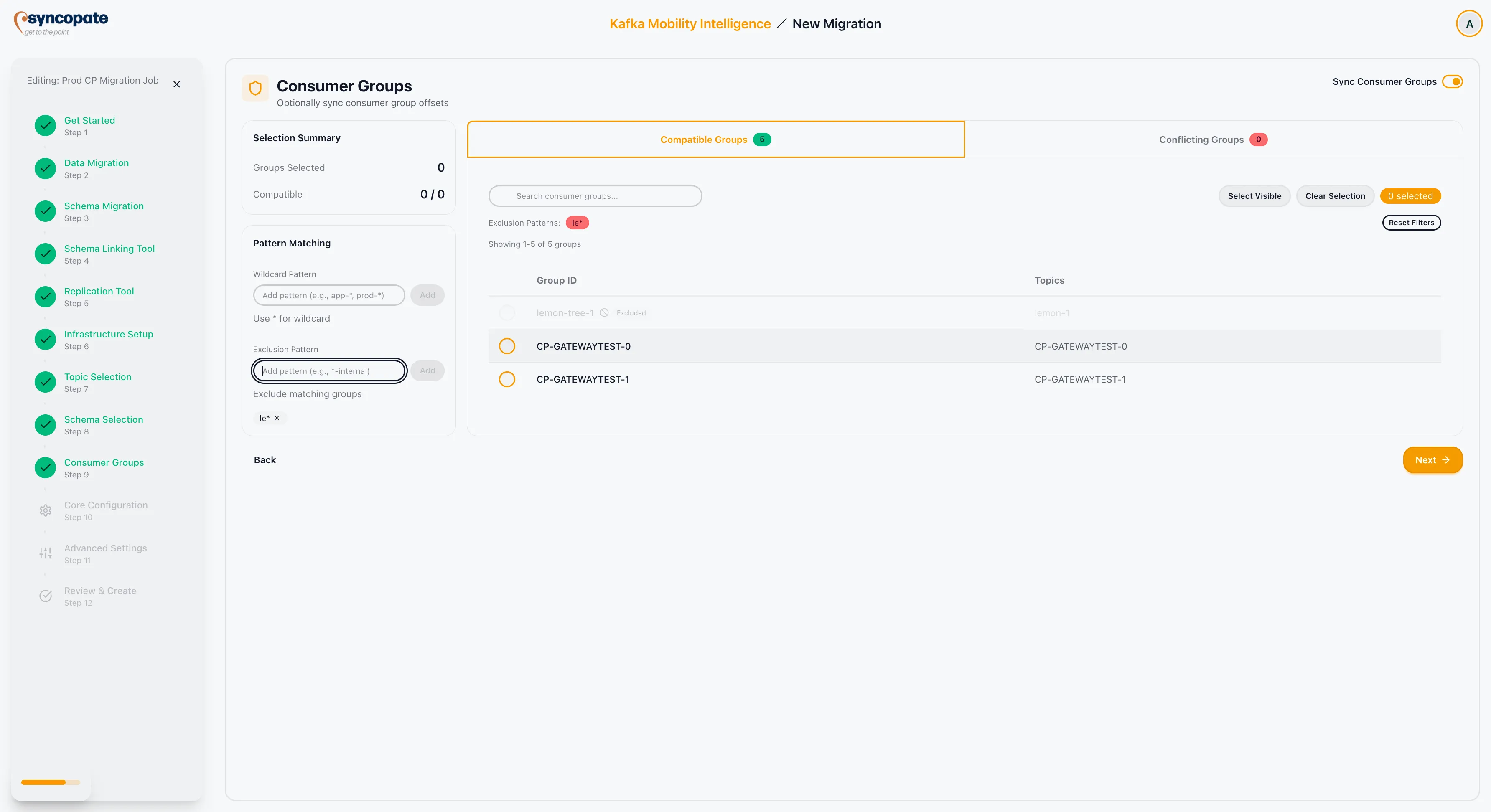
Consumer Groups
The Consumer Groups step appears only when MirrorMaker 2 or Cluster Link is selected as the replication tool and the Sync Consumer Groups option was enabled during Cluster Setup. This step is not shown for WarpStream Orbit (which handles consumer group configuration within its Core Configuration step) or Replicator (which does not support consumer group synchronization via this step). This step determines which consumer groups will have their offsets synchronized to the destination cluster.
Consumer Group Overview
Section titled “Consumer Group Overview”A top panel summarizes the consumer group landscape:
| Metric | Description |
|---|---|
| Compatible Groups | Consumer groups that can be synchronized without issues. |
| Conflicting Groups | Consumer groups that have conflicts with the destination cluster (for example, groups already present on the destination with different configurations). |
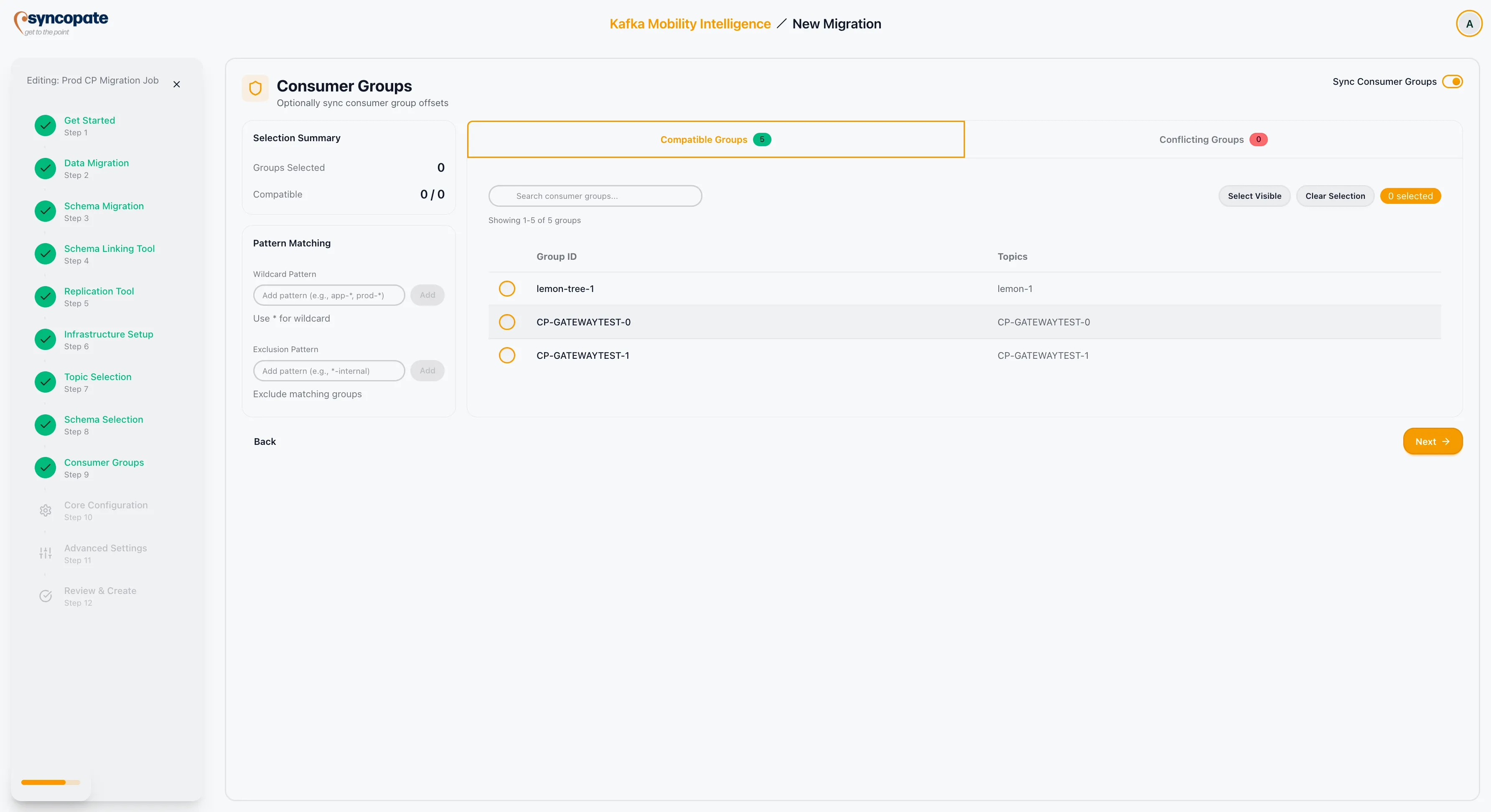
Selection Methods
Section titled “Selection Methods”Manual Selection
Section titled “Manual Selection”Use the checkboxes next to each consumer group to select individual groups for offset synchronization.
Pattern Matching
Section titled “Pattern Matching”Enter wildcard patterns to select consumer groups by name:
| Pattern | Result |
|---|---|
app-* | Selects all groups starting with “app-”. |
prod-* | Selects all groups starting with “prod-”. |
Exclusion Patterns
Section titled “Exclusion Patterns”Define patterns to exclude specific consumer groups:
| Pattern | Result |
|---|---|
*-internal | Excludes groups ending with “-internal”. |
*-test | Excludes groups ending with “-test”. |
Selection Summary
Section titled “Selection Summary”The Selection Summary panel updates in real time:
| Field | Description |
|---|---|
| Groups Selected | The count of consumer groups currently selected for synchronization. |
| Compatible Status | An overall indicator showing whether all selected groups are compatible with the destination cluster. |
Use the Search bar and Visible Filter to navigate large lists of consumer groups.