Advanced Settings
The Advanced Settings step is shown only for MirrorMaker 2 and Replicator jobs. Cluster Link and Orbit include their advanced settings within the Core Configuration step instead.
These settings provide fine-grained control over replication behavior. They are optional and should be adjusted only when the defaults do not meet your performance, security, or compatibility requirements.
MirrorMaker 2 exposes eight categories of advanced configuration.
Configure Single Message Transforms (SMTs) applied to records as they flow through the MirrorMaker 2 connector. Transforms are a general Kafka Connect feature: you can add any SMT to the chain. One common use case is re-framing Cloudera-native serialized data so Confluent consumers on the destination can read it.
Transforms run as an ordered chain. The suite references transforms by class name only; the SMT jar must be installed on every Connect worker’s plugin path before the job starts (the suite does not deploy the jar). You can reorder transforms and check which transform classes are already installed on the Connect cluster from within the editor.
If your migration plan includes an SMT recommendation (generated when the source is Cloudera-native on a re-framing protocol), the plan pre-fills the Transforms section automatically when you create the job from the plan. You can edit the values before submitting.
SMT configuration fields:
| Field | Description |
|---|---|
| Alias | Logical identifier for this transform (for example, reframe). Used in the connector’s transform chain keys. |
| Transform class (FQN) | Fully qualified Java class name of the SMT implementation. For the Cloudera re-frame SMT, this is the class name from the sample source provided in the plan. |
| Properties | Key-value pairs passed to the SMT. For protocol-specific re-framing, include any registry URL, metadata ID, or version ID lookup properties required by the SMT class. |
Cloudera serde protocol guidance (applies when the source is Cloudera-native):
| Cloudera Serde Protocol | Re-frame behavior |
|---|---|
| Protocol 0 | Confluent-compatible framing: no SMT needed. |
| Protocol 1 | Re-framing requires a metadata ID and version ID lookup. Include the lookup configuration in the transform properties. |
| Protocol 2 or 3 | Pure byte re-framing with no registry lookup. |
Prerequisites for the Cloudera re-frame SMT:
- Build a jar from the sample SMT Java source available in the plan (or use your own implementation that matches the class name configured here).
- Install the jar on every Connect worker’s plugin path before starting the job.
- Scope the transform to an explicit Avro-topic allowlist or use a Connect predicate to exclude non-Avro topics and internal topics. A non-Avro value that happens to start with
0x01must not be re-framed.
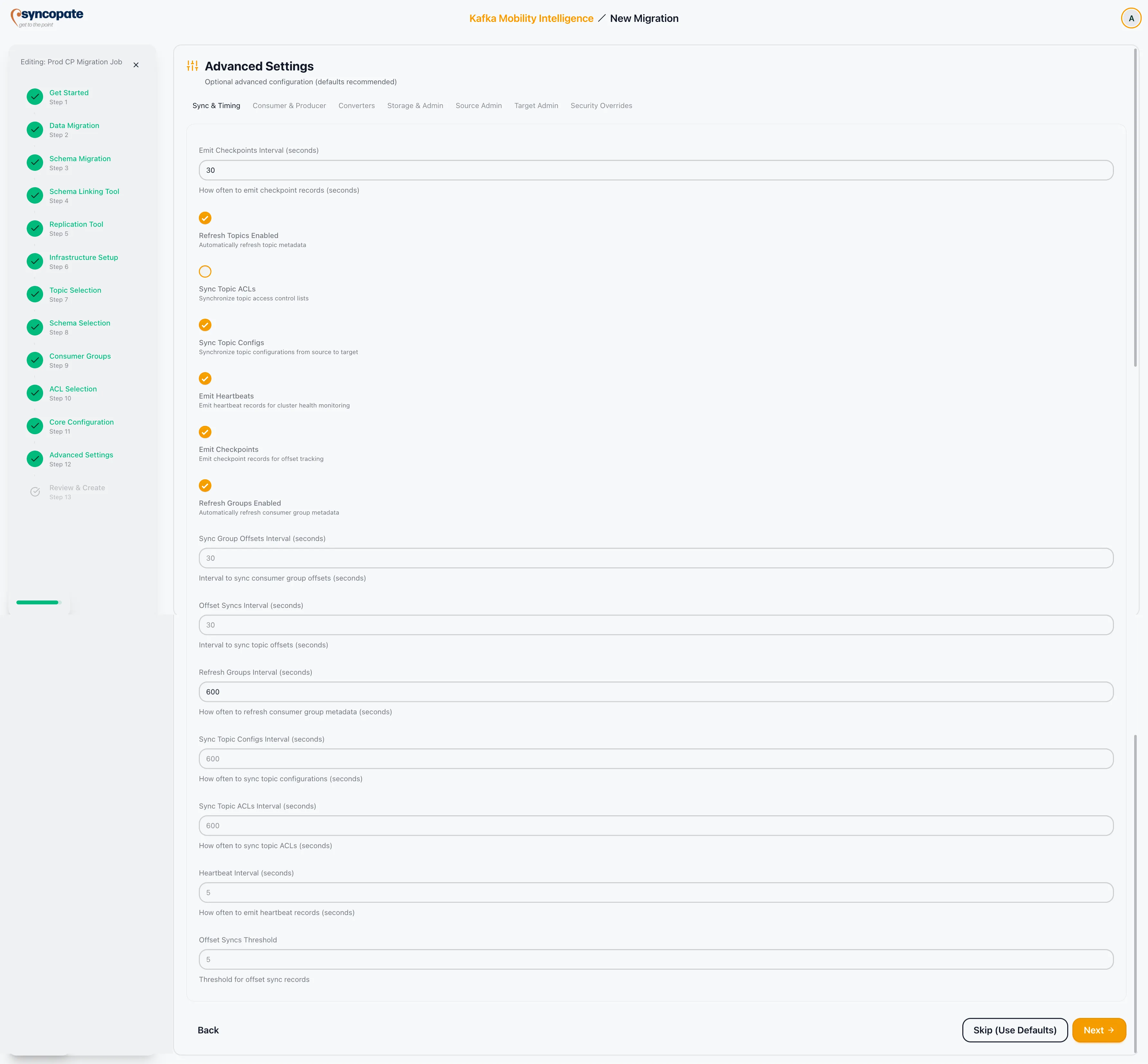
Controls the frequency of synchronization operations and feature toggles.
| Field | Description |
|---|---|
| Emit Checkpoints Interval | How often checkpoint records are emitted for offset translation. |
| Refresh Topics Interval | How often the connector checks for new or removed topics on the source. |
| Sync Topic ACLs Enabled | Toggle to synchronize topic ACLs from source to destination. |
| Sync Topic Configs Enabled | Toggle to synchronize topic configurations. |
| Emit Heartbeats Enabled | Toggle to emit heartbeat records for liveness monitoring. |
| Emit Checkpoints Enabled | Toggle to emit checkpoint records. |
| Refresh Groups Interval | How often consumer group membership is refreshed. |
| Sync Group Offsets Enabled | Toggle to synchronize consumer group offsets. |
| Sync Group Offsets Interval | How frequently group offsets are synchronized. |
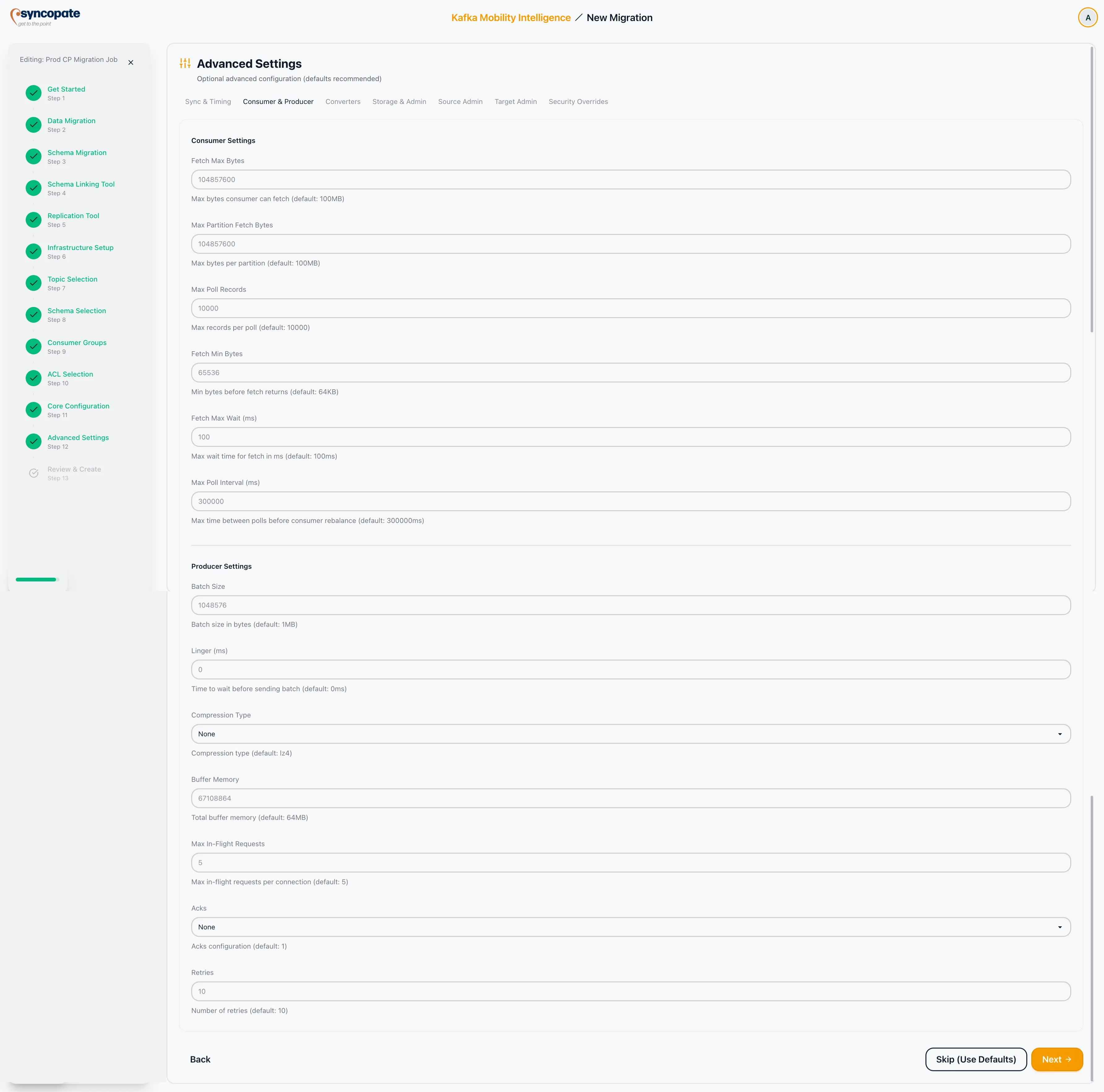
Tuning parameters for the internal consumer and producer.
Consumer Settings:
| Field | Description |
|---|---|
| Fetch Max Bytes | Maximum data returned per fetch request. |
| Fetch Min Bytes | Minimum data the broker should accumulate before responding to a fetch. |
| Max Poll Records | Maximum records returned per poll call. |
Producer Settings:
| Field | Description |
|---|---|
| Batch Size | Maximum size of a batch of records sent to the broker. |
| Linger ms | Time the producer waits to batch additional records before sending. |
| Compression Type | Compression algorithm applied to record batches (none, gzip, snappy, lz4, zstd). |
| Buffer Memory | Total memory available to the producer for buffering. |
| Acks | Number of acknowledgments required from brokers (0, 1, or all). |
| Retries | Number of times the producer retries a failed send. |
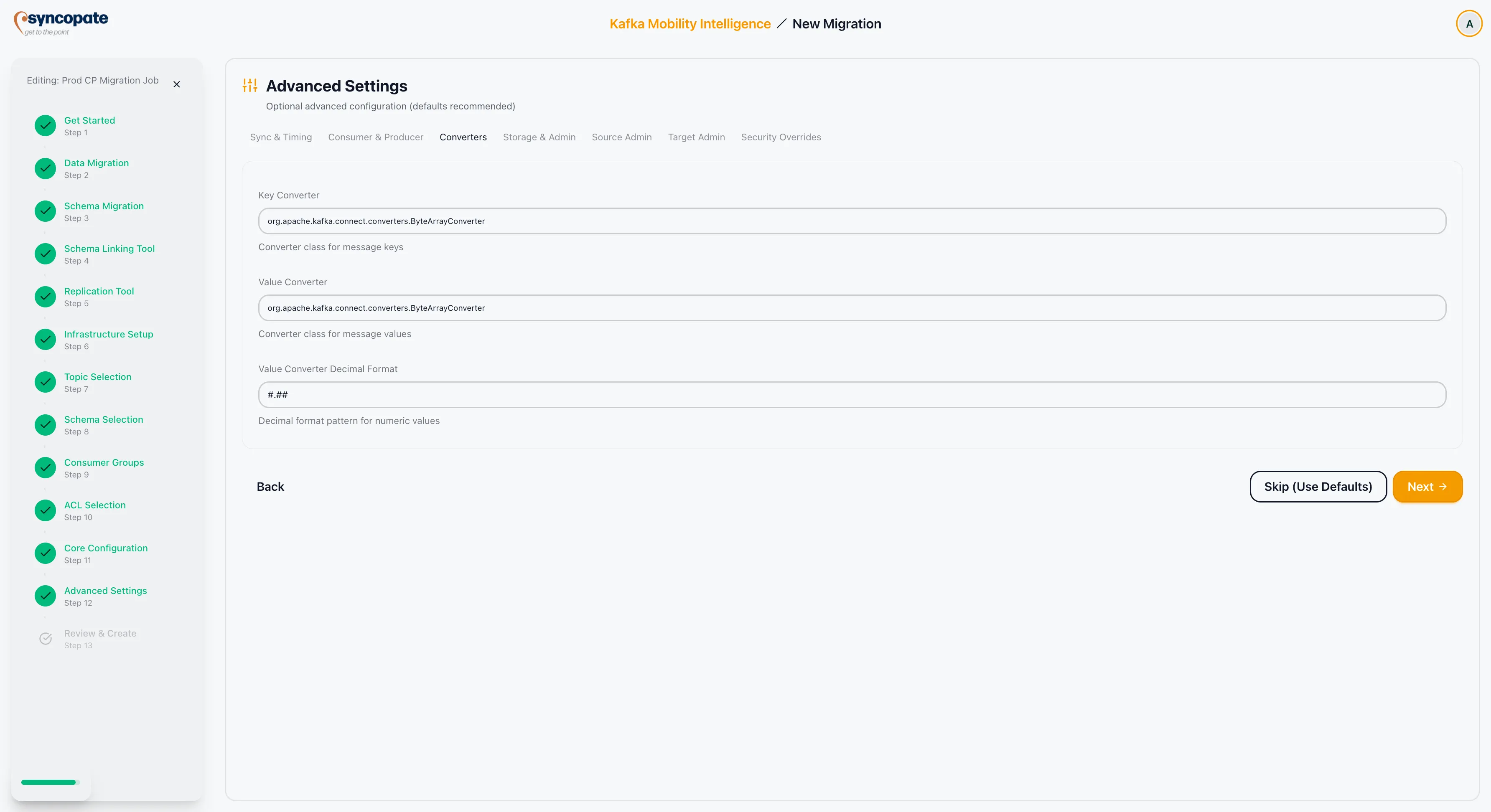
Configure serialization and deserialization classes for keys and values.
| Field | Description |
|---|---|
| Key Converter Class | Fully qualified class name for key deserialization/serialization. |
| Value Converter Class | Fully qualified class name for value deserialization/serialization. |
| Value Converter Decimal Format | Controls how decimal values are serialized (for example, BASE64 or NUMERIC). |
Internal topic replication factors and admin client configuration.
| Field | Description |
|---|---|
| Config Storage Replication Factor | Replication factor for the connector configuration storage topic. |
| Status Storage Replication Factor | Replication factor for the connector status storage topic. |
| Offset Storage Replication Factor | Replication factor for the connector offset storage topic. |
| Admin Bootstrap Servers | Bootstrap servers for the admin client. |
| Admin Timeout ms | Timeout for admin client operations. |
| Admin Retries | Number of retries for admin client operations. |
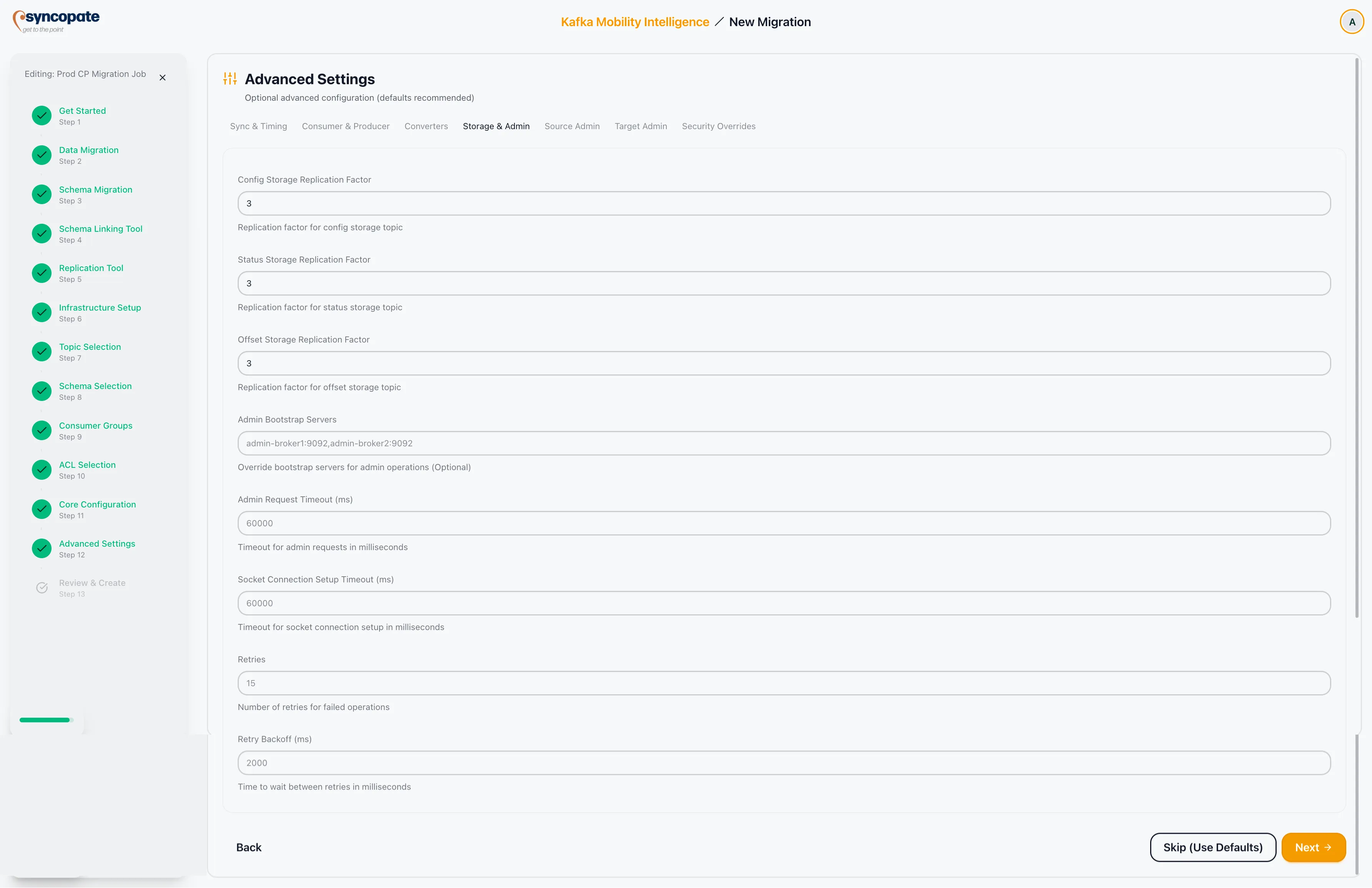
Security configuration for the admin client that communicates with the source cluster.
| Field | Description |
|---|---|
| Security Protocol | Protocol used to communicate with the source cluster admin API. |
| SSL Truststore Location | Path to the truststore file. |
| SSL Truststore Password | Password for the truststore. |
| SSL Keystore Location | Path to the keystore file. |
| SSL Keystore Password | Password for the keystore. |
| SASL Mechanism | SASL mechanism for authentication. Supported values: PLAIN, SCRAM-SHA-256, SCRAM-SHA-512, GSSAPI. |
| SASL Username | Username for SASL authentication. Not shown when GSSAPI is selected. |
| SASL Password | Password for SASL authentication. Not shown when GSSAPI is selected. |
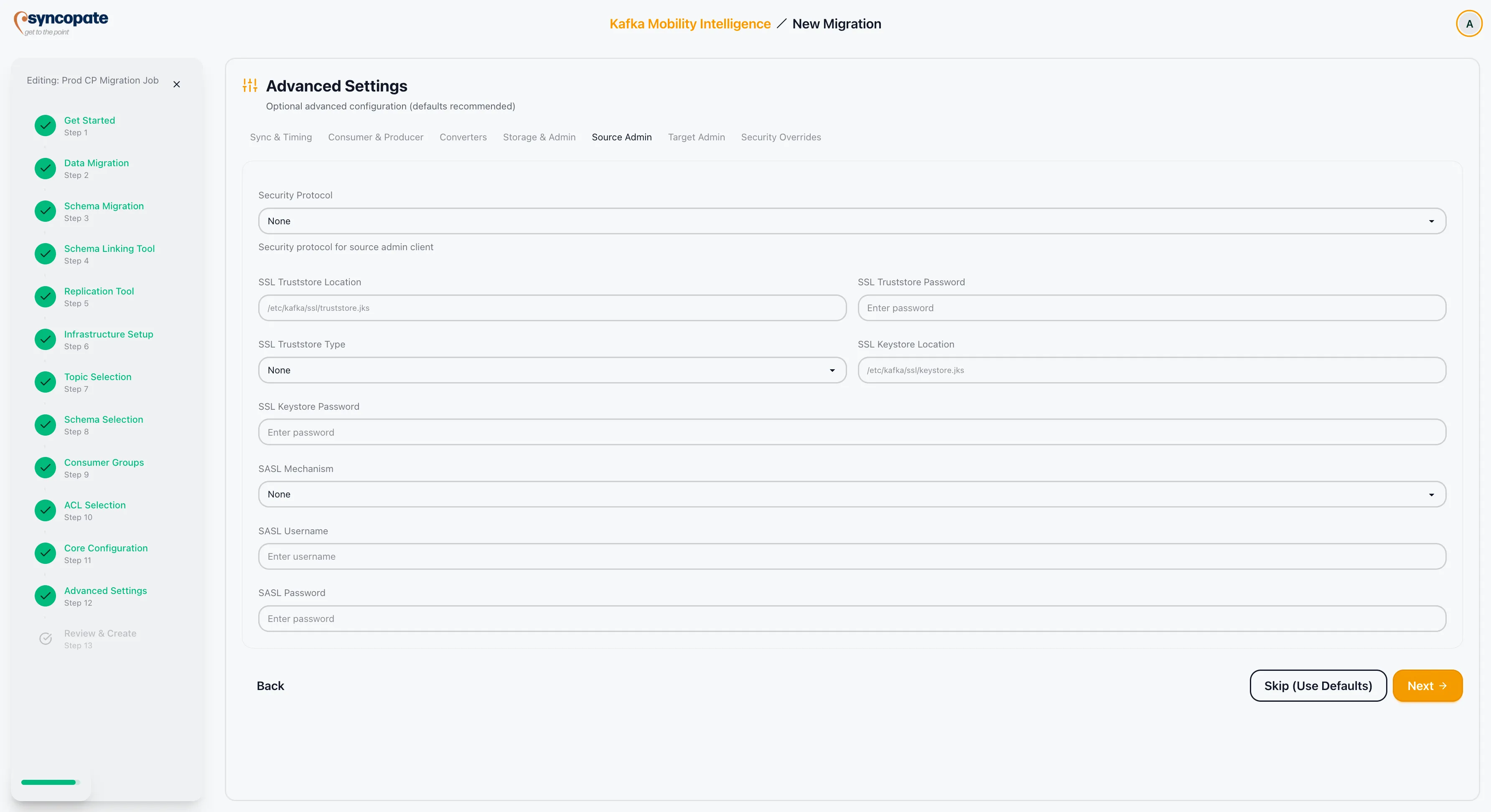
Security configuration for the admin client that communicates with the destination cluster.
| Field | Description |
|---|---|
| Bootstrap Servers | Bootstrap servers for the target admin client. |
| Security Protocol | Protocol used to communicate with the destination cluster admin API. |
| SASL Mechanism | SASL mechanism for authentication. Supported values: PLAIN, SCRAM-SHA-256, SCRAM-SHA-512, GSSAPI. |
| SASL Username | Username for SASL authentication. Not shown when GSSAPI is selected. |
| SASL Password | Password for SASL authentication. Not shown when GSSAPI is selected. |
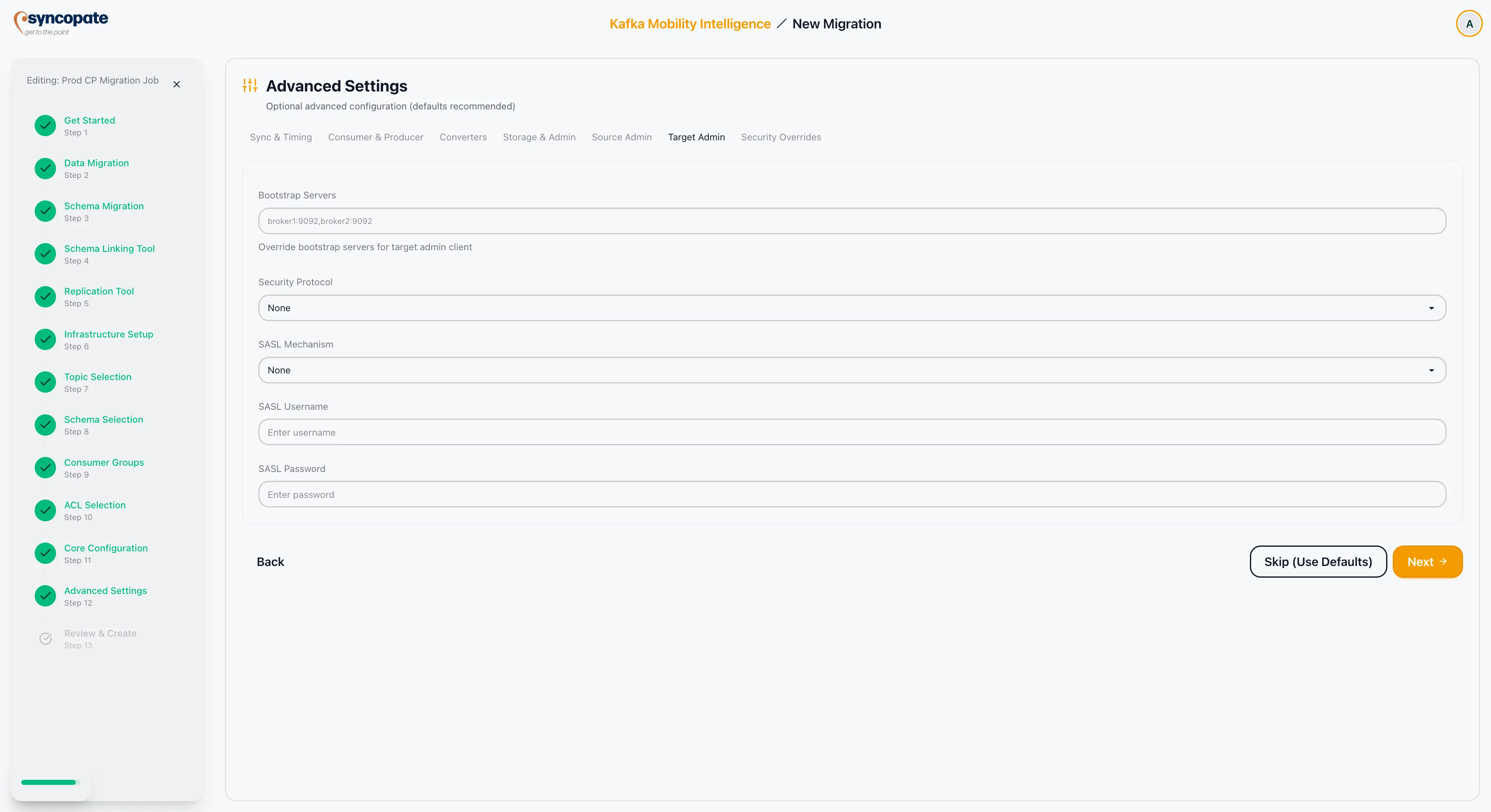
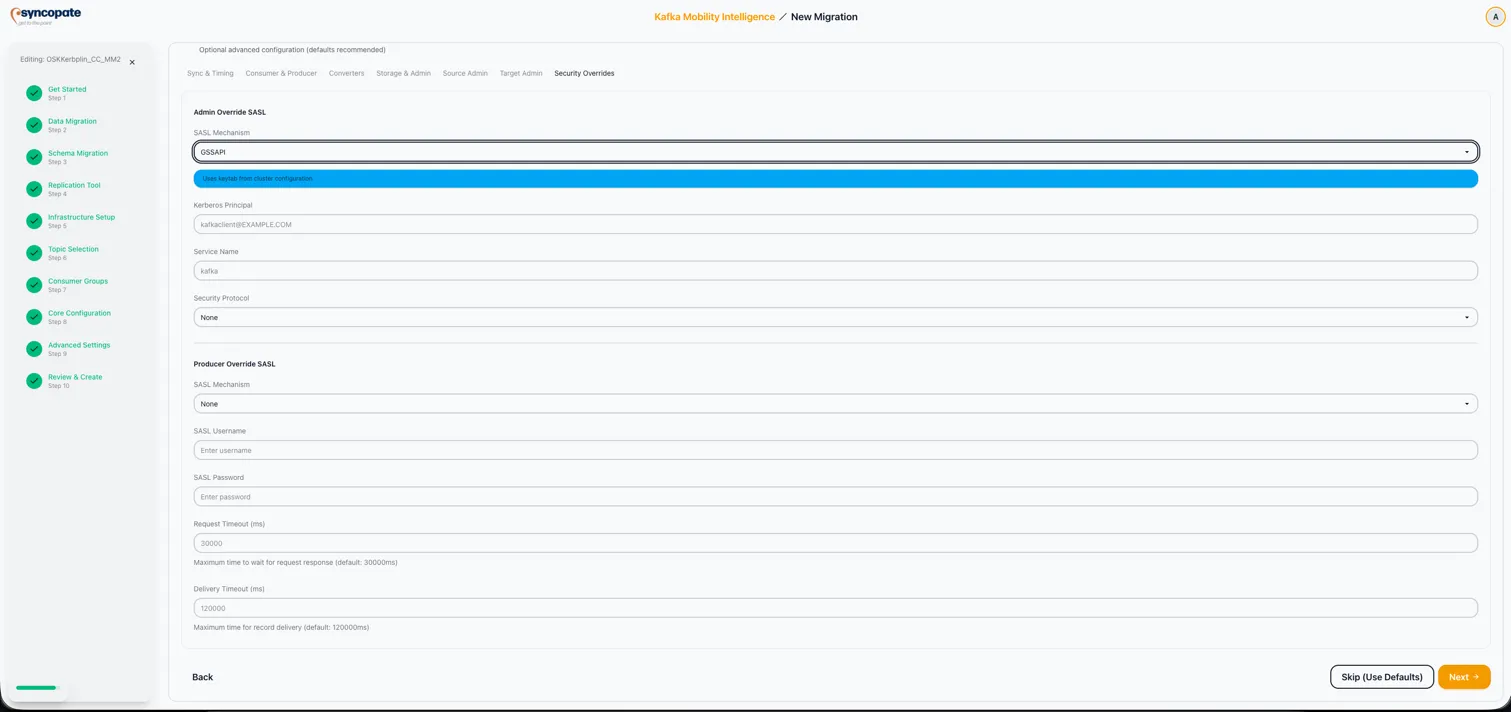
Override SASL and timeout settings for specific MirrorMaker 2 components.
| Field | Description |
|---|---|
| Admin Override SASL Mechanism | Override the SASL mechanism for admin operations. Supported values: PLAIN, SCRAM-SHA-256, SCRAM-SHA-512, GSSAPI. |
| Admin Override SASL Username | Override the SASL username for admin operations. |
| Admin Override SASL Password | Override the SASL password for admin operations. |
| Producer Override SASL Mechanism | Override the SASL mechanism for producer operations. Supported values: PLAIN, SCRAM-SHA-256, SCRAM-SHA-512, GSSAPI. |
| Producer Override SASL Username | Override the SASL username for producer operations. |
| Producer Override SASL Password | Override the SASL password for producer operations. |
| Timeout Configs | Additional timeout overrides for specific components. |
GSSAPI (Kerberos) Overrides
Section titled “GSSAPI (Kerberos) Overrides”When GSSAPI is selected as the SASL Mechanism in any override dropdown, the username and password fields are replaced by:
| Field | Required | Description |
|---|---|---|
| Kerberos Principal | No | Override the Kerberos principal for this component. Example: kafkaclient@EXAMPLE.COM. Falls back to the cluster-level principal if left empty. |
| Kerberos Service Name | No | Override the Kerberos service name. Defaults to kafka. Falls back to the cluster-level value if left empty. |
Cluster Linking uses default parameters optimized for most deployments. No additional advanced settings are exposed in the wizard. If you need to customize Cluster Linking behavior beyond the core configuration, refer to the Confluent Platform documentation for link-level property overrides.
Transforms:
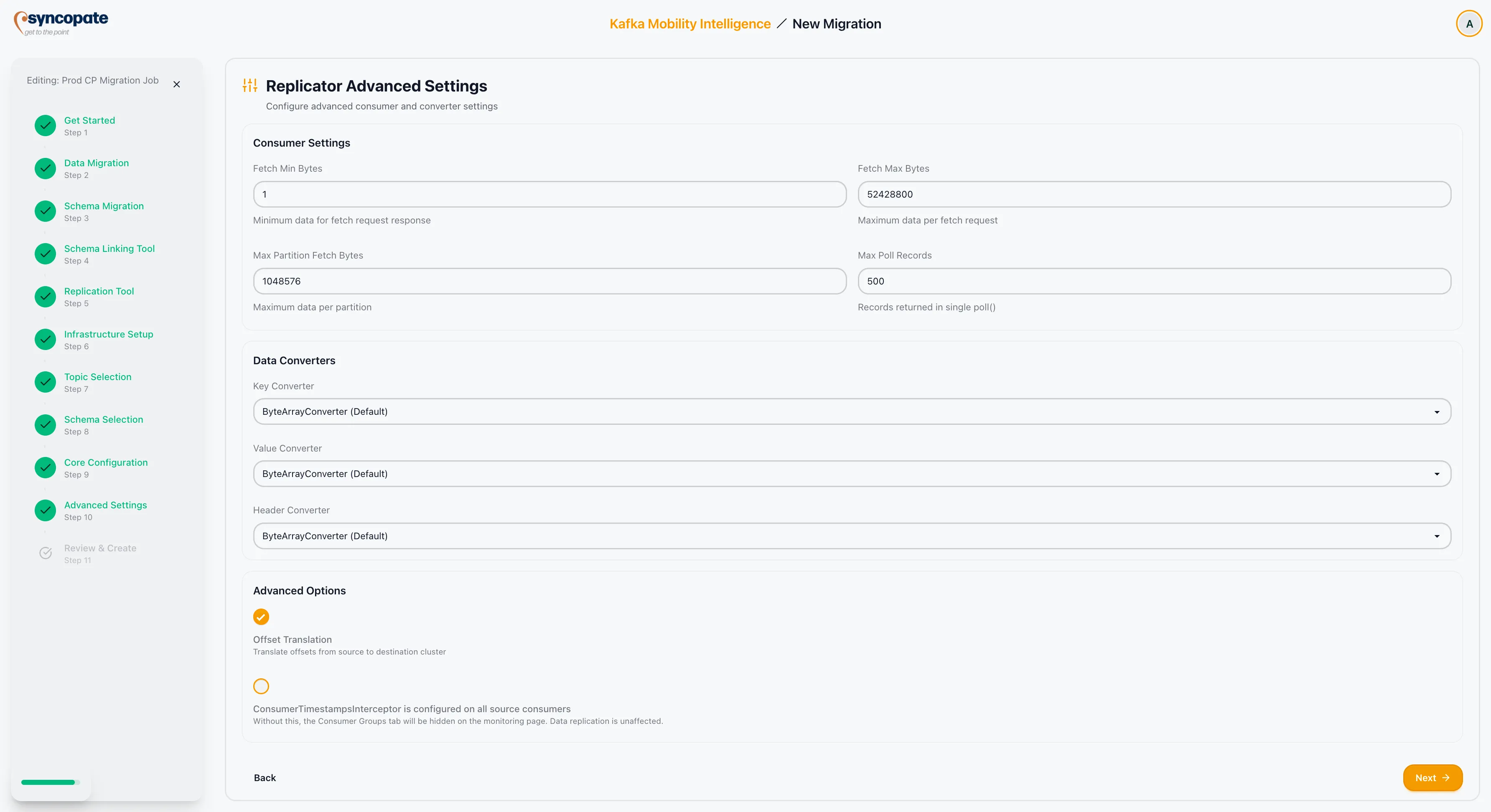
Configure Single Message Transforms (SMTs) for Replicator. Transforms are a general Kafka Connect feature; a common use case is re-framing Cloudera-native serialized data. The fields and prerequisites are the same as for MirrorMaker 2.
| Field | Description |
|---|---|
| Alias | Logical identifier for this transform (for example, reframe). |
| Transform class (FQN) | Fully qualified Java class name of the SMT. Use the class from the sample source in the plan. |
| Properties | Key-value pairs passed to the SMT (for example, registry URL or version ID lookup properties for protocol 1 sources). |
If the migration plan recommends an SMT, this section is pre-filled when you create the job from the plan.
Consumer Settings:
| Field | Description |
|---|---|
| Fetch Min Bytes | Minimum data the broker should accumulate before responding to a fetch request. |
| Fetch Max Bytes | Maximum data returned per fetch request. |
| Max Partition Fetch Bytes | Maximum data returned per partition per fetch request. |
| Max Poll Records | Maximum records returned per poll call. |
Data Converters:
| Field | Description |
|---|---|
| Key Converter | Converter class for record keys. |
| Value Converter | Converter class for record values. |
| Header Converter | Converter class for record headers. |
Advanced:
| Field | Description |
|---|---|
| Offset Translation | When enabled, consumer offsets are translated between source and destination. |
| Consumer Timestamps Interceptor | When enabled, timestamps from the source consumer are preserved during replication. |
Kerberos (GSSAPI):
When the source or destination cluster uses GSSAPI authentication, no additional Kerberos fields appear in the Replicator Advanced Settings. The Replicator connector authenticates using the keytab file path configured on the Connect Cluster.
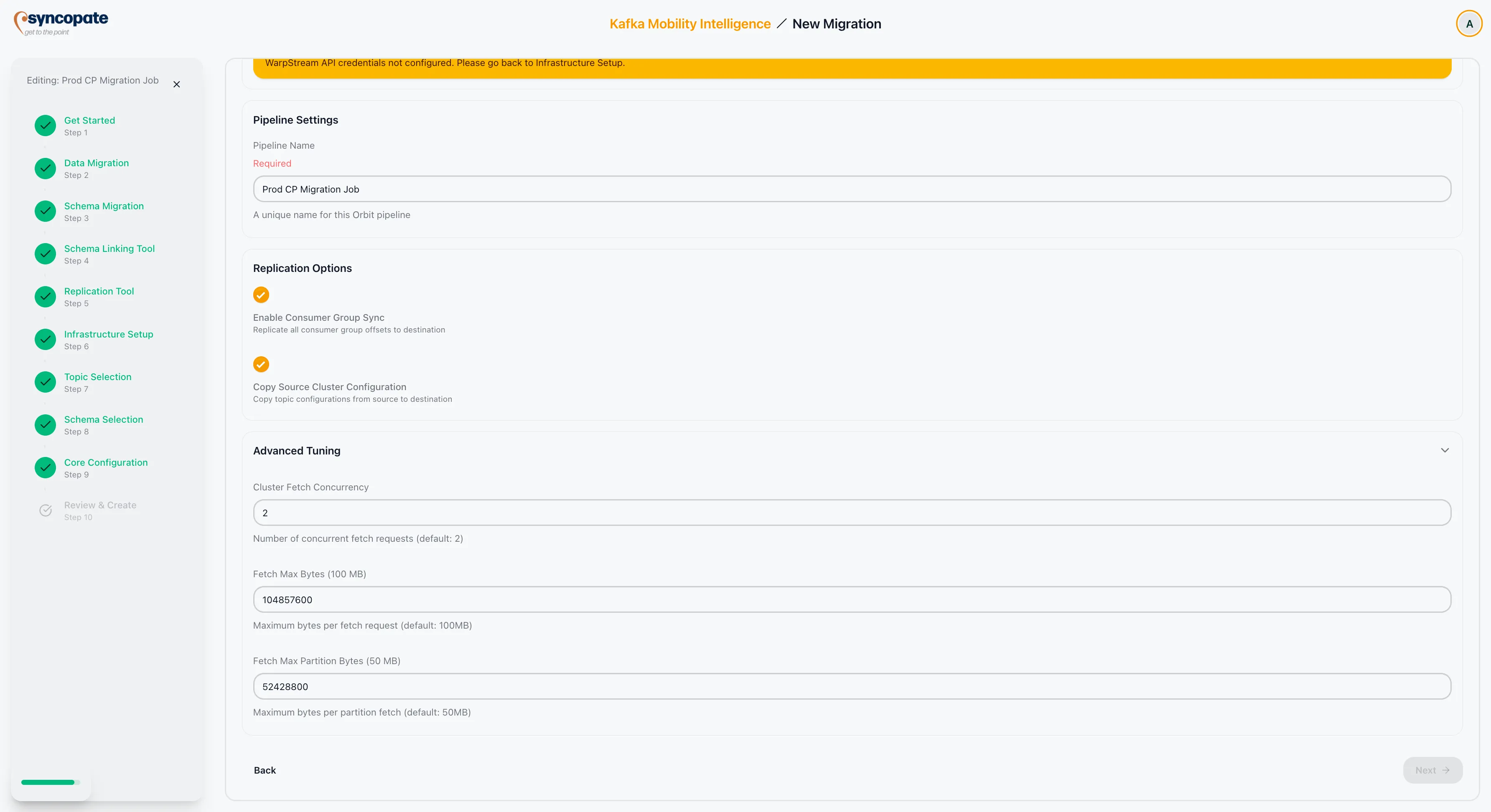
| Field | Default | Description |
|---|---|---|
| Cluster Fetch Concurrency | 2 | Number of concurrent fetch operations the Orbit agent performs against the source cluster. |
| Fetch Max Bytes | 100 MB | Maximum total bytes fetched per request across all partitions. |
| Fetch Max Partition Bytes | 50 MB | Maximum bytes fetched per partition per request. |