Rollback
Rollback allows you to revert an actively running migration job and restore the pre-migration state. The rollback process creates a new job that replicates data in the reverse direction, from the original destination back to the original source. The suite evaluates rollback eligibility per tool type: Cluster Link (bidirectional), MirrorMaker 2, and Replicator each have their own rollback behavior.
Replicator rollback operates at the topic level. It creates a new rollback job with the source and destination clusters swapped.
Availability
Section titled “Availability”The rollback option becomes available in the Monitor tab when the suite determines that the job has reached cutover readiness.
Rollback Process
Section titled “Rollback Process”- Navigate to the Monitor tab of the running Replicator job.
- Click Rollback on the topics you want to revert.
- A confirmation popup displays the rollback direction and the topics that will be included.
- Confirm to create the rollback job.
Behavior
Section titled “Behavior”- A new migration job is created with the source and destination clusters swapped.
- If a rollback job already exists for this migration, the selected topics are added to the existing rollback job rather than creating a new one.
- Topics can be returned to the original migration job later by removing them from the rollback job.
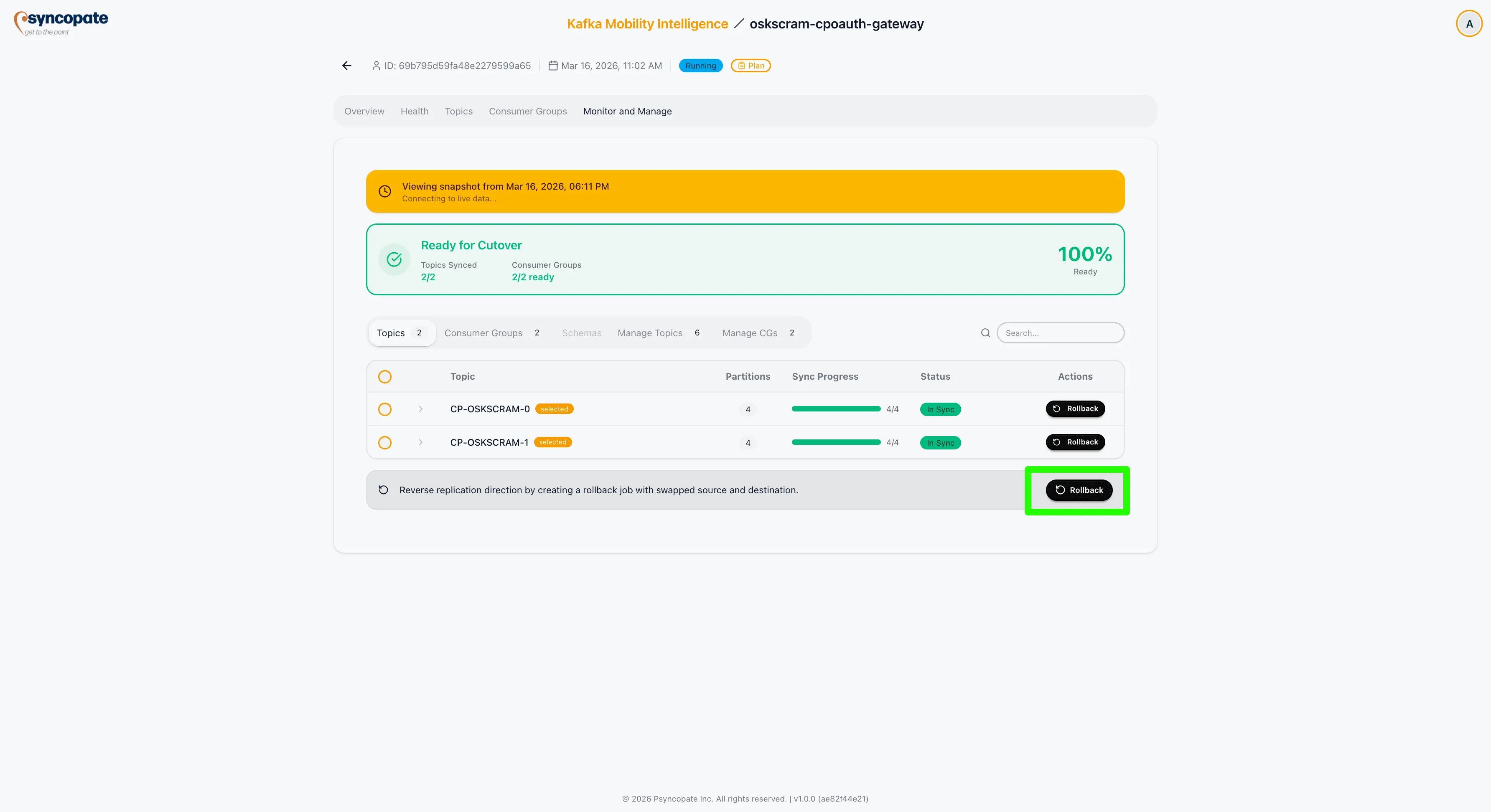
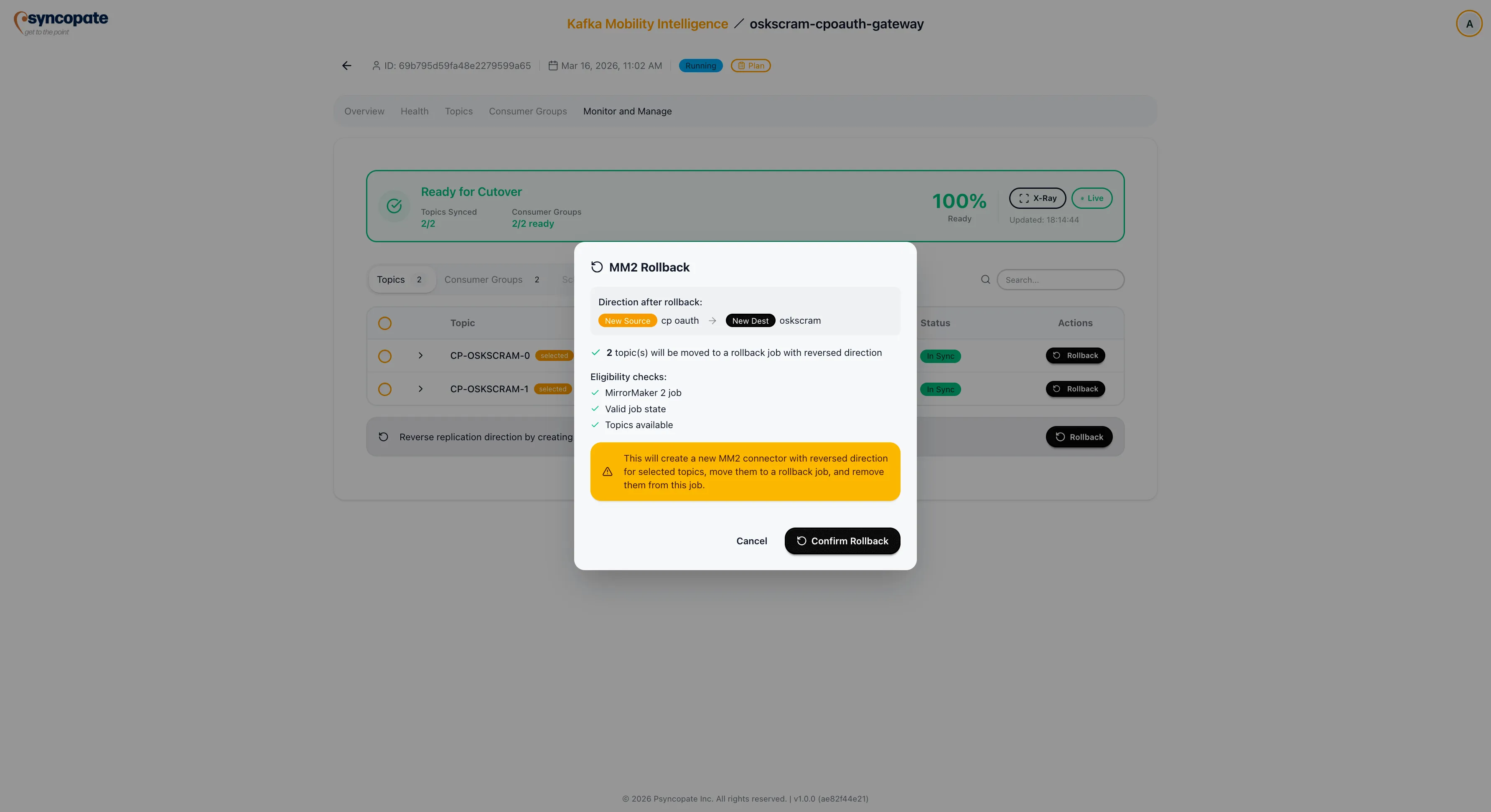
Forward Connector During Rollback
Section titled “Forward Connector During Rollback”When you roll back topics on a Replicator job, you choose what the original forward connector does while the rollback is active. This choice controls whether consumer group offsets can be restored on the destination when the rolled-back topics are later returned.
- Pause (recommended) is the default. The forward connector pauses for the whole rollback, so replication of every topic on the job stops temporarily, but consumer group offsets are restored correctly when the rolled-back topics are returned. Choose this when correct consumer group offsets matter more than keeping the other topics replicating.
- Keep running leaves the forward connector replicating the other topics. Consumer group offsets for the rolled-back topics are not held; they self-correct on the next consumer commit after the topics are returned. Choose this when the remaining topics must keep replicating without interruption.
Tracking an Active Rollback
Section titled “Tracking an Active Rollback”While a rollback job is active, the original job shows a banner describing the connector state, with a View Rollback Job button.
- If you chose Pause (recommended), the banner explains that replication for all topics is paused so consumer group offsets are retained, and that it resumes automatically once the rolled-back topics are returned and the rollback job is removed.
- If you chose Keep running, the banner explains that the other topics keep replicating and that consumer group offsets for the rolled-back topics self-correct after they are returned.
Consumer Group Cutover Guidance
Section titled “Consumer Group Cutover Guidance”If you chose Keep running, the X-Ray guided steps on the rollback job advise against cutting over consumer groups in the rollback job.
Cluster Linking rollback provides more comprehensive reversal capabilities, but requires that Include Data Rollback Support was selected during job creation in the Core Configuration step.
Availability
Section titled “Availability”Rollback is available for Cluster Linking jobs in the Running or Stopped state. You can roll back the entire job or select specific topics.
Rollback Process
Section titled “Rollback Process”- Open the migration job detail view.
- Click Rollback.
- Select whether to roll back the entire job or specific topics and consumer groups.
- A confirmation popup displays the rollback scope.
- Confirm to proceed. A success banner is displayed upon completion.
Behavior
Section titled “Behavior”- A new job is created with an inverted configuration, named rollback-<original job name>.
- The rollback job replicates data from the original destination back to the original source.
- In the rollback job, removing a topic or consumer group returns it to the main migration job.
- Removing all topics and consumer groups from the rollback job automatically deletes it.
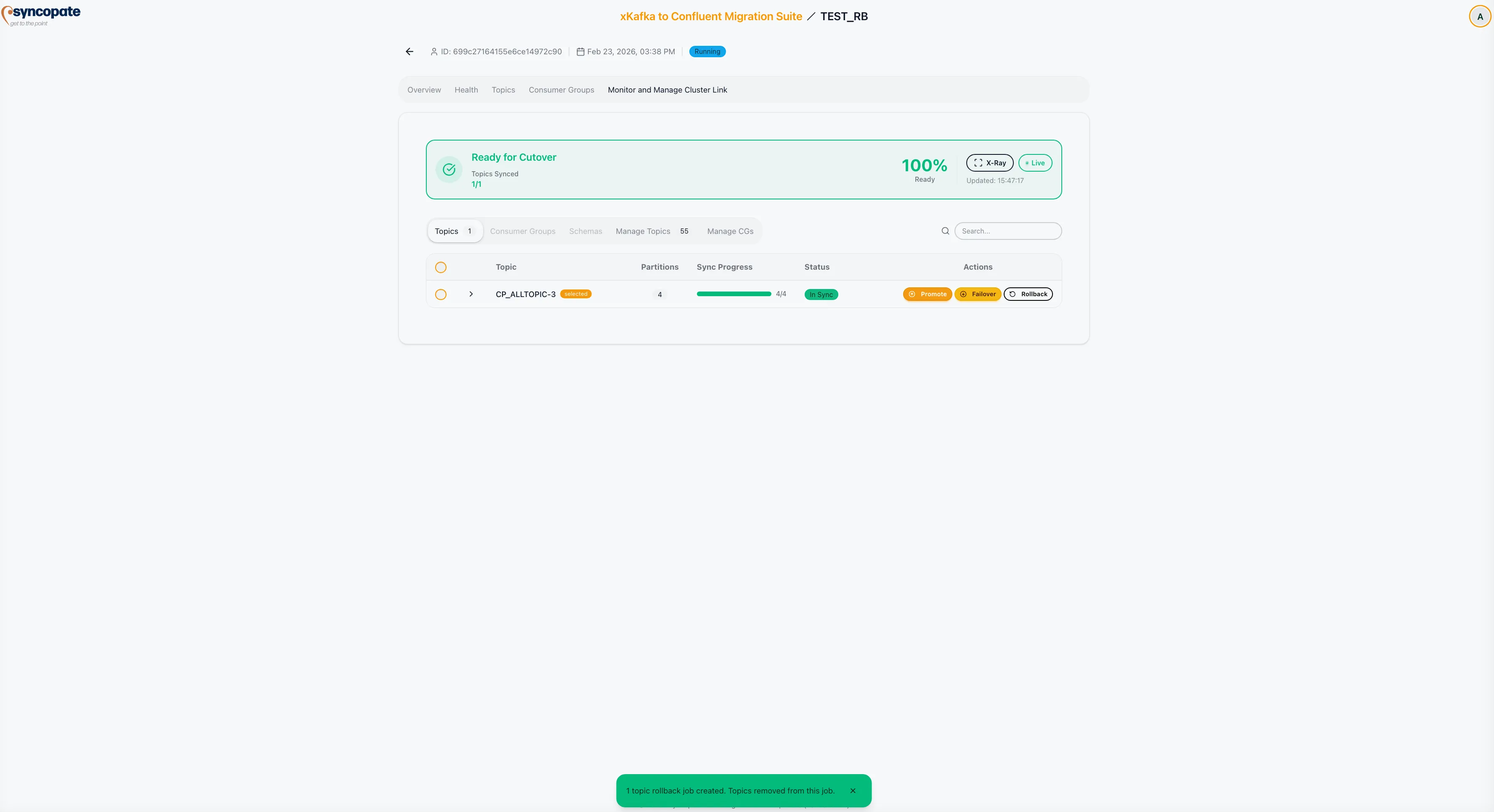
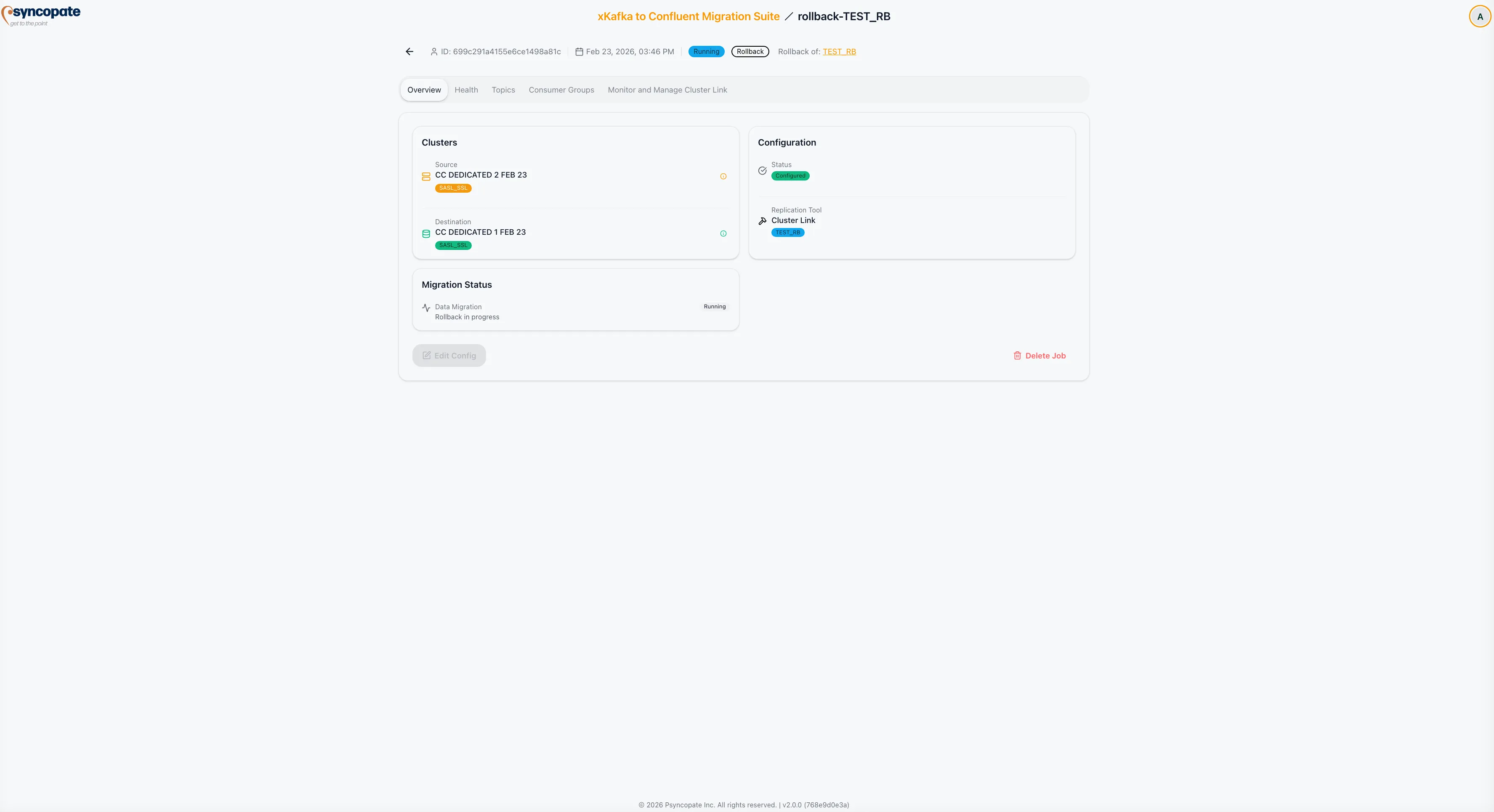
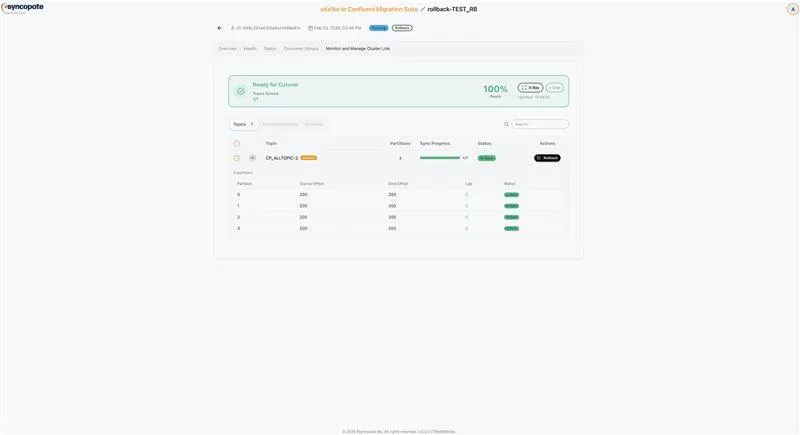
MirrorMaker 2 rollback operates similarly to Replicator rollback at the topic level. It creates a new rollback job with the source and destination clusters swapped.
Availability
Section titled “Availability”The rollback option becomes available in the Monitor tab when the suite determines that the MM2 job has reached cutover readiness.
Rollback Process
Section titled “Rollback Process”- Navigate to the Monitor tab of the running MirrorMaker 2 job.
- Click Rollback on the topics you want to revert.
- A confirmation popup displays the rollback direction and the topics that will be included.
- Confirm to create the rollback job.
Behavior
Section titled “Behavior”- A new migration job is created with the source and destination clusters swapped.
- If a rollback job already exists for this migration, the selected topics are added to the existing rollback job rather than creating a new one.
- Topics can be returned to the original migration job later by removing them from the rollback job.