Schema Registry
This step appears as Schema Migration in the wizard sidebar. It is optional. When enabled, the suite migrates schemas alongside topic data, ensuring that the destination cluster has the correct schema definitions in place for producers and consumers.
Enabling Schema Migration
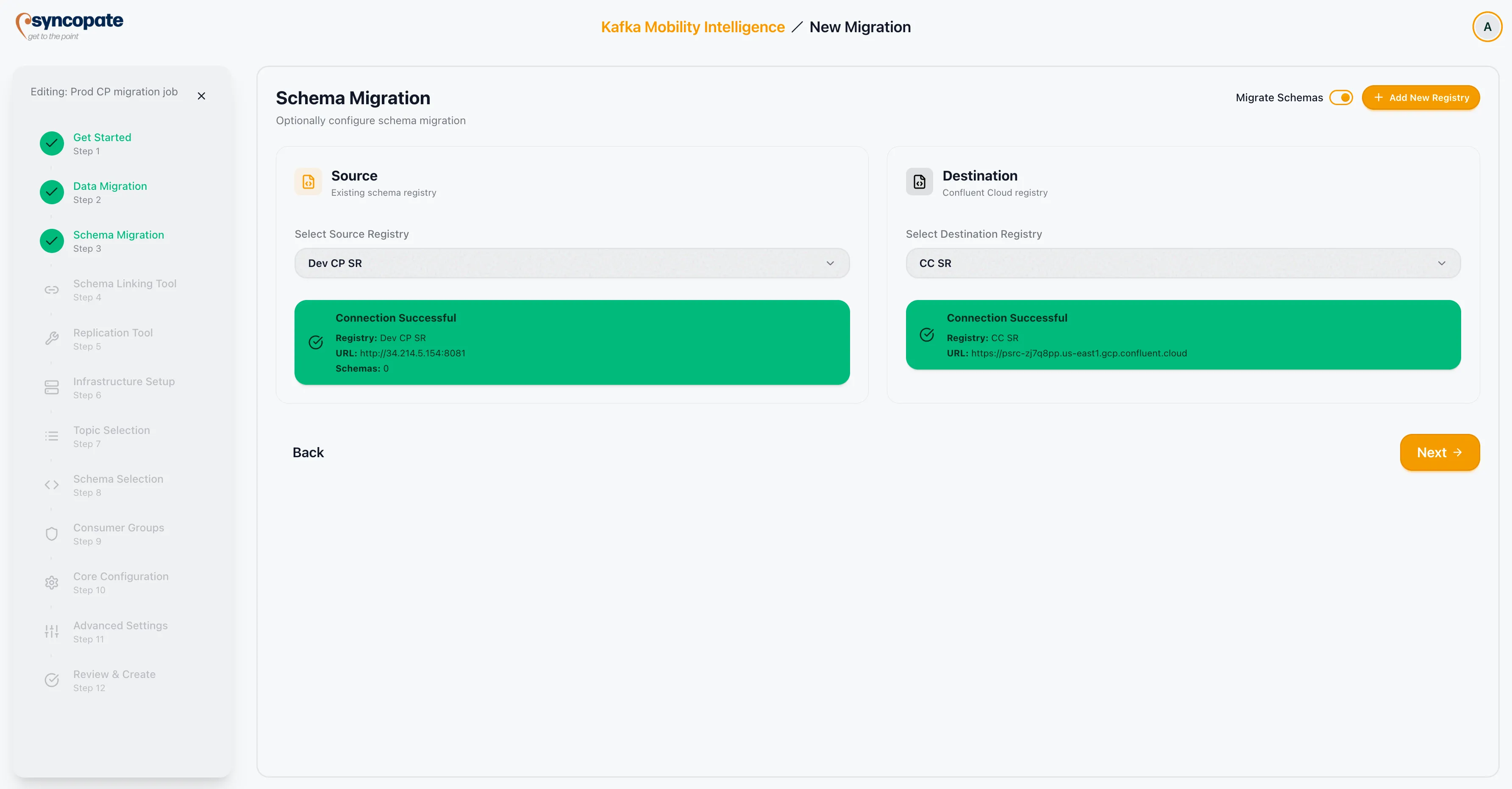
Section titled “Enabling Schema Migration”Toggle the Enable/Select switch to ON to activate schema migration configuration. When disabled, the wizard skips schema-related steps entirely.
Selecting Registries
Section titled “Selecting Registries”Once enabled, select the source and destination schema registries:
| Field | Description |
|---|---|
| Source Schema Registry | The registry containing the schemas to migrate. Select from saved configurations or click Add New to register a new registry inline. |
| Destination Schema Registry | The target registry where schemas will be replicated. Select from saved configurations or click Add New to register a new registry inline. |
Schema Linking Tool
Section titled “Schema Linking Tool”The Schema Linking Tool step shows the engine that migrates your schemas, determined by the source registry type:
| Source Registry Type | Engine |
|---|---|
| Confluent Schema Registry | Confluent Schema Linking |
| WarpStream Schema Registry | WarpStream Schema Linking |
| Cloudera Schema Registry | Tern |
When the source is a Cloudera Schema Registry, the suite forces Tern, an in-house migration engine that communicates with the Cloudera API directly, and the other engines are disabled. For non-Cloudera sources, the Tern card is shown but disabled. Tern runs as a separate container for the duration of the job.
Cloudera Schema Registry
Section titled “Cloudera Schema Registry”The following details apply when the source is a Cloudera Schema Registry.
Supported Destination Registries
Section titled “Supported Destination Registries”Tern supports both Cloudera and Confluent as the destination registry.
Supported Schema Types
Section titled “Supported Schema Types”Tern migrates Avro and JSON schema types only. Protobuf and any other schema types present on the source are not migrated and do not appear in the schema selection step.
What Tern Reads
Section titled “What Tern Reads”Tern reads only active (enabled) schema versions from the source, and only from the source’s main (MASTER) branch. Disabled versions and versions on non-default branches are not included.
Schema ID Preservation
Section titled “Schema ID Preservation”Tern preserves schema IDs from the source registry on the destination. The destination registry must not already contain the same IDs for the migration to complete without conflicts.
Ongoing Sync
Section titled “Ongoing Sync”Tern syncs new subjects and new versions on a recurring interval until the operator promotes them. Subjects added to the source after the job starts are picked up automatically on the next sync cycle, so the schema migration stays current without restarting the job.
Tern Engine Readiness
Section titled “Tern Engine Readiness”Tern runs as a separate container that is provisioned when the migration job starts. The suite waits for Tern to become ready before allowing schema migration to proceed.
If Tern does not become ready within the configured wait time, the job surfaces an error:
“Failed to start engine: Tern engine did not become ready within the configured wait time for job <id>”
(When Tern is deployed with Docker rather than Kubernetes, the message reads “did not become healthy” in place of “did not become ready”.)
Common causes and remediation:
| Cause | What to check |
|---|---|
| Tern container failed to start | Check the container logs on the host running the migration job for startup errors. |
| Tern cannot reach the Cloudera Schema Registry | Verify network connectivity between the Tern container and the Cloudera Schema Registry URL configured in Pre-Migration Setup. |
| Resource constraints | Confirm the host has sufficient CPU and memory to run an additional container alongside the existing migration services. |
| Registry credentials invalid | Re-test the Cloudera Schema Registry connection in Pre-Migration Setup → Schema Registry and update credentials if the test fails. |
After resolving the issue, stop and restart the migration job. The suite re-provisions Tern on the next start attempt.
Duplicate Registry Validation
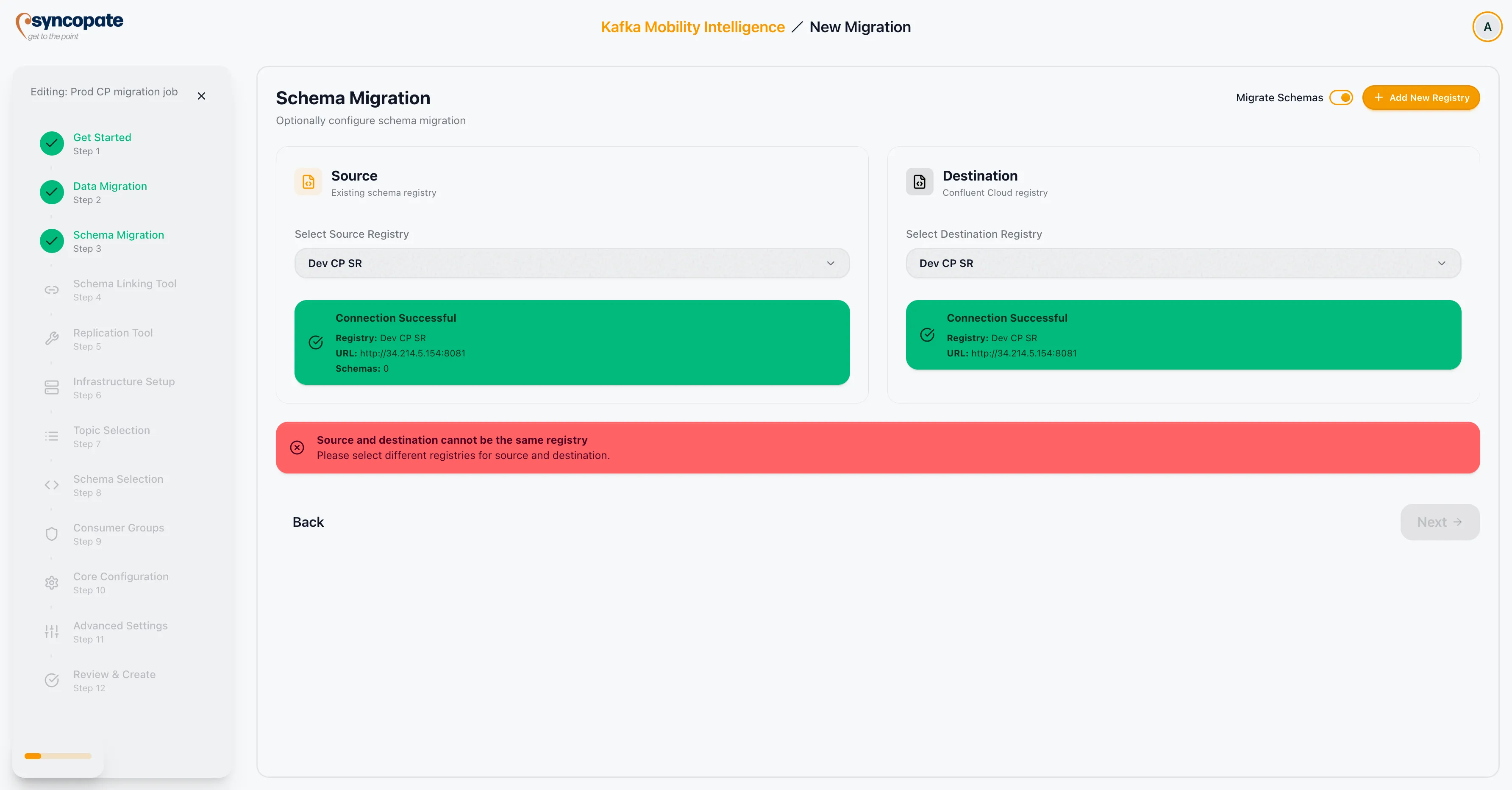
Section titled “Duplicate Registry Validation”The suite prevents you from selecting the same registry for both source and destination. Two registries are treated as the same only when they share both the same URL and the same credentials; selecting such a registry in both fields shows an error that you must clear before proceeding.
Two registries that share a URL but use different credentials are allowed. This supports Confluent Cloud, where the source and destination registries can sit behind the same URL and are distinguished by their API keys.