Monitor Tab
The Monitor tab provides real-time tracking of replication progress for topics, consumer groups, and schemas. It is the primary interface for assessing cutover readiness and managing individual component states during an active migration.
Cutover Readiness
Section titled “Cutover Readiness”The top section displays an overall cutover readiness summary:
| Metric | Description |
|---|---|
| Completion Percentage | Aggregate progress toward cutover readiness |
| Topics Synced | Number of topics that have reached “In Sync” status |
| Consumer Groups Ready | Number of consumer groups with synchronized offsets |
| Schemas Synced | Number of schema subjects replicated to the destination |
| Last Updated | Timestamp of the most recent status refresh |
Overall Migration Statuses
Section titled “Overall Migration Statuses”| Status | Description |
|---|---|
| Not Ready for Cutover | No replication activity initiated (displayed with an error color) |
| Migration In Progress | Active migration with some components still syncing |
| In Sync | All monitored components have caught up with the source |
| Ready | All components in sync, ready for cutover |
| Cutover Done | Cutover complete for all components |
The Topics sub-tab displays all selected topics with their synchronization status.
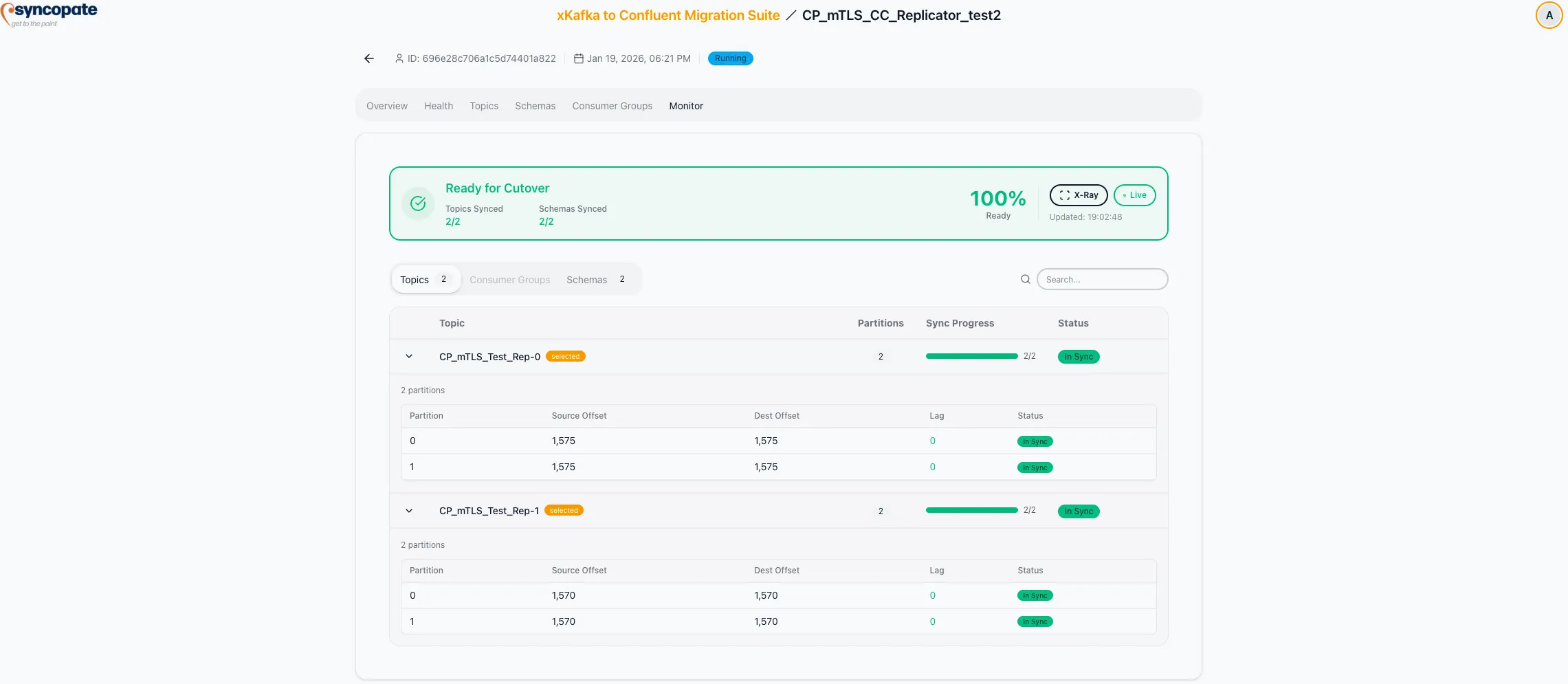
Each topic row shows:
- Topic Name: Fully qualified name
- Partitions: Number of partitions
- Sync Progress Bar: Visual indicator of replication completeness
- Status Badge: Current replication state
Expand a topic row to view partition-level details:
| Field | Description |
|---|---|
| Partition Number | Partition ID within the topic |
| Source Offset | Latest offset on the source cluster |
| Destination Offset | Latest offset on the destination cluster |
| Lag | Number of messages behind (source minus destination) |
| Status | Per-partition replication state |
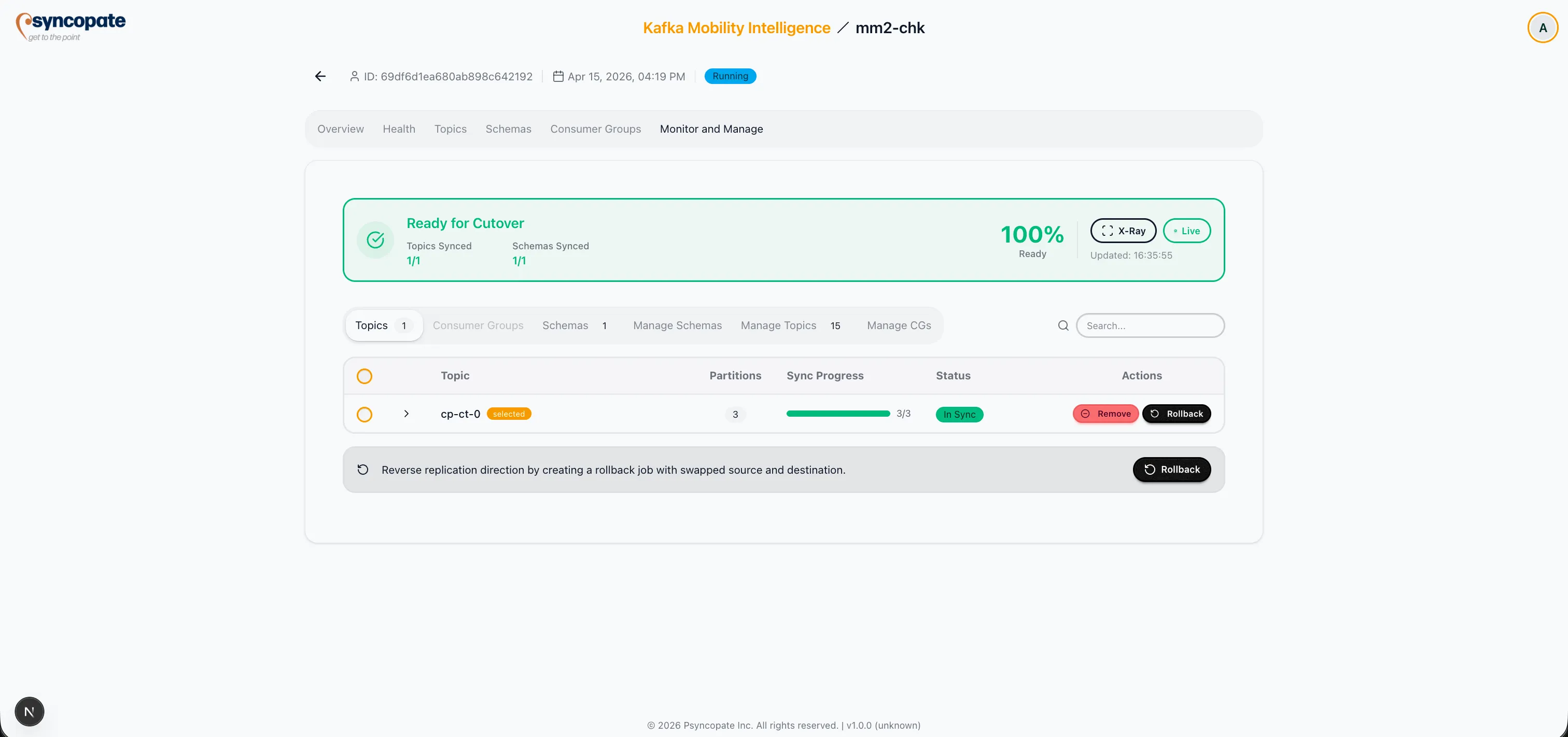
Topic Statuses
Section titled “Topic Statuses”| Status | Description |
|---|---|
| Not Started | No replication activity for this topic |
| Sync In Progress | Data is actively being replicated |
| In Sync | All available messages have been replicated |
| Producer Cutover | Producers have been redirected to the destination |
Partition Statuses
Section titled “Partition Statuses”| Status | Description |
|---|---|
| Syncing | Partition data is actively being replicated |
| In Sync | Partition offsets are aligned between source and destination |
| Cutover | Partition cutover is complete |
Users can remove a topic from the migration or rollback a topic that has been cut over.
The Consumer Groups sub-tab displays all selected consumer groups with their offset synchronization progress.
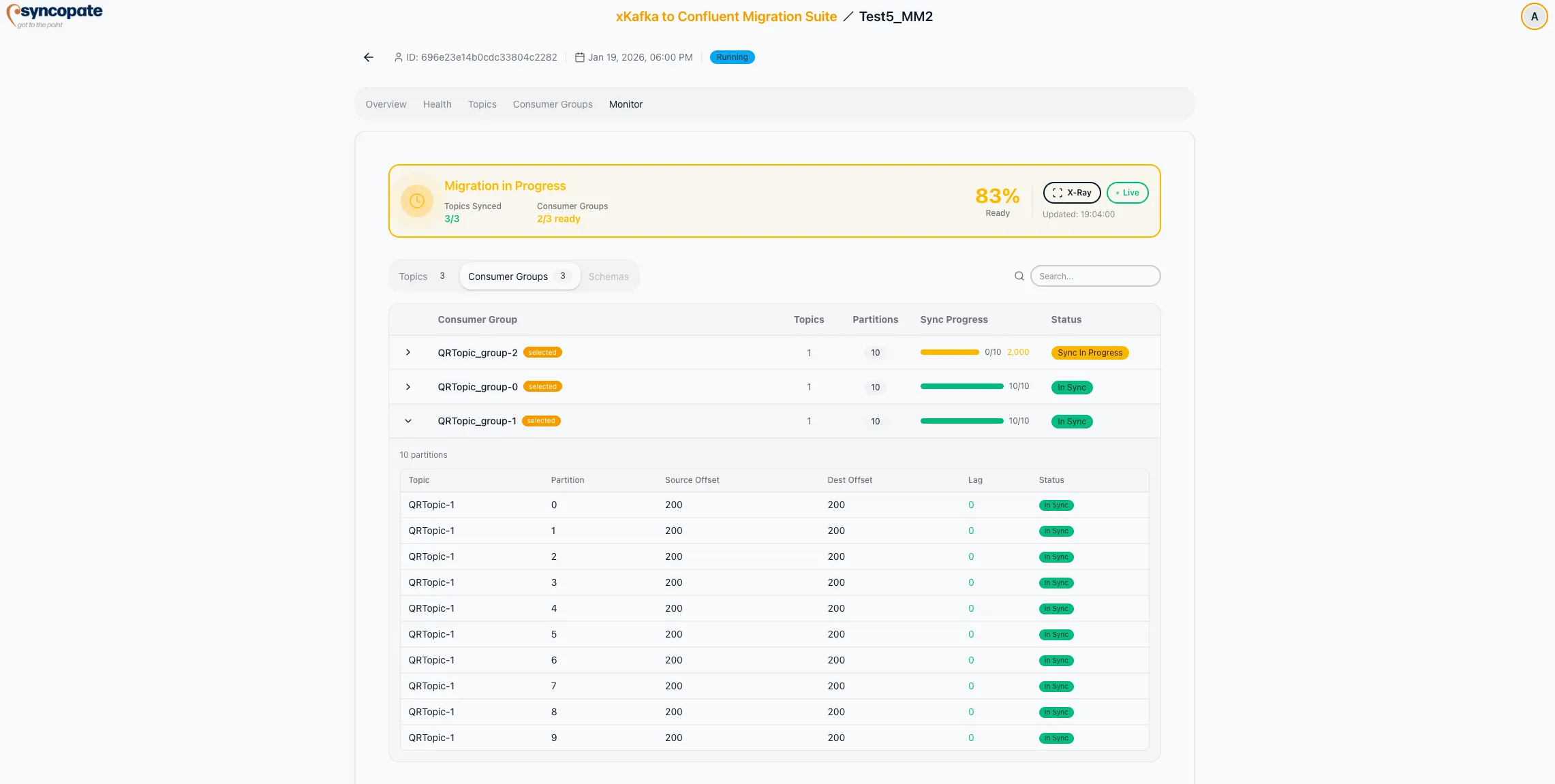
Each consumer group row shows:
- Consumer Group ID: Unique identifier
- Partitions: Total partitions consumed
- Sync Progress: Visual indicator of offset synchronization
- Status: Current synchronization state
Expand a consumer group row to view partition-level offset details, including source offset, destination offset, and lag for each partition.
Consumer Group Statuses
Section titled “Consumer Group Statuses”| Status | Description |
|---|---|
| None | No status assigned |
| Not Started | Offset synchronization has not begun |
| Sync In Progress | Offsets are actively being synchronized |
| In Sync | All offsets are aligned between source and destination |
| Consumer Cutover | Consumers have been redirected to the destination |
Users can exclude a consumer group from the migration if it is no longer needed.
The Schemas sub-tab displays all selected schema subjects with their synchronization status.
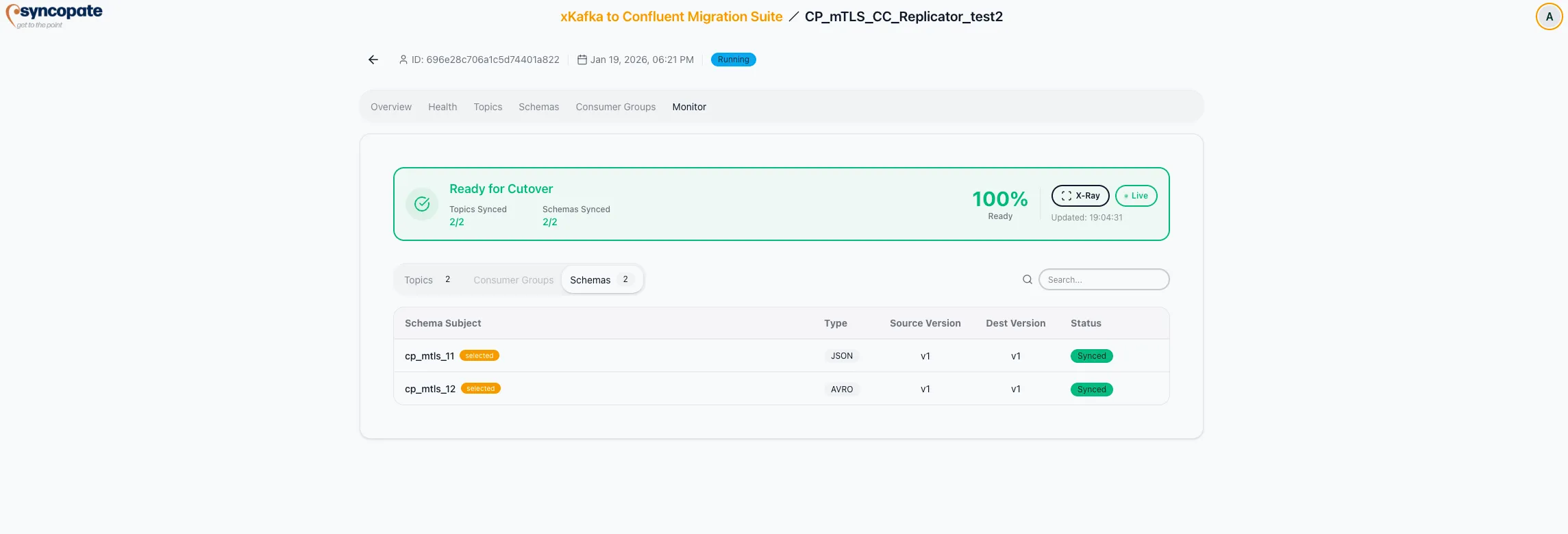
Each schema row shows:
| Field | Description |
|---|---|
| Subject | Schema subject name |
| Type | Serialization format (JSON, AVRO, PROTOBUF) |
| Source Version | Current version on the source registry |
| Destination Version | Current version on the destination registry |
| Status | Synchronization state |
Schema Statuses
Section titled “Schema Statuses”| Status | Description |
|---|---|
| Syncing | Schema replication is in progress |
| Synced | Schema versions match between source and destination |
| Version Mismatch | Source and destination have different version counts |
| Missing Dest | Schema exists on source but not on destination |
| Extra Dest | Schema exists on destination but not on source |
The Manage Topics sub-tab allows you to add topics to an in-progress migration job.
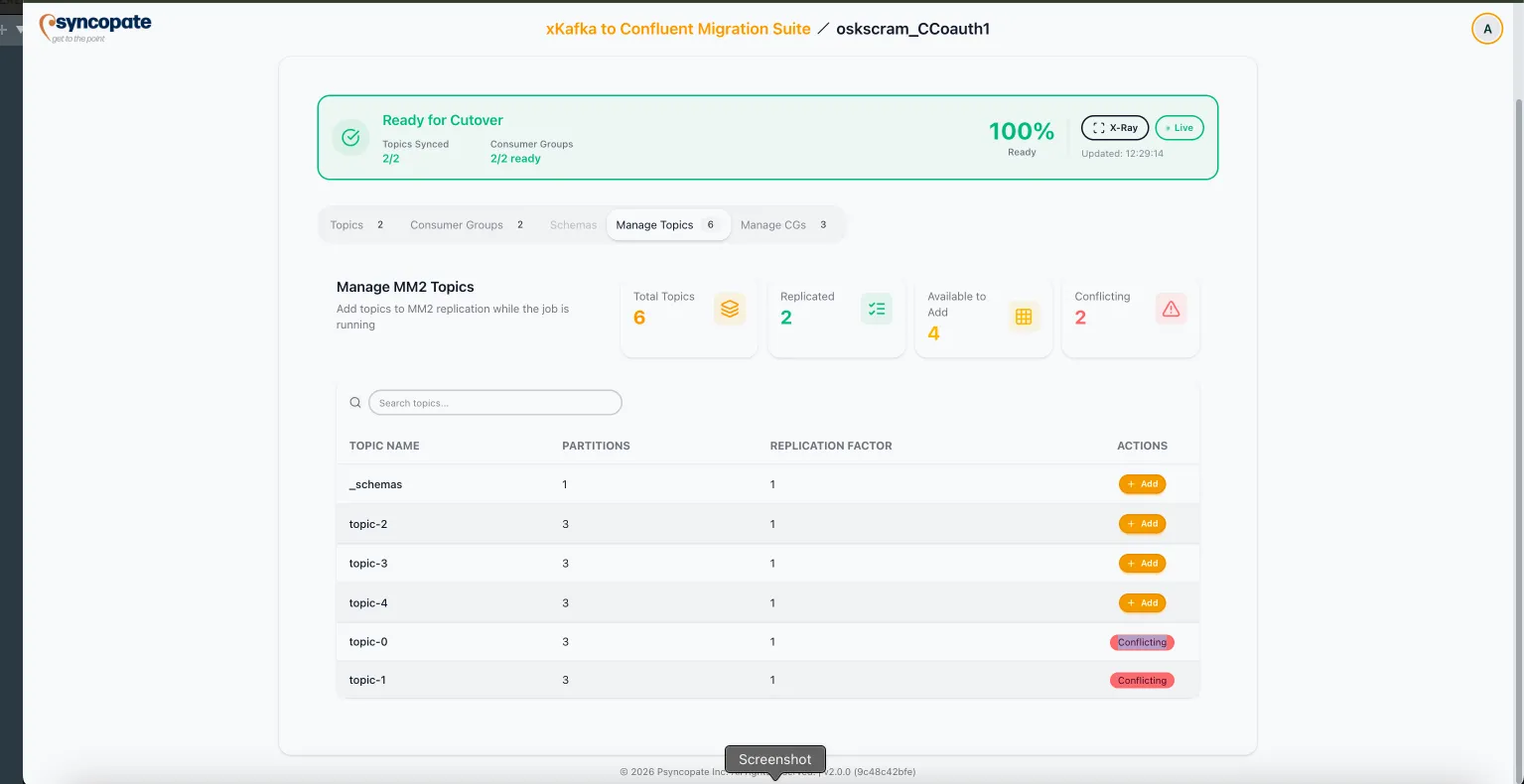
Summary counters:
| Metric | Description |
|---|---|
| Total Topics | All topics on the source cluster |
| Mirrored | Topics already included in the migration |
| Available to Add | Topics eligible to be added |
Topics with naming conflicts on the destination are shown as inline warnings within the table, not as a separate counter.
The table displays each topic with:
| Column | Description |
|---|---|
| Topic Name | Fully qualified name |
| Partitions | Number of partitions |
| Replication Factor | Number of replicas |
| Actions | Add (for available topics) or Conflicting (for topics with conflicts) |
The Manage Consumer Groups sub-tab allows you to add consumer groups to an in-progress migration job.
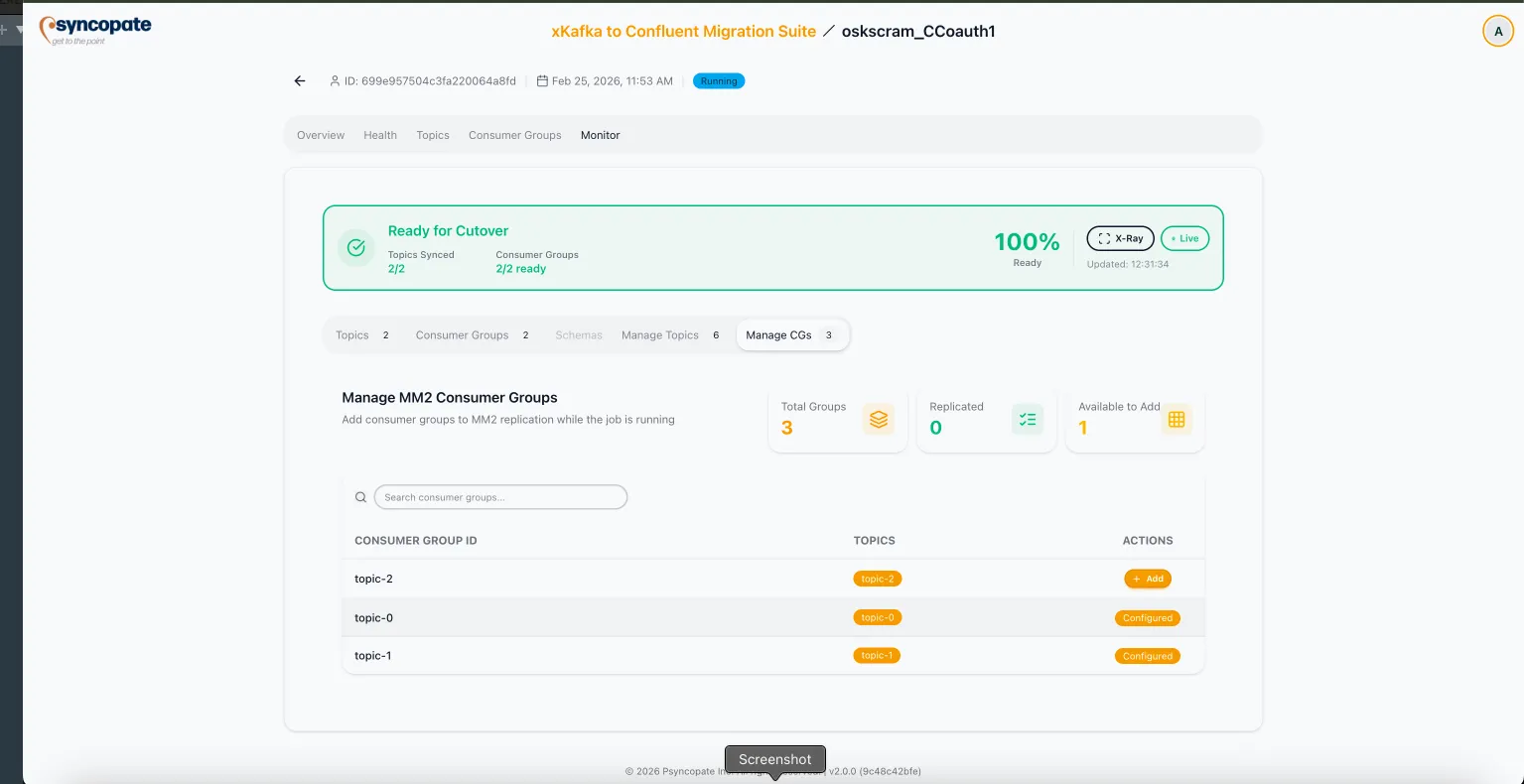
Summary counters:
| Metric | Description |
|---|---|
| Total Groups | All consumer groups on the source cluster |
| Replicated | Groups already included in the migration |
| Available to Add | Groups eligible to be added |
The table displays each group with:
| Column | Description |
|---|---|
| Consumer Group ID | Unique identifier |
| Topics | Subscribed topics |
| Actions | Add (for available groups) or Exclude (for groups currently being mirrored) |
The Manage Schemas sub-tab is available when schema management is enabled for the migration job. It allows you to add schema subjects to an in-progress migration.
Summary counters:
| Metric | Description |
|---|---|
| Total Schemas | All schema subjects on the source registry |
| Mirrored | Subjects already included in the migration |
| Available to Add | Subjects eligible to be added |
The table displays each schema subject with:
| Column | Description |
|---|---|
| Subject | Schema subject name |
| Type | Serialization format (JSON, AVRO, PROTOBUF) |
| Versions | Number of versions for the subject |
| Actions | Add (for available subjects) or Exclude (for subjects currently being mirrored) |
Sync Resources (Replicator Pre-create)
Section titled “Sync Resources (Replicator Pre-create)”Sync Resources is available on the Monitor page for running Replicator jobs that use Pre-create topic creation mode. It is not offered for auto-create migrations, where Replicator owns topic creation.
In Pre-create mode, Replicator does not create destination topics itself — the suite creates them before the connector starts. If a new source topic appears after the job has started (for example, a wildcard pattern matches a newly-created topic), use Sync Resources to create it on the destination without stopping the migration.
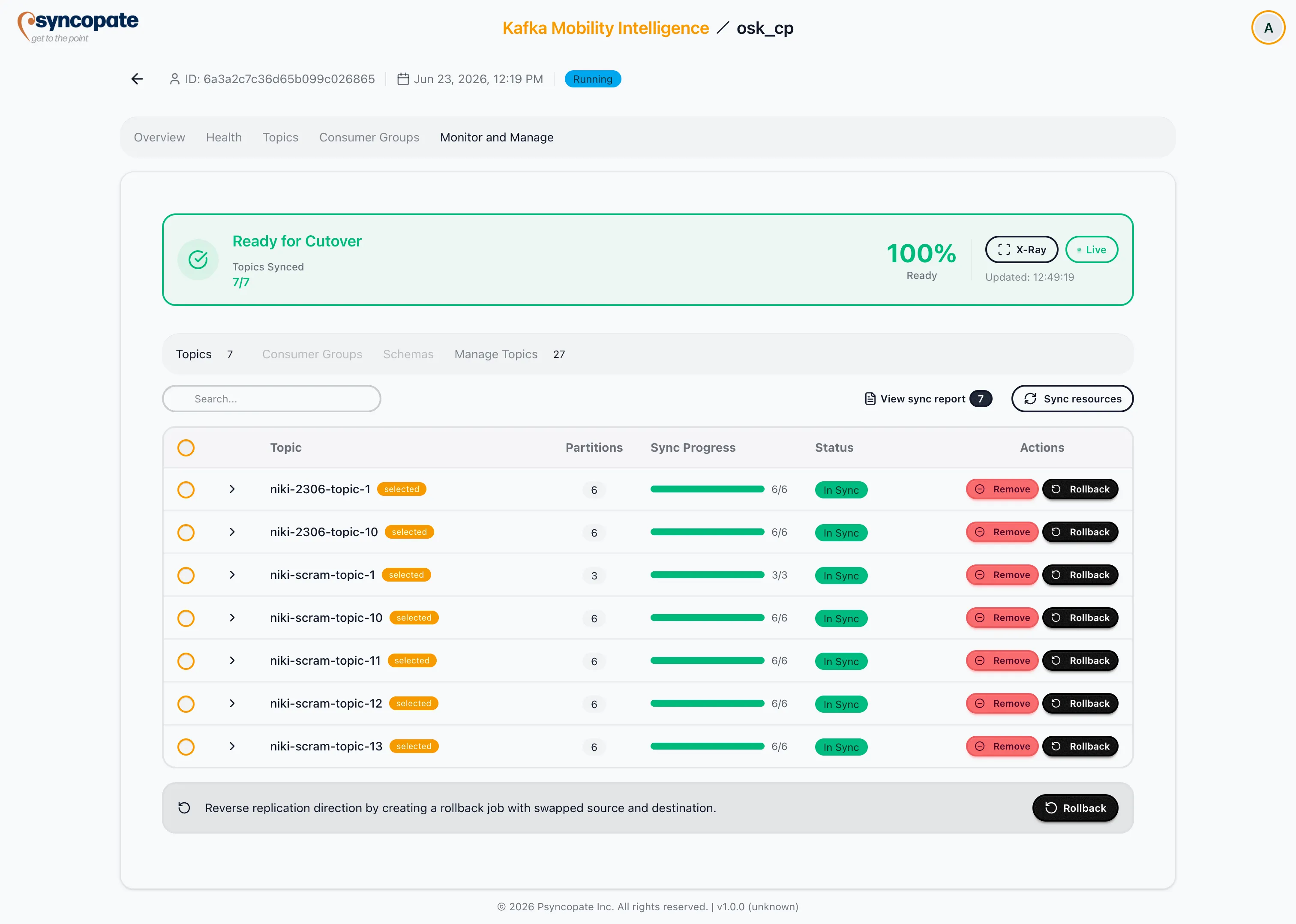
What Sync Resources does
Section titled “What Sync Resources does”- Re-resolves the migration’s topic selection — including wildcard patterns — against the live source cluster.
- Creates any source topics that are missing on the destination, with the same partition count and config exclusions applied at job start.
- Leaves topics that already exist on the destination unchanged.
- After creation, replication to the newly-created topic begins automatically and data appears on it.
Sync Resources report
Section titled “Sync Resources report”After triggering, a Topic Pre-creation Report modal shows the per-topic outcome:
| Status | Description |
|---|---|
| Created | Topic was newly created on the destination. |
| Skipped | Topic was already present on the destination; left unchanged. |
| Failed | Topic could not be created; the topic name and reason are shown. |
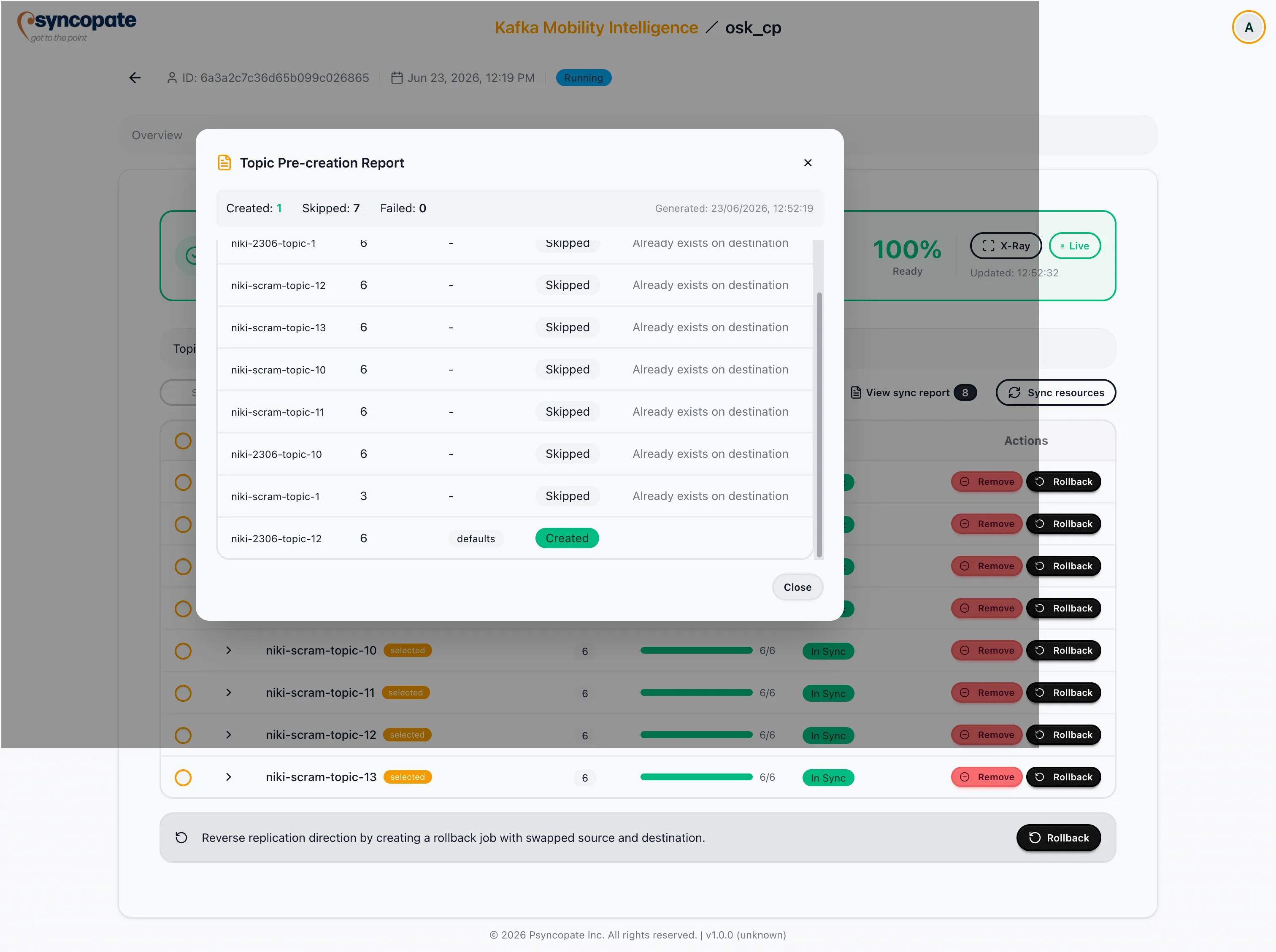
The report is also accessible at any time via the View sync report button on the Monitor page.