Completing the Switchover
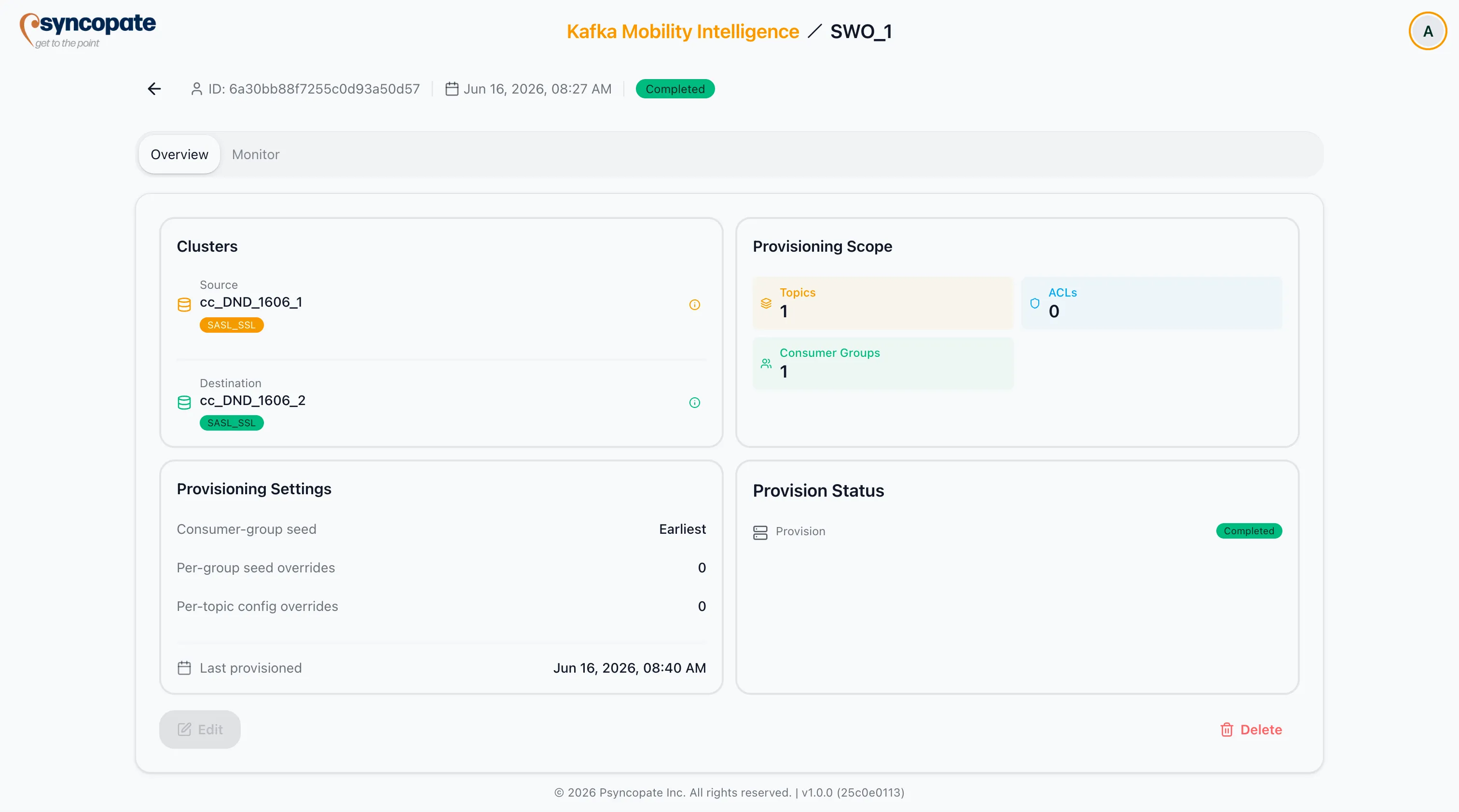
The cutover readiness panel at the top of the cockpit holds the completion gate. Mark complete unlocks only when two conditions are met: the robust consumer gate is green, and producer cutover has been manually acknowledged.
Consumer Roll-Up (authoritative)
Section titled “Consumer Roll-Up (authoritative)”The panel shows Consumer groups cleared from source as N of M. The gate goes green when no group has any members left on the source. This is derived from robust DescribeGroups data and is the signal that authoritatively gates completion.
A group counts as cleared when either its consumers have moved to the destination (destination members, no source members) or it has no live consumers on either cluster (idle — there is nothing on the source to strand). Two edge cases follow from this:
- An idle group (no live consumers anywhere) counts as cleared and does not block Mark complete — so a dormant or batch consumer group cannot hold completion open forever. The gate deliberately does not require an inactive group to show a destination member.
- A selected group that has not yet been observed in the live data is treated as still pending (it keeps the gate closed) until it is first seen.
When the gate is not green, the panel names the groups still holding source members under Still on source, so you know exactly what remains.
Producer Roll-Up (best effort)
Section titled “Producer Roll-Up (best effort)”The panel also shows Visible producers off source as a best-effort count. “Visible” means producers the tool can observe — Confluent Cloud Metrics API activity when the cluster has Metrics API credentials, otherwise broker state from idempotent or transactional producers. Other producers are invisible and may still be running.
Acknowledge and Mark Complete
Section titled “Acknowledge and Mark Complete”- Tick I confirm all producers have moved to the destination cluster (persisted on the job). This is required because the producer signal is best effort.
- With the consumer gate green and producer cutover acknowledged, Mark complete becomes enabled. A confirmation dialog appears before it runs.
Completion is gated on the server too, so the disabled button is defense in depth. The JobCutover permission is required; without it the controls are disabled.
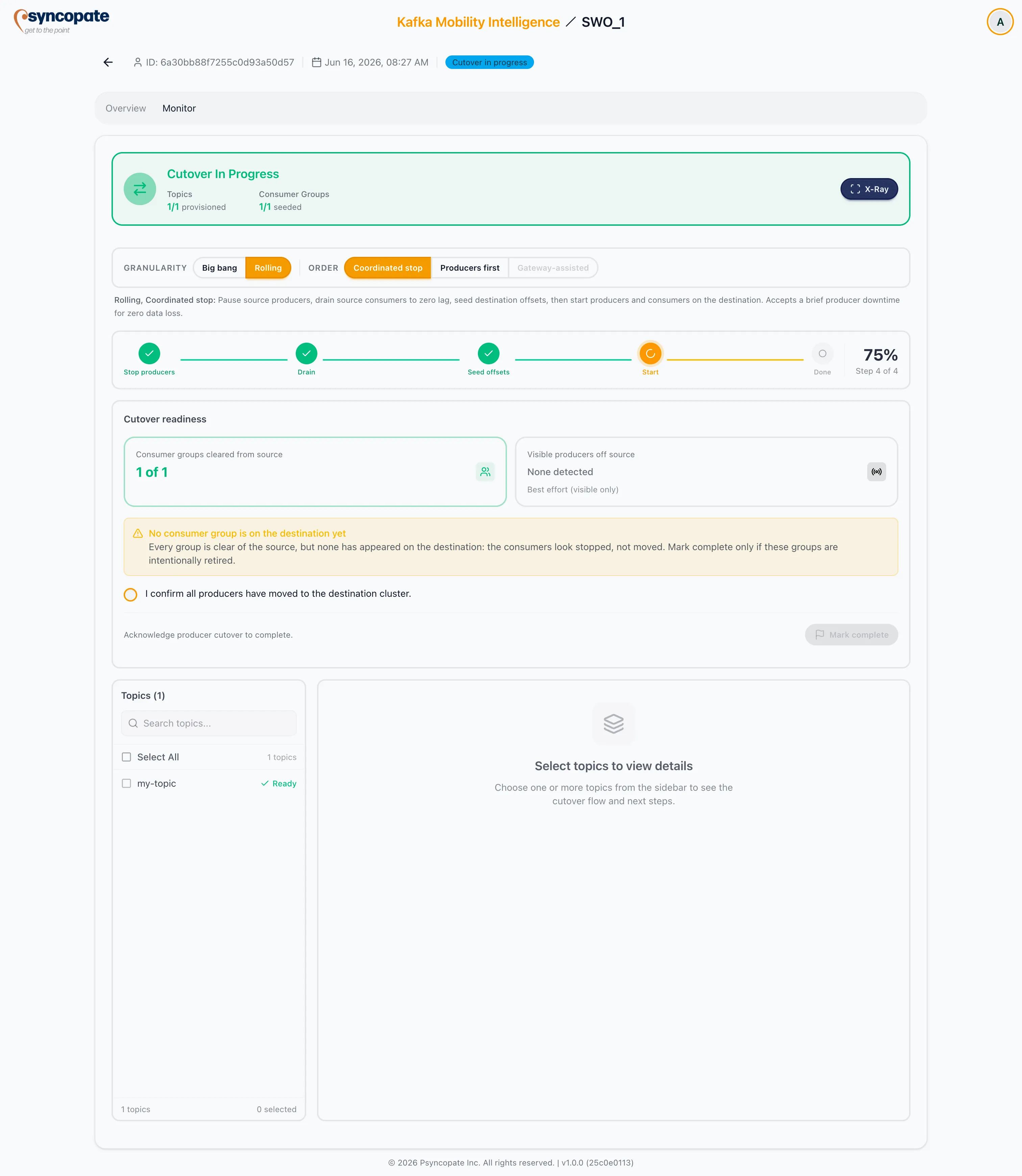
After completion the cockpit stays viewable: the flow shows the final observed state, and the Topics and Consumer Groups tabs keep the provision record.
On the Overview tab the job badge reads Completed, the Provision Status shows Completed with the last-provisioned timestamp, and Edit is disabled — the job is now a record.