Create a DR Setup
The DR setup wizard starts with naming your setup and confirming the replication tool before proceeding to topology and configuration.
Opening the Wizard
Section titled “Opening the Wizard”-
Navigate to the Dashboard and select the DR tab.
-
Click + New DR Setup.
-
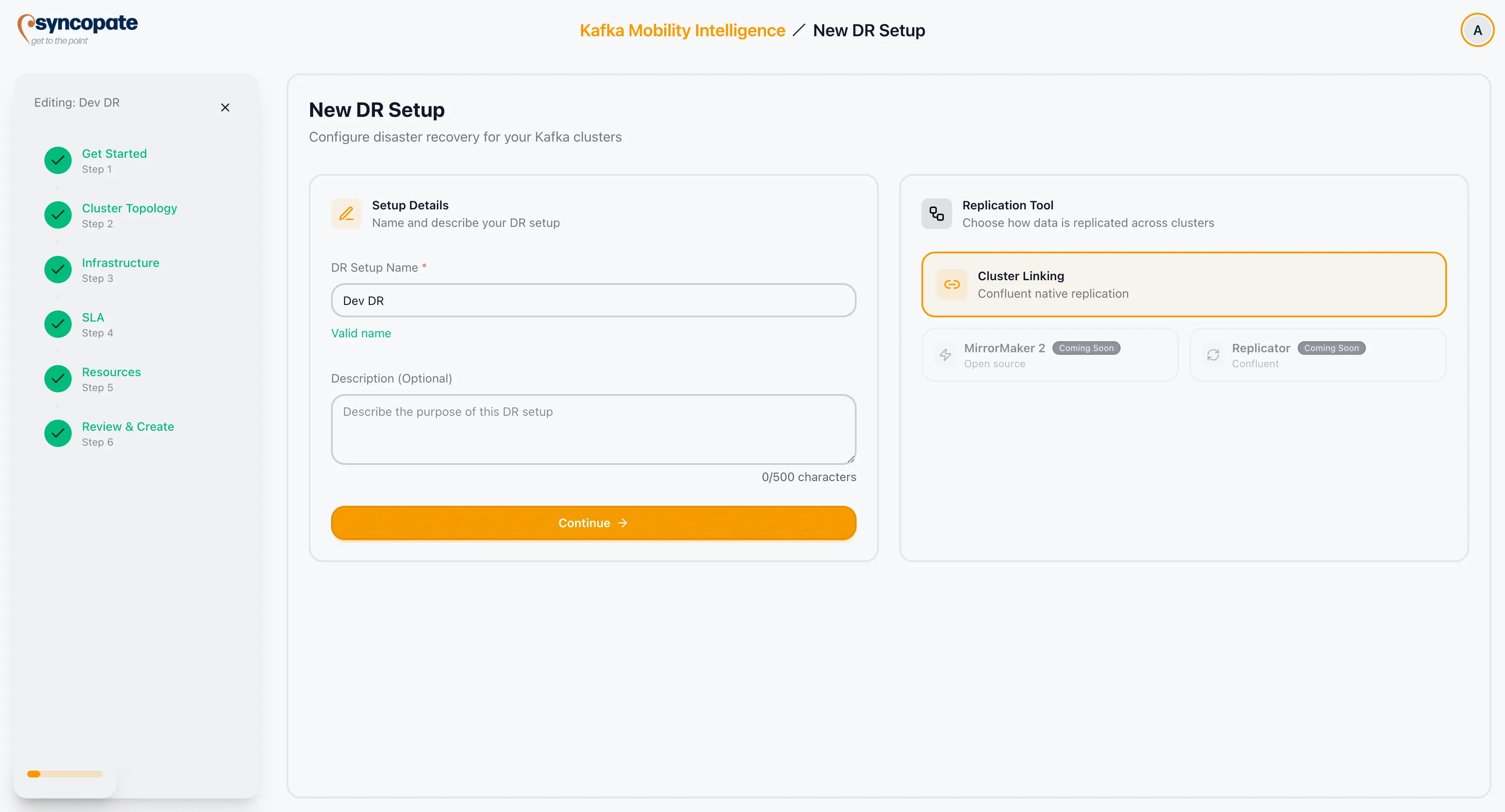
The Get Started step opens. A progress panel on the left shows all wizard steps.
Setup Name
Section titled “Setup Name”| Field | Required | Constraints |
|---|---|---|
| DR Setup Name | Yes | Minimum 3 characters. Letters, numbers, spaces, hyphens (-), and underscores (_) allowed. Maximum 50 characters. |
A real-time validation indicator appears below the field. It shows a Valid name confirmation when all constraints are met, or an inline error when they are not.
Description
Section titled “Description”| Field | Required | Constraints |
|---|---|---|
| Description | No | Maximum 500 characters. |
A character counter is displayed below the field. The counter changes colour at 450 characters to indicate you are approaching the limit.
Replication Tool
Section titled “Replication Tool”Cluster Linking is the active replication tool for DR setups. It is pre-selected and cannot be changed.
MirrorMaker 2 and Replicator are planned for a future release and cannot be selected yet.
Continuing
Section titled “Continuing”Click Continue to save the setup as Draft and advance to the Cluster Topology step.