Topics Tab
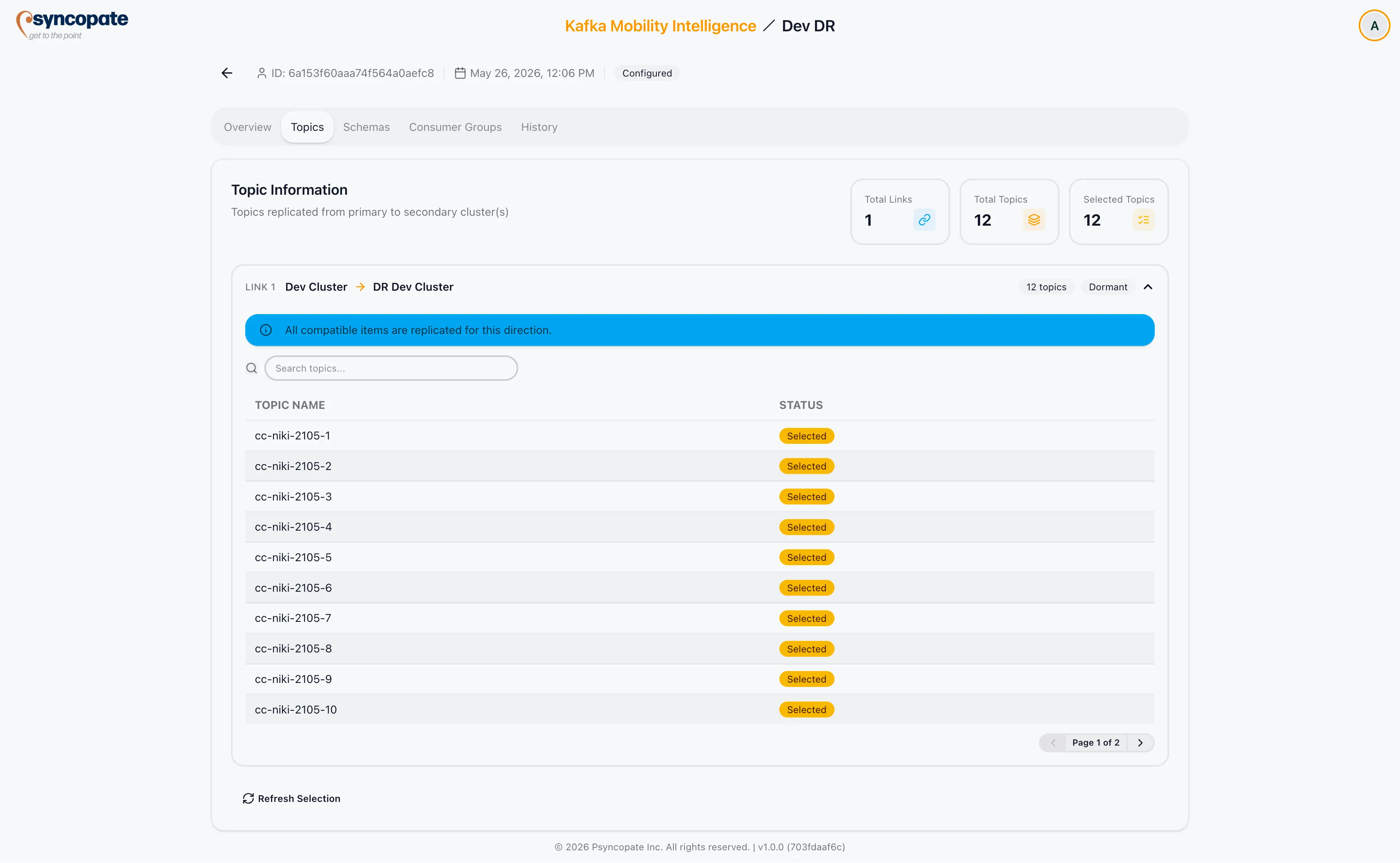
The Topics tab shows which topics are included in replication for each link and direction in the DR setup.
Stat Cards
Section titled “Stat Cards”| Card | Description |
|---|---|
| Links | Total number of links in the setup |
| Total Topics | Combined topic count across all links and directions |
| Selected Topics | Topics explicitly selected (as opposed to all-topics scope) |
| Owner Clusters | Active-Active only. Number of distinct owner clusters across all topics. |
Per-Link Tables
Section titled “Per-Link Tables”Each link has a collapsible accordion. Inside the accordion, a table is shown per active direction.
| Column | Description |
|---|---|
| Topic Name | Name of the topic on the source cluster |
| Owner Cluster | Active-Active only. The cluster designated as the authoritative owner of this topic. |
| Mirror Name | Shown when a mirror prefix is configured. The prefixed name the topic has on the destination cluster. |
Empty state — if no topics are configured for a direction, the table shows: No topics configured for this direction.
Scope Display
Section titled “Scope Display”Below each table, the configured scope is shown:
- All topics — all topics on the source cluster are replicated
- Selected — only the listed topics are replicated
- Wildcard patterns — pattern list, if configured
- Exclusion patterns — exclusion list, if configured
Refreshing the Selection
Section titled “Refreshing the Selection”Use the Refresh Selection button to reload topic names from the source cluster. This is useful after new topics are created on the source and you want the list to reflect the current state.