Review and Configure
The Review step presents a read-only summary of all wizard configuration before the setup is finalised.
Configuration Summary
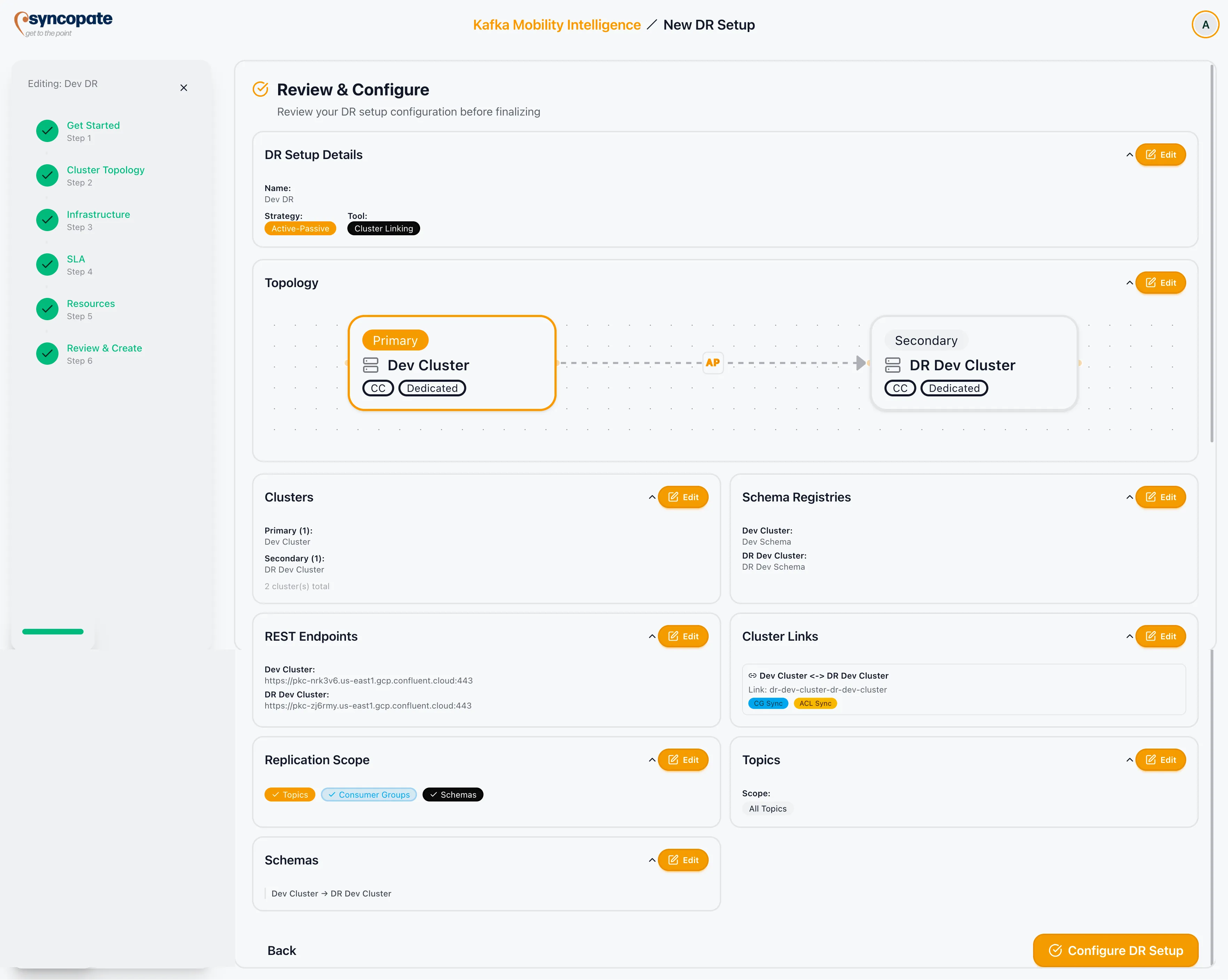
Section titled “Configuration Summary”The review screen shows the following cards:
| Card | Content |
|---|---|
| DR Setup Details | Name, description, DR type badge, replication tool badge |
| Topology | Visual preview of cluster nodes and links |
| Clusters | Clusters grouped by role (Primary, Secondary, Peer) with counts |
| Schema Registries | Schema registry assignment per cluster, or “No schema registries configured” |
| REST Endpoints | REST URL per cluster, or “No REST endpoints configured” |
| Cluster Links | Table of links with link name, mirror prefixes, CG Sync badge, ACL Sync badge |
| Replication Scope | Badges showing which resource types are enabled (Topics, Consumer Groups, Schemas) |
| Topics | Scope (All / Selected), wildcard pattern count, selected topic count |
| Consumer Groups | Shown only when consumer groups are configured. Pattern and selection counts. |
| Schemas | Per-exporter breakdown (source -> destination), pattern counts, subject counts |
| Topic Ownership | Active-Active only. Topics grouped by owner cluster with counts. |
Each card has an Edit shortcut that navigates back to the relevant wizard step.
Configuring the Setup
Section titled “Configuring the Setup”-
Review all configuration cards. Use the Edit shortcuts to correct any issues.
-
Click Configure DR Setup.
-
A confirmation modal appears showing the cluster count, link count, and DR type. Click Confirm.
-
The setup transitions from Draft to Configured.
-
You are returned to the DR dashboard.
Error States
Section titled “Error States”| Condition | Behaviour |
|---|---|
| DR setup ID missing | Error message shown; Configure button disabled |
| Name field empty | Validation error shown; Configure button disabled |