Consumer Groups Tab
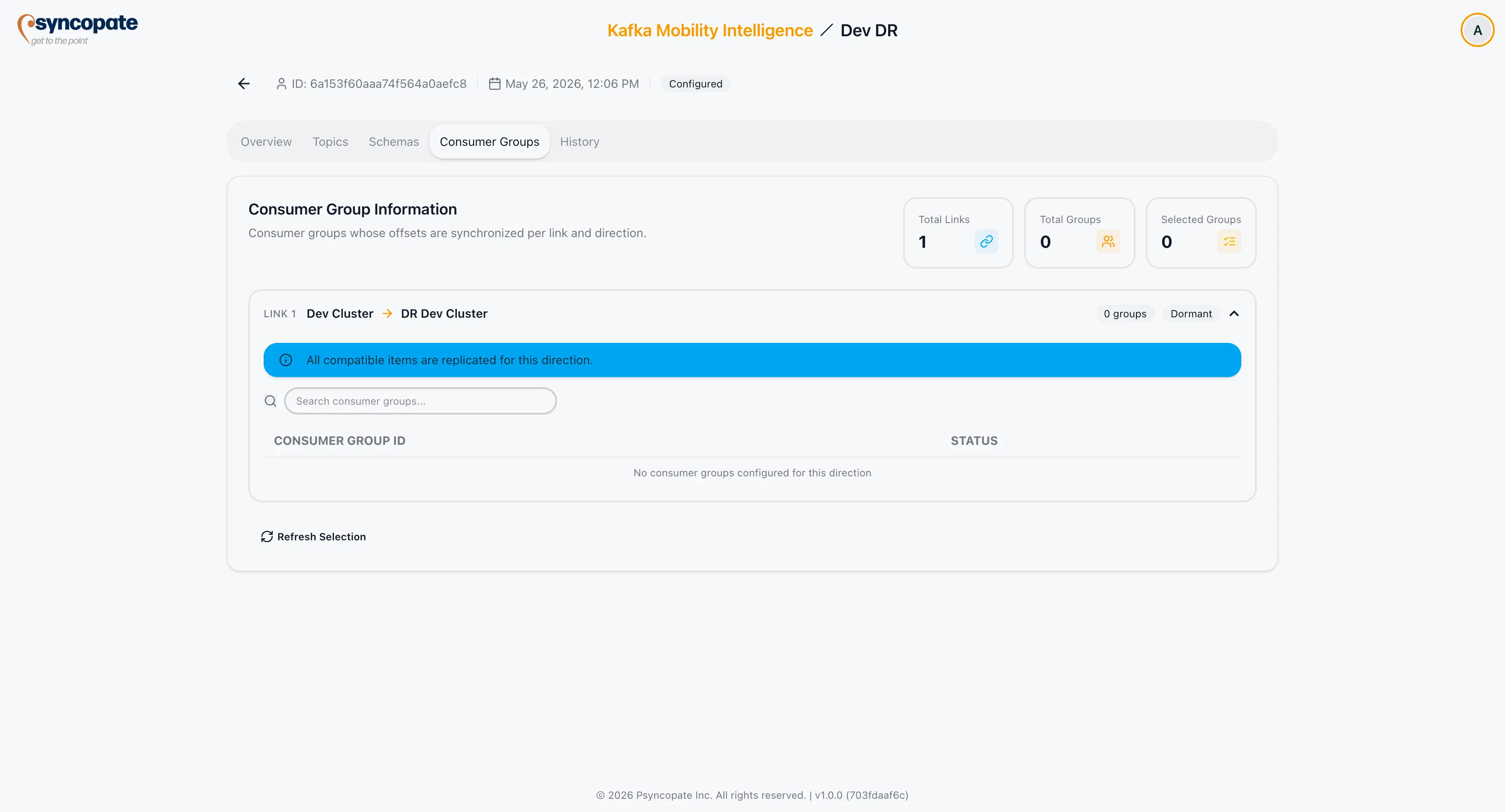
The Consumer Groups tab shows which consumer groups have offset sync configured for each link and direction in the DR setup.
Stat Cards
Section titled “Stat Cards”| Card | Description |
|---|---|
| Links | Total number of links in the setup |
| Total Groups | Combined consumer group count across all links and directions |
| Selected Groups | Groups explicitly selected (as opposed to all-groups scope) |
| Source Clusters | Active-Active only. Number of distinct source clusters across all groups. |
Per-Link Tables
Section titled “Per-Link Tables”Each link has a collapsible accordion. Inside the accordion, a table is shown per active direction.
| Column | Description |
|---|---|
| Consumer Group ID | Identifier of the consumer group on the source cluster |
| Source Cluster | Active-Active only. The cluster where this consumer group originates. |
Disabled direction — when offset sync is disabled for a direction, the table is replaced with the message: Offset sync is disabled for this direction. Consumers on the destination cluster will not have committed offsets after a failover if offset sync is disabled.
Empty state — if no consumer groups are configured for an enabled direction, the table shows: No consumer groups configured for this direction.
Scope Display
Section titled “Scope Display”Below each table, the configured scope is shown:
- Selected — only the listed groups are synced
- Wildcard patterns — pattern list, if configured
- Exclusion patterns — exclusion list, if configured