Creating a Switchover Job
An Application Switchover job is created from the New Migration wizard, the same wizard used for data and schema migrations. Switchover is a from-scratch mode only — there is no import or attach path, because a switchover runs no replication engine to discover.
Entry Point and Mode
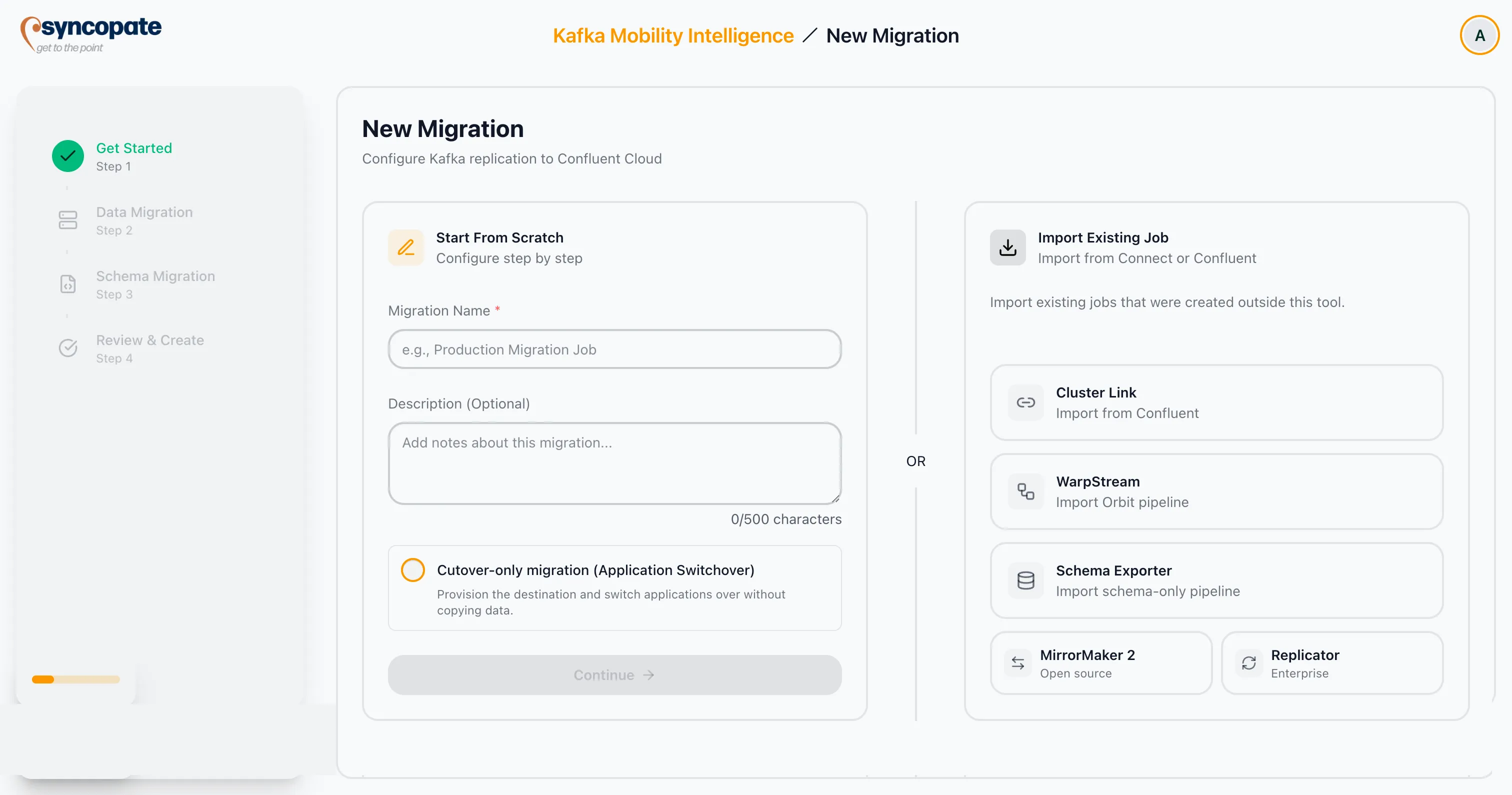
Section titled “Entry Point and Mode”On the Get Started step, the Start From Scratch card shows a single opt-in checkbox after the Description field:
Cutover-only migration (Application Switchover)
It is unchecked by default (a standard data and/or schema migration). Checking it puts the job into switchover mode for the rest of the wizard. A migration name is still required.
Prerequisite Callout
Section titled “Prerequisite Callout”Selecting Application Switchover shows an informational callout about producer detection: idempotent or transactional producers are recommended so the tool can automatically detect and verify producer cutover. They are not required for the switchover itself — non-idempotent producers simply will not be auto-detected and rely on manual confirmation later. The callout never blocks Continue.
Wizard Steps in Switchover Mode
Section titled “Wizard Steps in Switchover Mode”In the new migration wizard, switchover shows a reduced step set, in order:
- Get Started
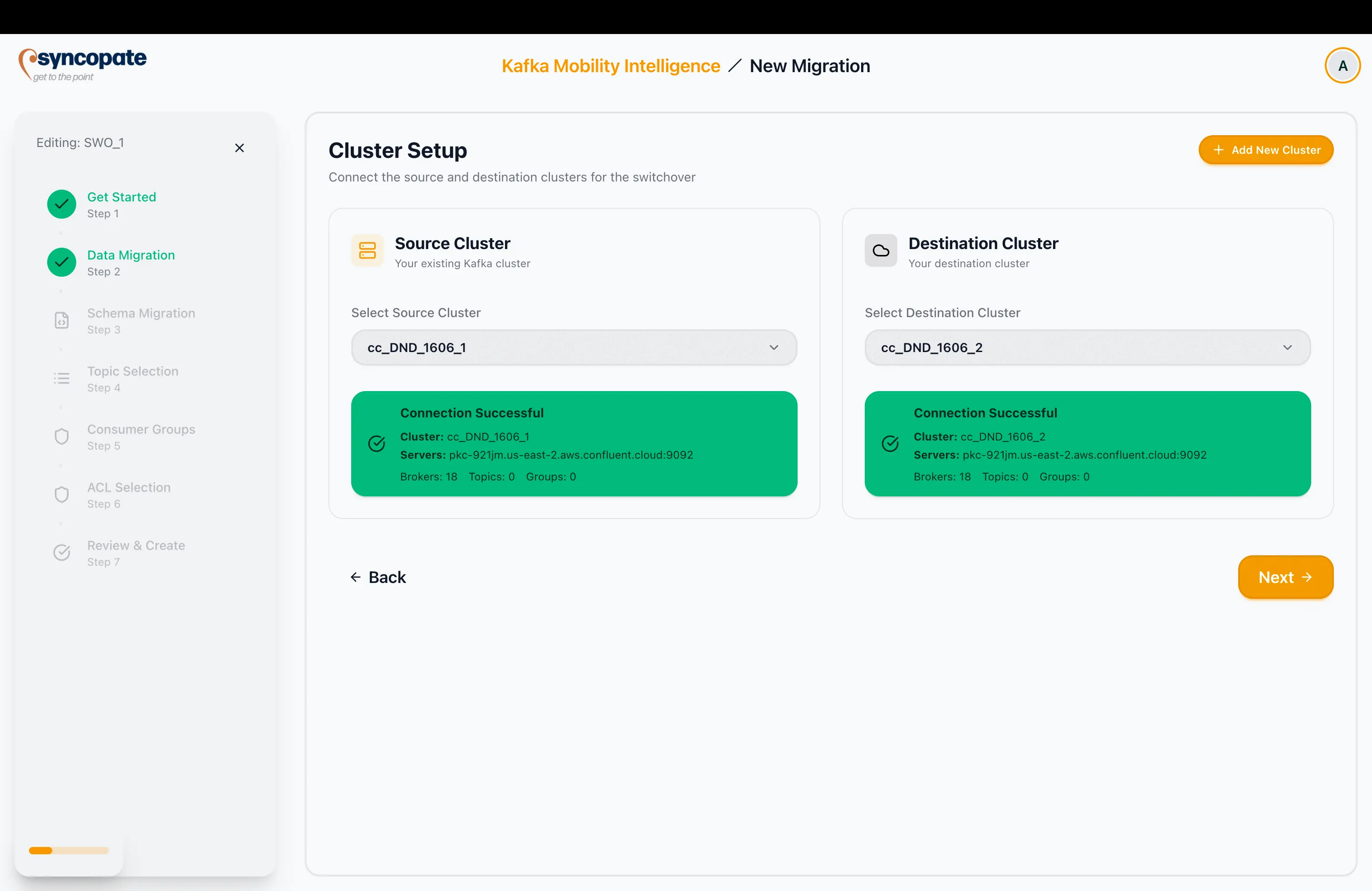
- Cluster Setup — pick and verify the source and destination clusters (reused unchanged).
- Schema Provisioning — always shown; its enable toggle is the opt-in for copying schemas, off by default. See Schema Provisioning.
- Topic Selection — provision targets.
- Consumer Groups — track and seed.
- ACL Selection — provision targets.
- Review & Create
The replication-only steps are hidden: Replication Tool, Infrastructure Setup, Schema Linking Tool, Core Configuration, and Advanced Settings. The Schema Provisioning step is always shown — with its toggle off it displays only the enable control; turning it on surfaces the Schema Registry connection capture and an additional Schema Selection step (after Topic Selection). Step numbering counts only the visible steps.
On the Cluster Setup step — shown as Data Migration (Step 2) in the wizard sidebar, the step immediately after Get Started — select the source and destination clusters and verify both connections before continuing.
Topic Selection as Provision Targets
Section titled “Topic Selection as Provision Targets”Topics are framed as what will be created empty on the destination — no data is copied. The scope (All / Selected), search, and wildcard/exclusion pattern controls behave as in a data migration. Each row additionally shows a destination state badge from the destination scan:
- Exists on dest — the topic already exists on the destination and will be skipped (never overwritten).
- Will create (N partitions, configs from source) — the topic will be created with the source partition count and configs.
Per-Topic Config Overrides
Section titled “Per-Topic Config Overrides”A topic that will be created exposes an optional override editor for the curated settable configs: partition count, retention (retention.ms), cleanup policy (cleanup.policy), and minimum in-sync replicas (min.insync.replicas), plus an advanced section for arbitrary key/value pairs. When no override is set, the source-derived value is used. Overrides apply only to topics that are created; a skipped (existing) topic ignores its override.
Consumer Groups: Track and Seed
Section titled “Consumer Groups: Track and Seed”A consumer group cannot be “created” on a destination the way a topic can — a group only exists once consumers join and commit. The Consumer Groups step therefore does two things: it records which groups should move (so they can be tracked at cutover), and it optionally seeds a start offset so switched consumers begin at the right place.
| Seed policy | Behaviour |
|---|---|
| Earliest (default, recommended) | Commits the destination topics’ start offsets so switched consumers begin behind everything produced during cutover. |
| None (track only) | No offset is seeded; the group is only tracked. |
| Latest (legacy) | No longer offered in the wizard — it resolves to the same offset as Earliest against empty destination topics. A stored Latest from an older config renders read-only as “Latest (legacy)”. |
The default applies to every selected group and can be overridden per group. Real source offset values are never migrated — there is no data to align against.
Destination Existence Scan
Section titled “Destination Existence Scan”The “Exists on dest” / “Will create” badges on the Topic and ACL steps are populated by a read-only scan that reuses the same source-versus-destination fetch the steps already run. It never creates, modifies, or deletes anything. While it runs, rows show a loading state; if it fails, the step shows an error with a retry rather than misleadingly marking everything “Will create”.
Review & Create
Section titled “Review & Create”The Review step renders a switchover summary — the provision plan (clusters, topics to create vs skip, any overrides, the managed-replication-factor note, ACLs to create vs skip, and consumer groups to track with their seed policy).
Because a switchover runs no replication engine, the Review step is not a replication-tool summary: there is no replication tool or strategy section, and no “Recommended Tool” card presenting tool alternatives. It shows only the provision plan.
Once created, the job lands on its detail page, ready to provision the destination.